977 comments found.

Do I defer to the other comments on licensing — specifically @JohnKimsen — or is there another policy? Thanks so much. This looks like a great product!
Hi! Please email me with any licensing questions via my profile page.
Ok, so what is the proper way to install these so I can use them
Hi. Simply follow my tutorial video step-by-step https://youtu.be/CnJEirVOlUk?t=31
Sent you an email. Pack is killer but.. seeing an exposure/color shift when some of the transitions (i.e. Zoom, Flat and others) end when used over still pictures (JPG, PSD, TIFF etc). Thanks for your help
Hi again. Already replied on your email.
Awesome thanks!
Hello, whenever I add a transition the footage gets bumped out of frame from where it should be. Is there any way to fix this?
Hi! Please email me via my profile page to continue this discussion.
Hi again, I didn’t send an email as the problem went away after I started the project again (this time following your video tutorial). If the problem happens again I will send an email, thank you for the quick support response 
Ok, got it)
Can I purchase this product under an extended license and use it for unlimited commercial use on YouTube?
Hi. Please email me via my profile page with this question.
can u do 1 size for 1080×1920 ? hehe
Hi. It’s already included with the project https://c2n.me/439Alx8.png.
When loading up the in premiere, I’m getting a prompt that media is missing for the clips. Once located and selected, I’m getting the error “The Importer Reported a Generic Error”. I’m using the latest version of premiere and have followed the instructions in your video.
You can disregard. I have it all sorted. Awesome pack!
Glad to hear) Can you please share the solution for generic error?
Sure – I’m not 100 percentage on what the cause was, but I can tell you my solution. Initially I was unzipping to an external (but very fast) SSD harddrive – I’m usually able to edit from this directly without issue.. I’m on CC 2019 so it had to update the file. Even when finding the media and selecting, I was getting the error. When I moved everything over to my local SSD drive and dropped right into the adobe folder in my docs, everything worked correctly.
Thx for letting me know. Yes, sometimes Adobe can’t work properly with external drives and I always suggest to unzip project on any local drive.
Hi, I bought the package but the shake doesn’t work for me, it just copies the image many times on the screen but it doesn’t work. Can you please help me and tell me how I solve it
Hi! Please email me via my profile page to continue this discussion.
pro cc2019 13.1.3 possible?
Hi! Yes, it will work. In case you’ll need extra assistance with anything, feel free to email me via my profile page.
Hi, I keep getting the following error “Importer MPEG (Importer:8)” everytime I have a transition prproj in the overall project bin, even if I haven’t applied a transition in the timeline. It just errors – if I remove it completely from the project – the error goes away. I am working on a 1080 sequence – using Transitions – FullHD – 1920×1080.prproj
Hi. Please tell me your exact version number of Premiere Pro.
HELLO, I HAVE DOWNLOAD THE pack but i’m stuck. I’m new on Adobe premiere and i don’t really understand how I can use the pack. I have download the HD on premiere and I can only put the sound transitions on A1, I can’t put it on V1… Can you send me a notice please?
Hi. Just have replied on your email.
First of all, I Love this pack. One thing im noticing is that the glass transitions do not match whats on the preview samples. It’s just one bar across the screen and does not move/slide when I drag and drop. Can you help?
Hi! Already have replied on your email.
hi i have just purchased this pack but when i am trying to apply transition its not as like you have shown in intro video, there is some disturbance in transition and the video where i am trying to add transition they get shaking… can u give me your email so that i can send the screen shot. thanks
Hi. Please email me via my profile page with this issue.

Please email me via my profile page to continue this discussion. Regarding crashes: please make sure that your hardware meets system requirements https://docs.google.com/document/d/14QRkX65A2p70XgqE_Q_PpIiwGrVloWzU30zXEhs3ceY/edit?usp=sharing
i emailed u but dont get an answer :/
Just have replied on your email. Please check your inbox.
Missing media for all clips when I try to add the transitions….How do I fix this?
Hi. Have you followed my tutorial video https://youtu.be/CnJEirVOlUk?t=32?
Yes I have, I think I have fixed this issue, now when I drop a transition to my timeline, it is short and will not extend over 2 clips
Ok. Please email me via my profile page.
I guess I will need my money back if you aren’t going to email me back…
Jeff, it’s 3:17 am here. Usually I always offline this time. So please keep in mind time difference. If I don’t reply immediately you’ll get reply from me in 12 / 24 hours (that’s usual response time for any support).
Hello, i just have installed the pack, and now i have ALL my projects are freezed, everthing becamed very very SLOW, i just have the sound !, and i can’t closed premiere Pro. it just crashing at the end, everythings was working fine until the moment i started working with this transitions.
for info , i have premiere pro cc 2019 v13.1.2
can you please help me to fix this ?
Hi. What’s your hardware specs? CPU, RAM, graphics card + VRAM.
CPU = Core i7-6500U, RAM = 16GB, Windows 10 HD graphics 520 NVDIA Quadro M520
Well, 16 Gb RAM is not really enough. Plus Quadro is a professional graphics card for 3D, but it’s not a great choice for Premiere and working with transitions. Please look into system requirements for my project https://docs.google.com/document/d/14QRkX65A2p70XgqE_Q_PpIiwGrVloWzU30zXEhs3ceY/edit?usp=sharing (you can find this link on the project page also). For smooth performance you’ll need 32 Gb RAM + graphics card similar to 1080 GTX or better.
But still I can provide you with some tips how to improve your current workflow. Please email me via my profile page.
okay i do it now
Hello Eugene,
did you receive my email ? i upgraded the RAM up to 32GB but i still have the same problem ( whene i add the Full HD project, my CPUs go to 100 % !, after that premiere just crash.) so it’s doen’t Work at all.
do you have a work around for this ?
@the Community did anyone get the same problem like me ?
there are my set up again;
(CPU = Core i7-6500U, RAM = 32GB, Windows 10, HD graphics 520 NVDIA Quadro M520, SSD hard driver, premiere pro V13.1.4, all drivers up to date)
Just have replied on your email)
Hi, did you receive my reply, i am still waiting
Hi Eric. Must be some unknown email issue. I’ve just sent you my reply again. Please check your inbox.
Pre-purchase consultation. If I buy the pack, how can I get the updates? And I want to also have a pack for titles, can you recommend any?
Hi! You’ll be automatically notified about each new update via email. And all updates are absolutely free Regarding titles: can’t help you with it, cause I don’t have such pack in my portfolio.
Hey awesome experience so far. But I’m trying to figure out, how I apply text transitions on the text only, without also applying the effect on my video footage too. I’m still learning Adobe Premiere
Hi! Thx for kind words) You can find PDF-manual here: ”\Premiere\Help and additional tutorials\How_to_apply_text_presets.PDF”.
Hey, I am running a I7, GTX 770, 16GB RAM as of now am i still able to use your transitions pack in till I am able to upgrade
Hi. Don’t really understand your question… Just so you know, here are recommended system requirements https://docs.google.com/document/d/14QRkX65A2p70XgqE_Q_PpIiwGrVloWzU30zXEhs3ceY/edit?usp=sharing
It says Premier Pro CC but it won’t work with my 2017 version. It says it only works with a later version. But I can’t update my version due to hardware things. But I already purchased it… Any help?
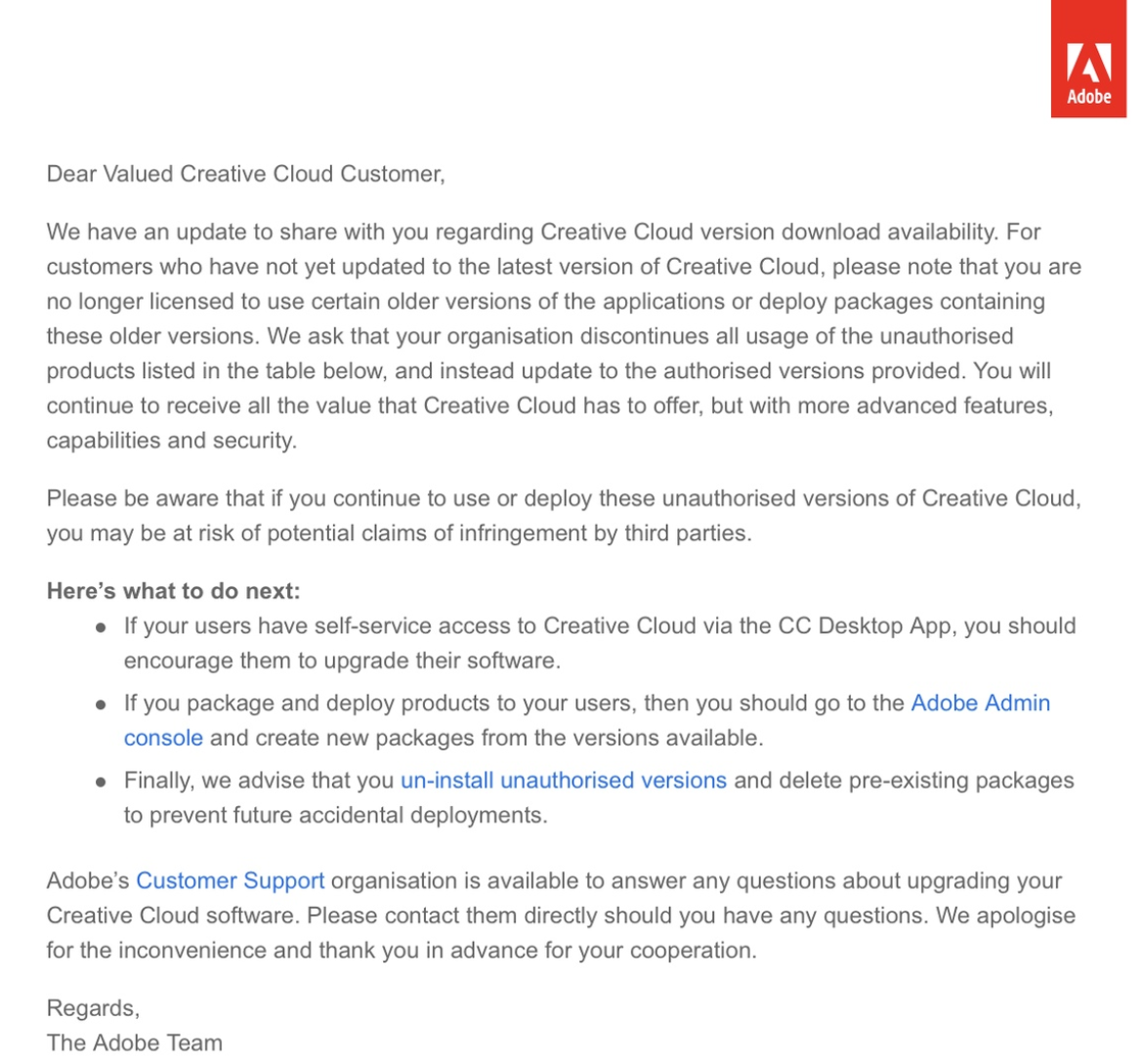
Hi. At the top of my project page I specifically mention what versions of Premiere are supported https://c2n.me/42SRBLl.omg. Also please note that it’s illegal to use old versions of Adobe products, due to official email from Adobe http://c2n.me/41H9CkB.png.