977 comments found.
Good work 

I sent you an email about an issue I had and you asked for a video capture which I later recorded. I clicked “reply” to that email with the clips. I was just wondering if I was supposed to respond like that or in a different way? Thanks.
Hi. I haven’t received your email with a video. You need to reply directly via Gmail, cause you can’t attach any videos here. Please send it again, maybe it was some kind of an error.
Downloaded the new update. Trying to open the transitions in PP and re-save, but MANY of the files are not being transferred over. When I try to “Locate” them, the computer says the file is not supported. Spend 3 hours on this with no success. PLEASE HELP ME!
Here is the update I received – using 1920×1080 - https://mail.google.com/mail/u/1/#inbox/FMfcgxwChmKfcgRqQHnGQXJlMsWRQKsw
Hi Randy! We already discussed this issue before in November and re-saving worked just fine. Please email me via my profile page to continue this discussion.
I am using Premiere Pro cc 2018. I downloaded the file, but there is no .mogr file in the folder.
It does not seem to be a problem with the Premiere version … Even in the compressed file … I can not find the mogrt file even if I decompress it.
Is there a solution?
Hi. My pack is transitions pack, it has nothing to do with MOGRT. It’s 100% Premiere Pro. So I totally don’t understand the issue you’re talking about.
I learned how to use it a little by watching YouTube.The problem is that running the template will open the premier ….The next message comes out. This file is made in a higher version and cannot be opened. I am using cc 2018 as a Premier Pro.
Version requirements are mentioned at the top of the project page. You need CC 2018 12.1.0 or higher to open my project.
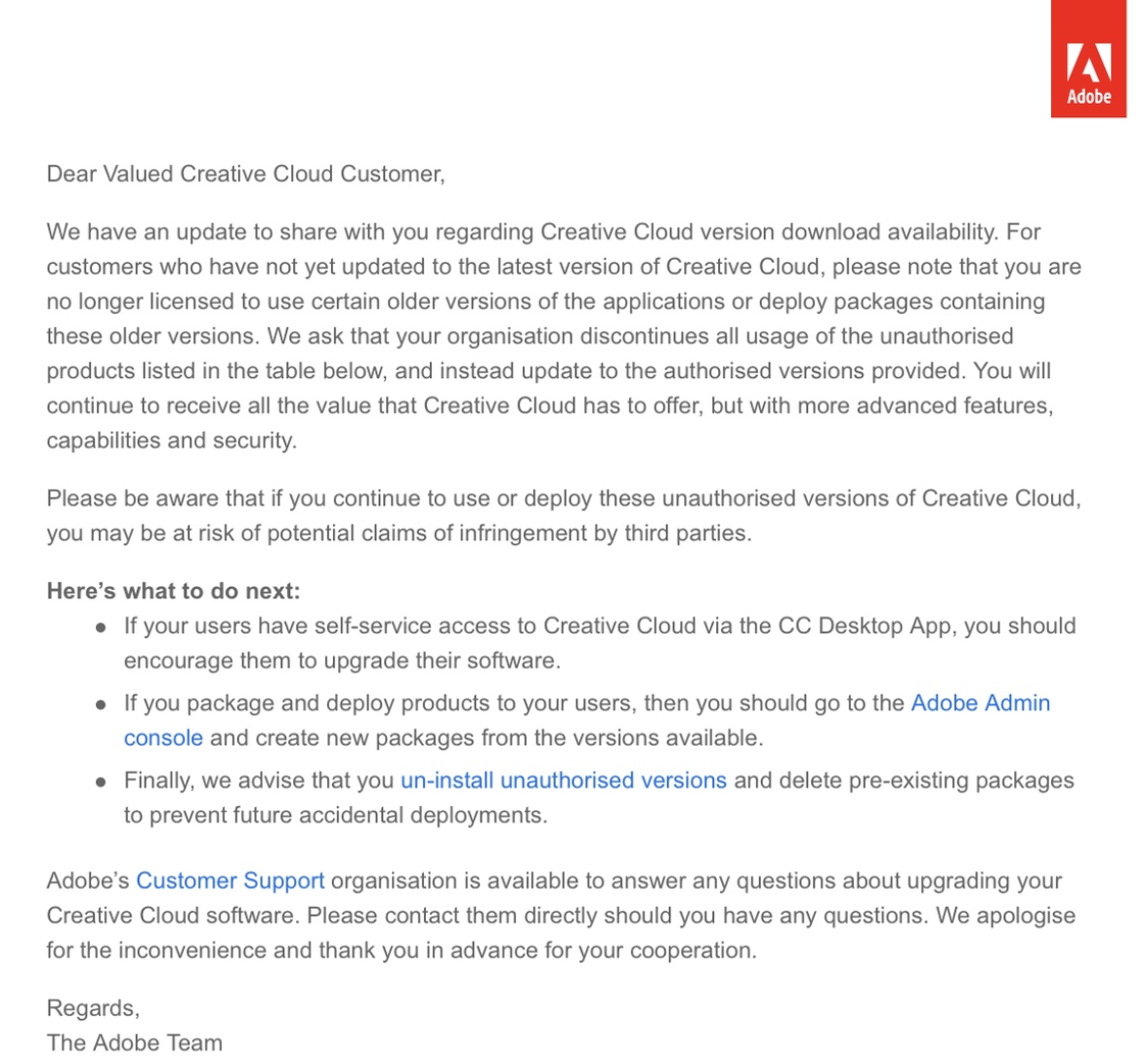
Please note, it’s illegal to use old versions http://c2n.me/41H9CkB.png, so please update to 13.0 (but I wouldn’t recommend the very latest, the best choice is 13.0.0-13.0.3).
mrgrt
I’ve had nothing but issues since buying this pack. Premiere Pro crashes everytime I try to use it. When I download and open in Premiere Pro too it crashes so everytime it has to find nearly 40 lost files. Followed your steps properly over and over. I’m considering a refund seing I can’t even use it. It’s not my PC specs either.
Hi Den. Please email me via my profile page and I’ll do my best to help you.
Is Premiere Pro CC 2019 supported?
Basically the latest version of Premiere
Hi! Sure, CC 2019 is supported, but due to Adobe technical issues with the latest versions I strongly advice you to use 13.0.0-13.0.3 versions.
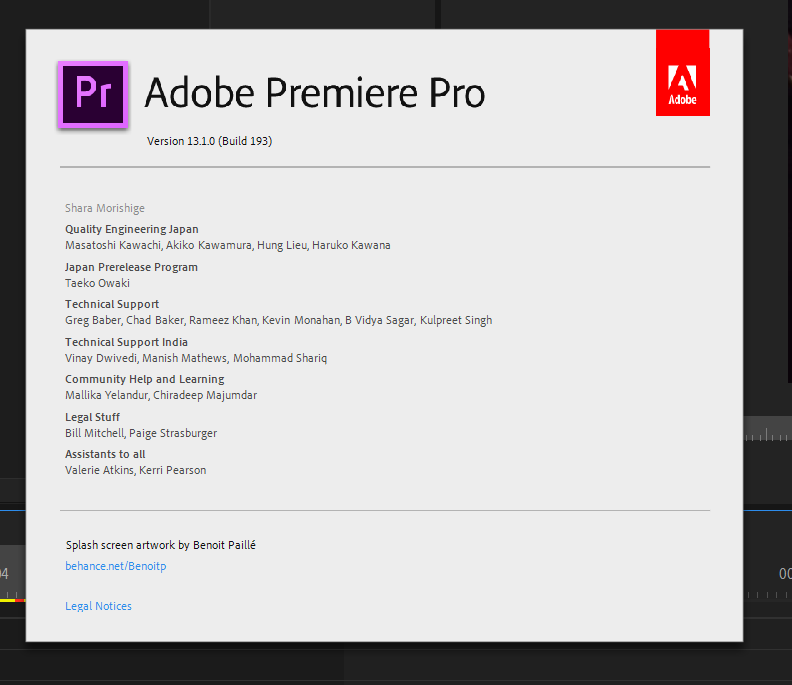
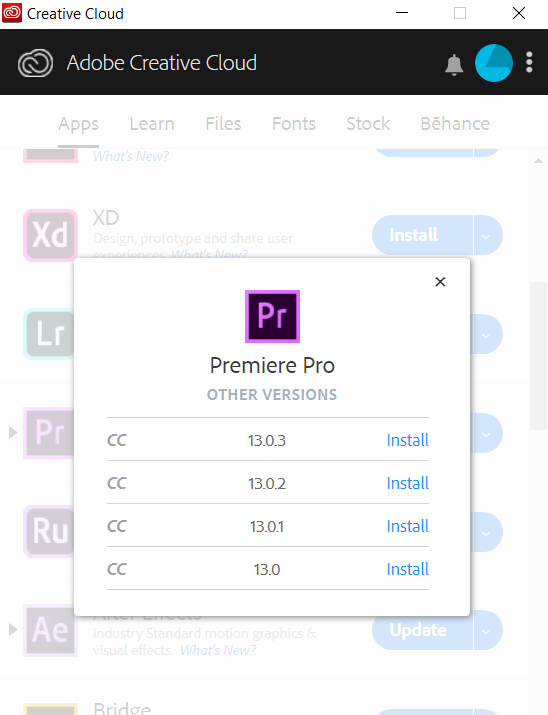
Here is the screenshot of version 13.1.0 installed on my system https://c2n.me/42AOweW.png. And the latest one was 13.1.3, but they removed about 3 last versions from Creative Cloud https://c2n.me/42AOP03.png.
Thanks for the info. I have a follow up question though: do people experience technical difficulties with the last version of premiere while editing or are you referring to issues with your title animation pack on the latest version?
First of all, my transitions don’t have any technical issues) Also I don’t have title animations, only text transitions.
Regarding your question. Few users had importer mpeg error which happened in 13.1.2 and 13.1.3 versions. And when those clients downgraded to earlier versions that issue magically disappeared That’s why Adobe has removed those laggy versions from Creative Cloud.
Got it. Thanks for the quick responses. The transitions look great.
You’re welcome)
Hi! can use this pack with premiere pro cc 2017?
Hi. No, CC 2017 is not supported. Please look into system requirements on the project page. Also please note that it’s illegal to use old versions regarding to Adobe policy http://c2n.me/41H9CkB.png.
Hi, sent an email and waiting for a reply. Glitch strobe doesn’t seem to be working.
Hi! Just replied on your email, please check your inbox.
Got it replied back
Does this work on Premiere version 13.1.3?
Hi. Yes it does, but I would suggest to downgrade your Premiere Pro version cause 13.1.0-13.1.3 had serious bugs and Adobe removed them from Creative Cloud.
someone help me to know how to use the text transaction
Hi! PDF-manual with instructions is located here ”\Premiere\Help and additional tutorials”
Yeah, good work!
Thx)
Hello, i make short instagram and youtube videos and I was wondering if I have to repurchase the pack for each video? I’m sorry if this is a dumb question, I’m fairly new to licenses and how they work.
Hi. Please email me via my profile page to continue this discussion.
Hey replayer im having major issues with your plugin. This is the second project that when i import your files premiere keeps crashing and saying low level mpeg i need to get this fixed i tried everything. Last time i gave up and started over without any of your plugins. Please help me with this problem
Hi! What’s your exact version number? I believe that in the latest Premiere Pro version Adobe have changed something and that’s the reason of that issue. Also this issue is being discussed on Adobe forums https://forums.adobe.com/message/11137637#11137637 but there is no actual solution expect downgrading to earlier version of Premiere Pro (for example 13.0).
Please try it.
its 2019 cc i dont know what version or how to change it
is this going to be fixed where i can use the plugin with the newest version i only ask cause i just bought them tested them out like them but i have not been able to use them before premiere crashes and so i paid for something that i have not been able to use?
Please email me via my profile page to continue this discussion. I’ll provide you with screenshots of where you can check your version and how to downgrade to previous.
My pack was tested very carefully, so it doesn’t have any issues at all. Adobe has removed version 13.1.0 (build 193) for some reasons (and also few others were removed), I guess because of some major issues (like the error you’ve mentioned).
Here is the screenshot of this version (13.1.0) installed on my system https://c2n.me/42AOweW.png. And the latest one was 13.1.3 few days ago, but they REMOVED both these versions from the version list https://c2n.me/42AOP03.png.
Why they removed these versions? Because of some bugs they failed to solve, that’s why I suggested you to downgrade to more stable previous version
How do I remove the photo from this transition? I’m coming from Resolve so please help lol SCREEN SHOT>> http://prntscr.com/oe8jhj
LOL I got it! Sorry all.
Sorry, was away. Good to know problem has been resolved
Hi, I have a problem. I just create the new project, but Premiere gut stuck, it seems that uses a lot of memory to move the project, and i cannot work…
Hi. Please email me via my profile page to continue this discussion.
Hello i purchased this item long time ago and im happy with it, still i got a question what if i record my video in 24 fps, all this pack is in 30 fps do i have to change fps or does it automatically adjust when i drag an drop? and if i have to change fps how do i do this ?
Hi! You don’t need to change FPS manually, transitions always use your sequence FPS. It’s fully automatic process
thank you awsome you answer fast and i realy love and apriciate your work <3
You’re welcome) And please don’t forget to rate my project if you haven’t done it before 
Awesome pack replayer! Thanks to your smooth transitions, I created my first travel video, if you are curious here’s the link: https://www.youtube.com/watch?v=3LNKCPfu-Q4&feature=youtu.be
Hi! Looks great, thx for sharing with me) And thank you for the rating, appreciate it!
Hi, Instead of a zip, I only got a folder on my download. Would that make a difference? Also, do I have to save and replace the file every time I work on new project instead of saving it in the effects folder?
Hi. I guess you’re on Mac? Sometimes users on Mac get unzipped folder, but actually there is no difference (if you have all of the files like it was in the zipped folder). You can email me via my profile page and send a screenshot of what you have in that folder (just to make sure that nothing is missing).
Regarding re-saving: yes, you need to re-save project file before importing it into Premiere.
I just purchased the pack and followed the instructions on the tutorial. The first thing I am prompted to do when I attempt to open the transition project is convert the project to an updated version: “This project was saved from a previous version of Adobe Premiere Pro and must be converted.” After this, I continue following your steps for importing and applying, however, many of the transitions seem broken. Most don’t have the option to drag and drop, unless I have “V1” selected, in which it only brings over the sample footage, not the transition adjustment layers. For example, I haven’t found one of the spin transitions that I can drag and drop. Am I missing something?
Hi. When you import my project you need to select “Allow duplicate media”, I guess you didn’t do that. I show all of it in my tutorial video. Regarding other questions: please email me via my profile page to continue this discussion.
Actually, I did select allow duplicate media. I guess you missed the part where I stated I followed your steps in the tutorial.
I didn’t miss it. Unfortunately, it’s very common situation when client tells me that he followed all of the steps, but actually he missed something. Good to know it’s not the case. And we will definitely solve your problem, no worries) As I’ve told you, please email me to discuss this matter via email.