977 comments found.

Hello! I am using Premiere Pro CC 2018 V12.01 Build 69 and can not open any transition. It says: ” The project was saved in a newer version of Adobe Premiere Pro and can not be opened in this version”. I can not see in your explanations restriction for versions. It is not so old version! Pls respond.
Do you have older versions. I can not upgrade my Premiere for sure!
Do you have older versions. I can not upgrade my Premiere for sure!
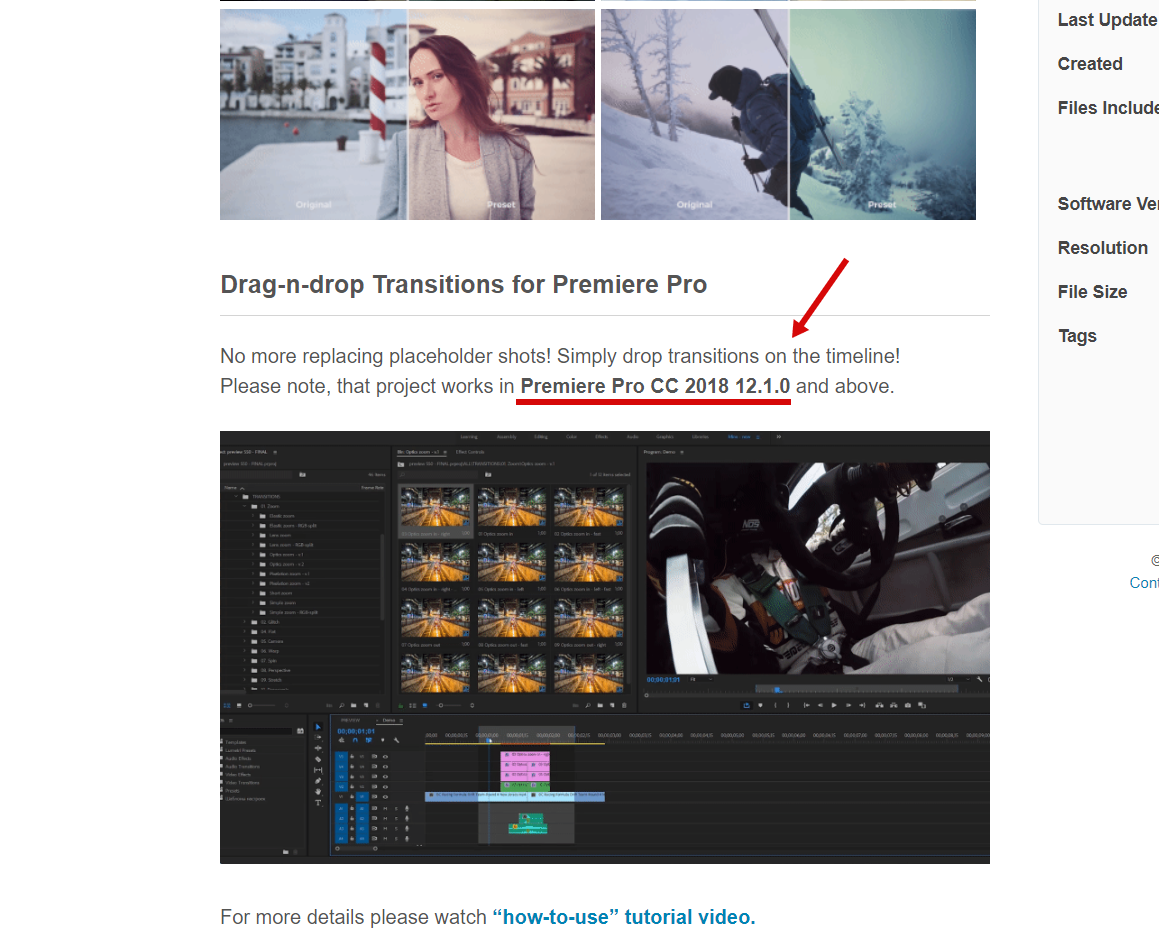
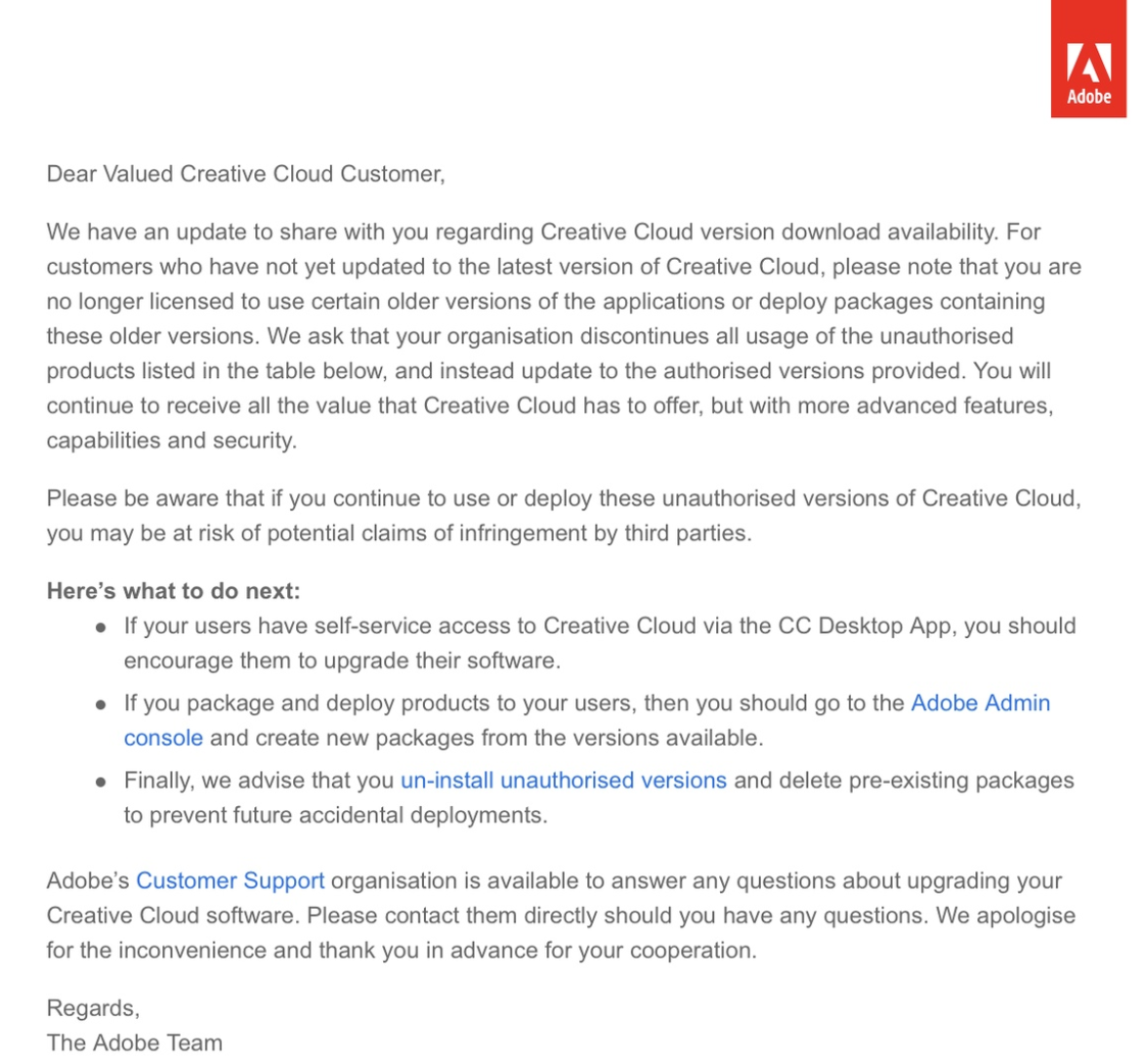
Hi. Version requirements are mentioned at the top of the project page https://c2n.me/42oLAxf.png. There is no older version + there is no option to downgrade in Premiere Pro. Please note, that it’s illegal to use older versions regarding to updated Adobe politics. Here is official letter from Adobe http://c2n.me/41H9CkB.png
I’ve followed the steps but its still has me locating the media everytime I import the project its very annoying. how can I fix this?
Hi. This is very odd… Maybe you placed project files on some external drive or changed folder location?
I think I may have solved it by leaving the project on the desktop. One last question when I change the resolution to 4×5 like how the PDF file says to do, the transition won’t show up on the timeline
Please email me via my profile page to continue this discussion. I will need to get screen capture of that issue.
Hi Eugene – I keep getting crashes / Importer Error 8 (latest version of PP) when importing. Any advice on how to fix? Windows 10 / i7-8700K@5ghz / GTX1070 / 64gb ram. Cheers – Gus
Hi Gus! I believe it’s Premiere Pro bug, cause it never happened before in CC 2018 and also never happened in early versions of CC 2019. What’s your exact version number?
Also I have few ideas how we can solve this issue (if the version is not the cause), please email me via my profile page to continue this discussion.
It’s a great product! Thank you!  Unfortunately I have a problem with the rendertimes. As soon as a transition is processed by the rendering, the time goes up to 15 to 30 minutes from 1 to 2 minutes. No matter which transition.
My PC:
i9 9900K RTX 2080 32GB 3200Mhz Ram
I’m very sure that this is not a PC problem.  Or are these rendertimes “fast” and normal?
Hi! Your specs are better than mine) If you’ll render the very same transitions that I’ve tested in my promo video, you’ll get the same or better results. For example, my promo video render time is about 45-50 minutes which is totally ok (my specs are i7 4790, 32 Gb RAM, 1060 GTX and it’s 5 years old machine).
Also different transitions takes different time to render. If we talk about warp, panoramic or light leaks – render time will be awesome. But if you have a lot of flat (pan) transitions for example, render will take much longer time.
p.s.: do you work with 4K footage?
Ahh okay. Yes, I’m working with 4K footage. Maybe this is also a reason that it could take longer.
Sure) 4K always takes much more time to render with any transitions. For 4K footage I would recommend 64 Gb RAM. It will greatly improve rendering. Also I can provide you with the solution how to improve workflow with importing only 1-2 categories per time and not the whole project)
Oh, I forgot the most important question. It happens more often that Premiere is crashing after I drop a Transition in my timeline. Earlier it hapenned once or twice on a project, but now it’s crashing so many times which is very annoying.
I’ts definetely because of the transitions, because when I arrange all clips, do the colorgrade and so on, no crashes.
Do you have any idea why this happens? I already gave a message to Adobe but got no answer until now. I have a crashlog, too.
Please email me via my profile page to continue this discussion.
Hey I bought this pack a few months ago and every time I use it and open the file it loads then says missing but sill opens with the pack and works but after using it for a few and the transitions it freezes and crashes my app and I would like to know why because my PC is great on everything else but i noticed to if I was not using the pack and just a regular file Premiere Pro is flawless when editing but not to much when using the pack what do i need to fix this and have no crashing and smoother editing when using this pack
Hi. I would recommend using commas and periods, it will be much easier to read the text) Please email me via my profile page to continue this discussion.
I wanted to know which one is faster at rendering on Premiere Pro: A. Using Dynamic Link to bring clips to AE, adding template, then rendering on Premiere B. Using .mogrt directly inside of Premiere Pro and not using AE dynamic link
Hi. I’ve never tested dynamic link or mogrt. Premiere Pro is much better for editing rather than After Effects, so don’t really understand why do you need to use dynamic link.
oh my apologies, I thought there was an AE version, my bad!
Hey, hey, installed and added like in the tutorial video shown. But when I add the transition it doesnt make the effect it should do, instead it only adds the preview version with its effect.
So instead the effect taking over my video, there is a transition with the effect of your video (preview), what to do?
Hi! Please follow this solution https://videohive.net/item/200-pack-cinematic-action-transitions-sound-fx/21797912/faqs/32242
Will try. Thanks for the Reply. Do u Need to empty all layers like Shown in the example?
F.ex. I have a layer of multicam edited on 1, plus a layer of text on 2, plus a picture on 3. Should I turn off still only the layer nr. 1 or also 2 and 3?
You need to disable only V1 as shown on the screenshot. If you have any additional footage on the timeline you need to put transition above it (or you can nest everything below transition).
Hi! I’m on a Mac Pro (late 2013, 3,7 GHz, 24gb ram, AMD Firepro D300 2gb graphics) GPU acceleration is enabled in my PP project, but I still get an error message on all the second parts of the transitions, saying GPU acceleration is required for this effect?
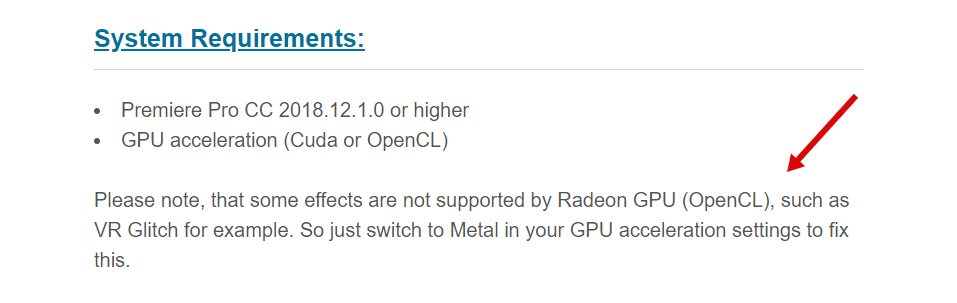
Hi! Well, your graphics card is not the best choice for editing, because Adobe has limited support for AMD graphic cards and some effects simply don’t work (why is that I don’t really know). I’ve wrote about this in “System requirements” section https://c2n.me/429W3Xm.png. Please try switching to Metal, maybe it will solve the problem.
I just finish Your tutorial but i encounter a problem. Whenever i use Your transition it works only for the first part of video. There is a black solid where should be the rest of the animation.
Hi! This is odd… please email me via my profile page to continue this discussion.
I wrote few days ago but didnt get any reply
Sorry, must be some kind of email error. I’ve just replied to your email once again.
in the text transition section of this pack . when i apply it it affects every thing under and not the text track … how can i remedy this
Hi. Please follow “How_to_apply_text_presets.PDF” manual which is included with the project. You can find it here: ”\Premiere\Help and additional tutorials”
thank you …. btw love the pack
You’re most welcome and thank you for the kind words)
How long does it take to get support? I’ve sent an email. Also do you provide screenshare support? I can’t seem to get this to work. It says can’t connect missing files. even if I locate them, it says they are not the same. Please help! Project due Monday~!
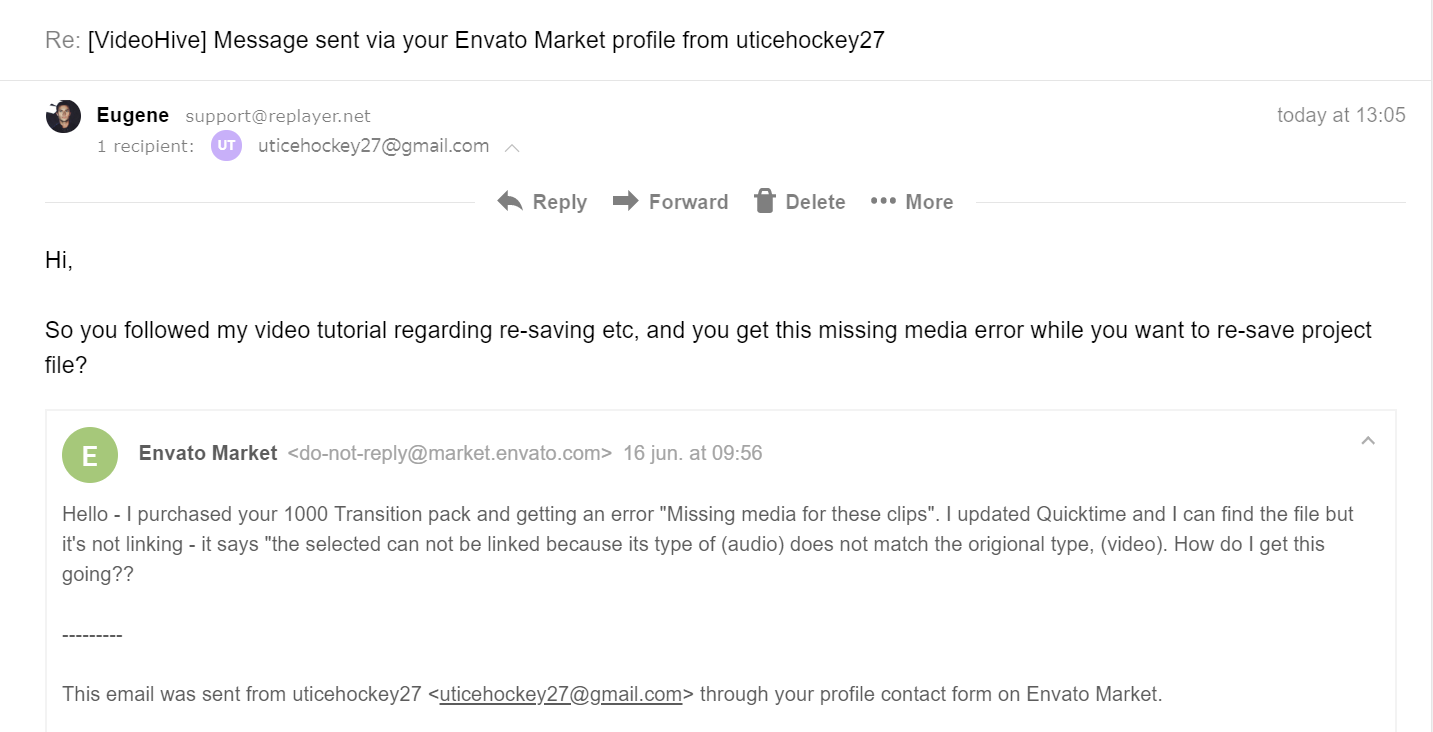
Hi! I’ve already replied to you 11 hours ago. Here is the screenshot https://c2n.me/4271nl9.png. Please check spam folder if you don’t see my message anywhere.
Great to be level 10 with a single product. if you’re human, what am i
Hello really great transitions.
But for some reason the glitch one does not seem to be working correctly.
The preview are looking fine though.
Please help.
Thanks.
Hi! Please email me via my profile page to continue this discussion.
I need help my glitch transition don’t want to work for some reason the other are but not my glitches. I can see the glitch in post production but when I export its not there. help please
Hi! Just replied on your email.
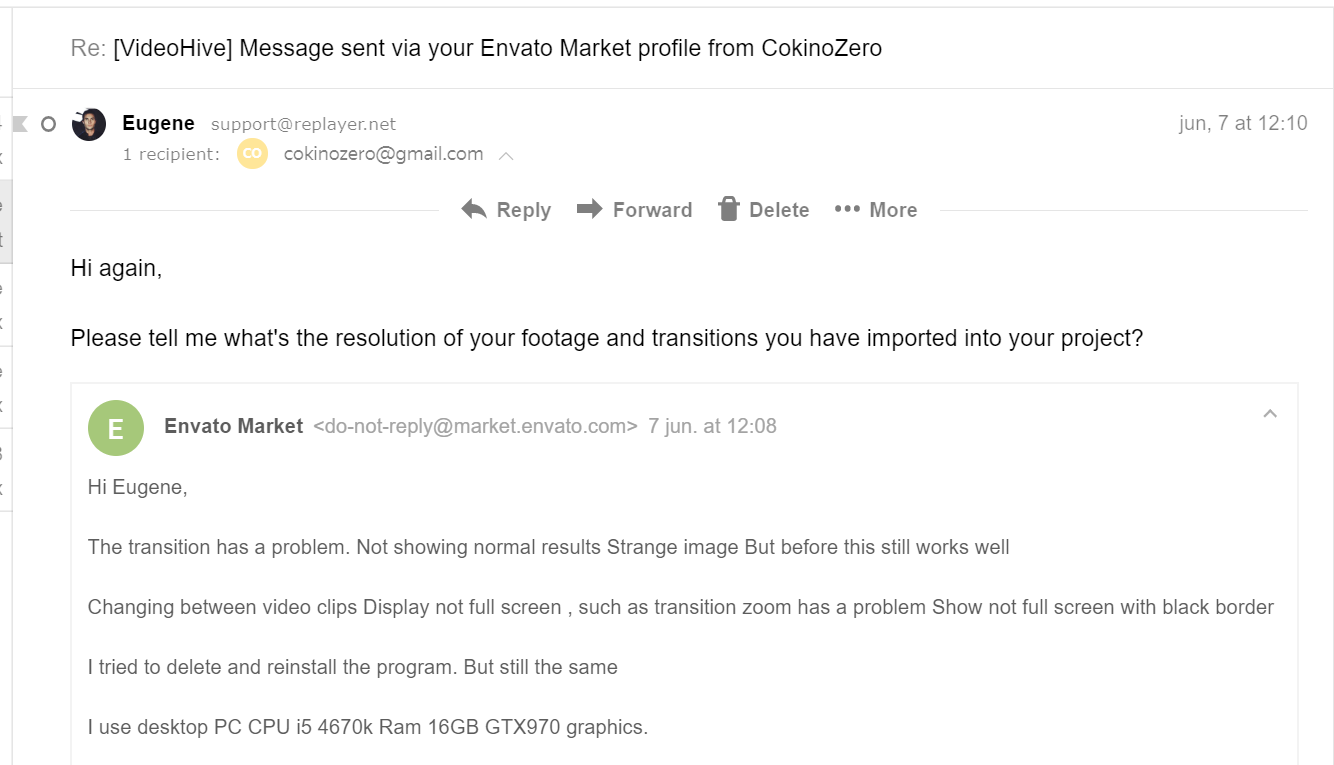
Hi Team,
The transition has a problem. Not showing normal results Strange image But before this still works well
I use the i5 4670k Ram 16GB GTX970 desktop PC graphics.
What is the cause?
Hi! Please email me via my profile page with this issue https://videohive.net/user/replayer.
Already sent mail but didn’t respond for a long time
Hm, I’ve already replied on your email. You didn’t get my answer? Here is the screenshot: https://c2n.me/41ZiT0p.png
Sorry i just saw
Hi, Does this project use morgt files ?
Hi. No, it doesn’t. All of the files are 100% Premiere Pro.
Hi Eugene, I just purchased the pack, and imported it to a blank project. As I test out the transitions it crashes Premier Pro every time after adding just a few transitions on a single video file.
I am using a Surface Pro 4 with 16gb RAM, i7-6650 2.2 ghz, and Intel Iris 540 graphics card.
Hi. If your laptop doesn’t have any additional Nvidia or AMD video card you’ll have issues. Here are system requirements for my project https://docs.google.com/document/d/14QRkX65A2p70XgqE_Q_PpIiwGrVloWzU30zXEhs3ceY/edit?usp=sharing (you can find this link on the project page).
Please mind upgrading your hardware, because there is no way you could use any transitions from Videohive with such specs. Good graphics card is crucial for working with transitions (also as amount of RAM etc).
Hi Eugene , I sent you an email about an issue I am facing, I am using Adobe premiere pro cc 2019 , the latest version I think, and your packs from previous version of Adobe premiere and it didn’t work, I am sure you know what I am talking about, I will be waiting for your answer
Hi. I’ve already replied on your email.
Yes, it is working now, I restarted my computer and clicked yes, keep up the good work Eugene
You’re welcome)
Hi! Do you have the same pack for Final cut? Have been using this with premiere for a while now and I’m super happy! But I’m starting to record in apple propres so i need to jump to final cut…
Hi! Unfortunately Final Cut Pro is too limited for such complex transitions.