981 comments found.
when I try to open one of the project files with Premiere CC 2019 it will prompt me to save which I had and then it will try to open the new project file, goes up to 60% and gets stuck, I tried leaving it there for an hour no progress, I had sent you a screenshot. Please help!
Hi! I’ve already replied on your email, but due to some technical issues with my mail server I guess you didn’t get the message. I’ve just sent you message from my Gmail.
Although I had to go through some issues with my installation, I wanted to thank you for your full support and fast replies. 5 Stars all the way
You’re welcome. I was glad to help) Please rate my project if you like it https://videohive.net/downloads 

I received the email notifying me of an update for the product two days ago. Says it’s now at 800+, ver 4.6. Yet, I only see 720+, ver 4.5 available for download. Did you remove ver 4.6?
Hi. I’m sorry for this situation. I have copyright issue with another author regarding anchor zoom implementation, so now we’re discussing this matter. That’s why ver 4.6 is not available at the current time and I rolled back to 4.5
I have a problem. after I import your project into my everything works, but the code I save and I go next time the video does not play, if I delete your project from mine and then I go again, everything works fine. Please help me. I use after effects 2019
sorry, premiere pro 2019
Hi Alex! Please email me via my profile page https://videohive.net/user/replayer to continue this discussion.
Great transition package, unfortunately, I can’t get it to work, very frustrating, help
Hi! Already replied you on email.
Hey I have purchased this but whenever I load it into premiere it shows missing media and then options come like offline offline all and locate I am seriously very upset I am an Indian and this amount also matters to me ! Please help
Hi! Please email me via my profile page https://videohive.net/user/replayer and I’ll provide you with the solution.
Good evening,
So i have a question. In the tutorial, we were able to see you drag and drop the templates and only turn off one thing within the timeline. But for me, I have to turn off v1 and click on the eye of v2 to make the pictures to disappear. The effects were still there though. But I didn’t see that in the tutorial
Hi. I guess something is wrong with your layer settings. Please email me via my profile page https://videohive.net/user/replayer to continue this discussion.
Hi, Just a question concerning my Mac specs: 3,2 GHz Intel Core i5 8 GB 1600 MHz DDR3 NVIDIA GeForce GTX 675 MX 1GB
Normaly I have no problems using Premiere Pro CC 2018. But will I have problems when using your presets ?
Thanks, plus
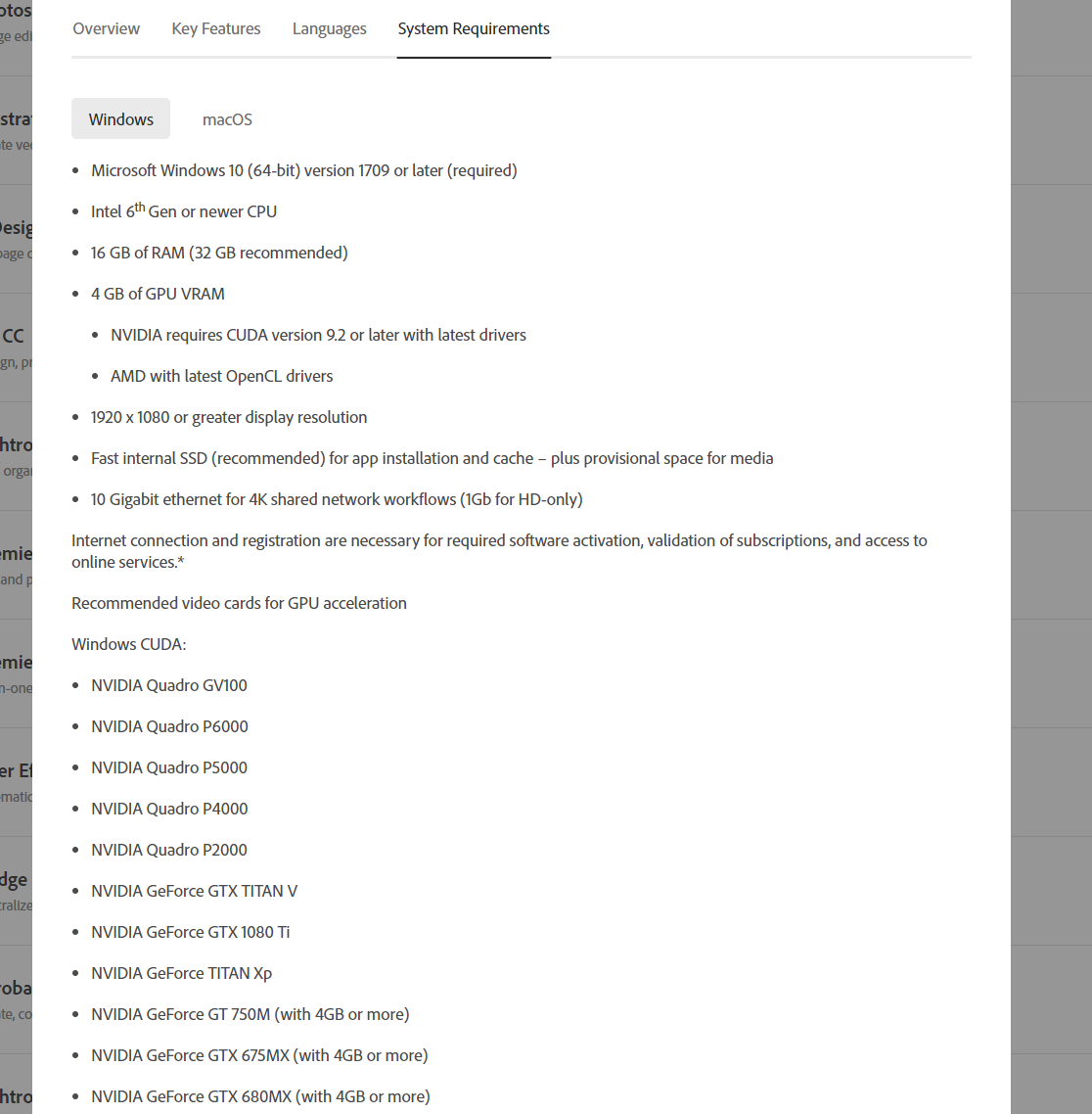
Hi. Here is system requirements for CC 2019 https://c2n.me/3YCpJvw.png (don’t know what was for CC 2018, but I guess pretty close to CC 2019).
I suppose you’ll be able to use my transitions, but only in FullHD or HD. 4K won’t work properly with your specs. Also video will take some time to render, it won’t be super fast like with basic Premiere Pro transitions.
Hey, why I get crash randomly every time I drag a transition on the timeline?
Hi again. I’ve already replied on your email but also will answer here. Here is minimal system requirements for Premiere Pro from Creative Cloud website https://c2n.me/3YCpJvw.png.
And this is your hardware specs https://c2n.me/3YCq06P.png you send me a day ago. As you can see Premiere Pro requires better hardware to work properly (especially if we talk about transitions). Also CPU matters + SSD as system hard drive.
If your system doesn’t meet minimal requirements for Premiere Pro, you may experience some issues. But still I’ll try to help you with that crashes problem. Usually crashes doesn’t happen even on low performance systems. Maybe old drivers is the cause, try updating it.
Is this your page? If not, he is selling your effects. https://www.facebook.com/Videos-Effects-301203357395871/?eid=ARBtAk_UoSIRKkVkLHPdKjLrRdLh3IG7dLFfTu11GnpbbOZm8DEfeaqEYU3HL8VW6T83TkW1IFFuZhZX
Hi. I’m aware of that, thank you. Someone has stole my project a month ago and created several fraud web-sites for re-saling it illegally. I’ve already notified Envato suport about this. Hope they’ll take that thief down eventually.
I cant preview the transitions…. & every time I drag a transition preset file it always prompt of locating certain files. & sfx seems to be lost.
Why I’m seeing black lines in some effects? Specially in ZOOM & FLAT
Hi. Regarding missing media error. Please email me via my profile page https://videohive.net/user/replayer and I’ll provide you with the solution.
And about black lines. Do you see it in preview window or in rendered video?
Everytime I re-open a project with the pack it spikes my ram up. Sometimes it will fix it self after a long time (5-10mins), sometimes it won’t. It is a real pain when working on multiple projects. I didn’t have this issue until I upgraded to Pr CC 2019. I’m also using the latest pack.
Hi. I guess that’s some unknown bug of CC 2019 version, which has pretty significant amount of different bugs.
And just to clarify: you don’t get any missing media errors when you re-open project file?
They say “media pending” and like I mentioned sometimes it finds them, and sometimes is just freezes on whatever frame it opens on. Then I have to close and try re-opening. Speaking of updating, PR has an update. I’ll let you know if this update improves the performance.
After opening a few projects with the pack, the Pr update appears to have helped some. Not sure if it will be consistent though. I’ll keep you posted with further test.
Ok, thx for letting me know.
45mins later, still maxing out my ram and doesn’t get past “media pending” and crashes a lot. Only seems to happen once I close the project and open it later. At the point where I’m going to stop using this pack.
Deleting the pack and re-opening the projects fixes it.
So the problem has been solved?
Nope, best way to use it is rending the footage I’m editing and bringing it into a new project with the packs only in it. The less in the project, the better it seems to work.
Hm, I can send you the video which shows how to import one transition category (same technique works for importing 2 and more). It greatly improves workflow, so you don’t need to import the whole project file. Just email me via my profile page https://videohive.net/user/replayer and I’ll send you video in my reply.
Hello what is the difference between these and this linked product? https://videostarpresets.com/products/900-premiere-pro-transitions-pack
Or are these the same?
Hi. My project has been stolen a month ago, and that thief created several web-sites where he tries to re-sell my project. That’s totally illegal, so please don’t buy my project elsewhere expect Videohive.
Buying project from frauds website deprives you of the opportunity to receive my free updates, also as you won’t get any support.
Ok I had a feeling that was the case, I only buy from the creator as I like to support developers. Hope you can get it taken down! I will flag the post / ad on facebook as copyright infringement
Thank you, appreciate it. I’ve already send several DMCA’s. Hope Envato legal department will eventually do something about it.
id love to buy this but im very confused on the license, i can use it for any video id like? and with the $45 purchase price i get it forever with unlimited uses and can use it on my laptop and desktop?
Hi. Please email me via my profile page https://videohive.net/user/replayer to continue this discussion.
i dont see a response
I’m very sorry for the delay, already replied on your email.
hello! i just want to ask if I am using 1920×800 resolution what should i use? there is so many option for resolutions. please help
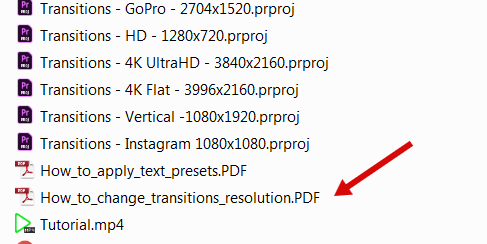
Hi! Please follow this manual https://c2n.me/3YwyCQy.png to make 1920×800 transitions project file. Let me know if you’ll need any help.
do i need to download the latest update to get that PDF file?
I guess not, this particular manual is included since June. But if you haven’t downloaded my latest updates, please do. I’ve added lot’s of new transitions.
i can’t find the pdf file even with the latest update. Can you please email it to me? patrick_carrullo@yahoo.com
It’s in the “Premiere” folder. File sent, please check your email.
hello, i bought the pack but when i try to use it, the transition doesnt work. only the pictures show up. i try all things and followed your information to the problem, but it dosn’t work.. i tried for 5 hours now and i starting to get realy pissed. 47$ pls help or i want my money back
Hi! I’m sorry to hear that you encountered issues. So if I understood you right, you get sample footage on the timeline above your footage? And you have tried this solution from FAQ section https://videohive.net/item/200-pack-cinematic-action-transitions-sound-fx/21797912/faqs/32242 and it didn’t help?
If yes, please email me via my profile page https://videohive.net/user/replayer so I’ll be able to provide you with the solution.
HEY! I WANT TO USE IT ON 917-1920 – 16:9 video….. For music video. Its gonna work ?
Thanks….
Hi! Yes, it will. My transitions pack works with any custom resolution.
So I will just need to Drag it in? and thats it?  it will not tell me the size not fit?
and there is shake transitions there?
Well, if resolution of your footage is one of 14 pre-made included you don’t need to do any extra actions. And there is a PDF-manual in case you want to make any custom resolution (it’s included in the project folder).
Feel free to email me after the purchase if you’ll need any help with changing resolution (I can make that 1920×917 file for you, it’s 1 minute process
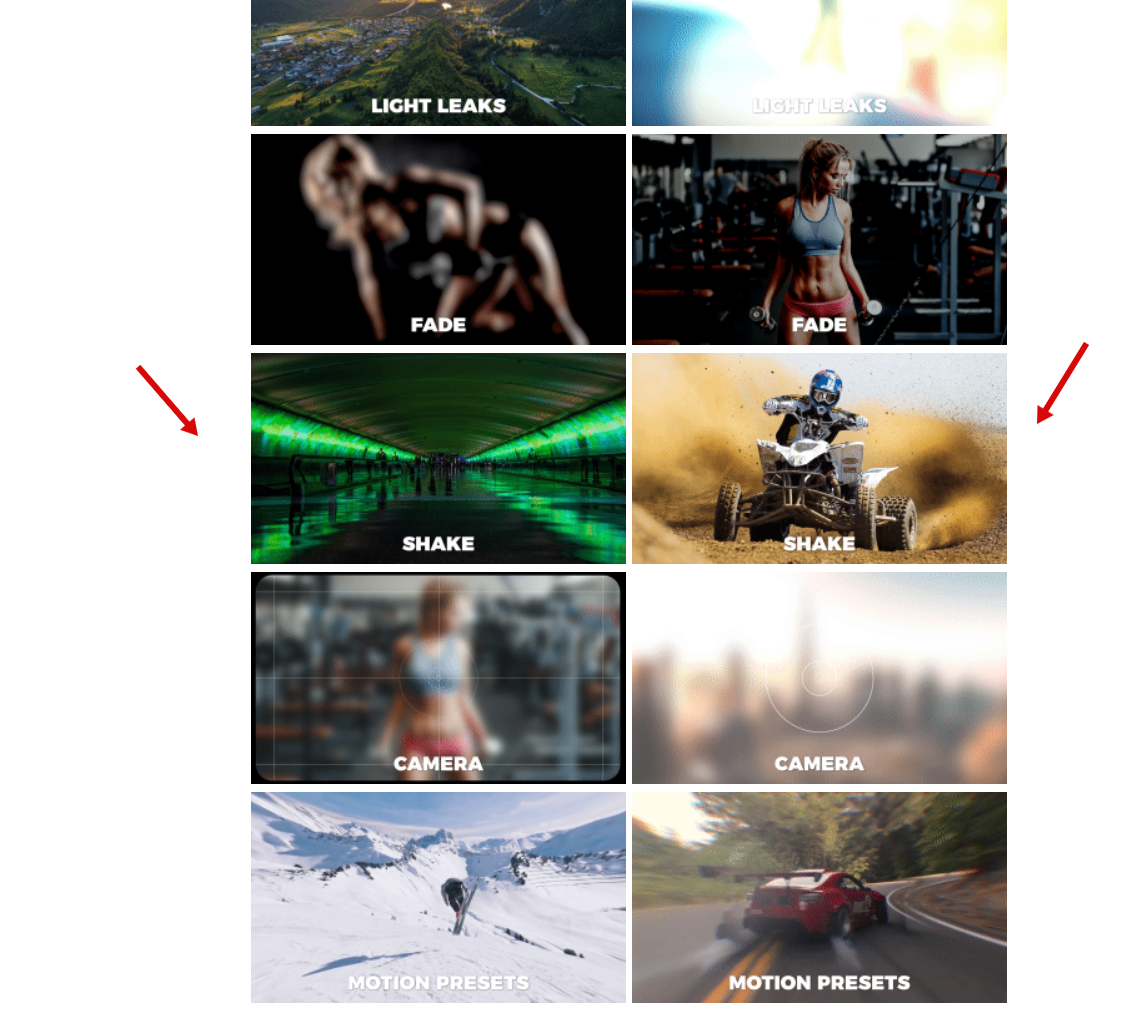
Regarding shake transitions. Yes, it’s included in the project.
I will need 917X1920 for sure. ill buy it tomorrow !
Do you have preview of the shaking ? Thanks for the answers!
Sure, you can find preview on my project page https://c2n.me/3Yt4k0Q.png and also in the promo video.
i purchased this package and i cant seem to load it onto my adobe premiere
Hi. Do you get missing media error when you import my project?
yes
Please email me via my profile page https://videohive.net/user/replayer and I’ll provide you with the solution.
Is it works with Apple mac pro?
Hi. Yes, it is. The same as on Windows based machines.
I just ask because some transition pack has mp4 preview files and these impossible to load Premiere on mac…  If you say 100% no problem – I will buy your package
I’m aware of the error that happens because of mp4 previews. And I already have the solution Just email me via this page https://videohive.net/user/replayer after the purchase.
Hello, I’m having a problem with the presets as only few ( in some cases only 1 ) of the effects is showing while the others are appearing offline. Can you please help me in solving this issue.
Hi! Please give me more details about this issue and reply via my profile page https://videohive.net/user/replayer to continue this discussion. I would appreciate screen capture or at least screenshot of the problem.
Ok, will do. Many thanks
Hello! How do import the transitions into Premiere (I tried importing them but they don’t appear anywhere.)? Where will they live? Are they in Effects panel under their own folder or somewhere else? Thanks!
Hi! Have you watched my video tutorial? It’s included in the project folder http://c2n.me/3Y9QGtz.png
Hello! Thanks so much, I did but they don’t show up in the Effects panel. I just got them into a “Bin” but not sure how to make them easily pop up in the effects panel transitions? Is that possible?
Okay, I have them in there, but do I need to load them every time I start a new project or will they be in the effects panel everytime now? Thanks so much!
Well, my transitions works as a presets, but it can’t be imported like regular Premiere Pro presets. Why? It’s pretty simple. Because of sound FX + previews which goes with each transition. That’s why my presets can be imported only like project files.
If you want to improve workflow and you don’t want to import all transitions each time, I can send you a video with a solution how you can import only the folder that you need.
Ahh! Makes sense. They’re amazing. But yeah, I would love that video. Thanks so much and great work!
Thank you for the kind words and you’re more than welcome) Please email me via my profile page https://videohive.net/user/replayer and I’ll send you the video.