145 comments found.

bro am getting zip download 951.88mb still now…. i have no clue why ..but we are super excited coz this is going to be new for the India t.v…having such great material…if u want i can send in the log in details ..why iam getting the download less…i am sure am missing some goodies… and thanks a lot for the lovely bundle …. i will pm you rite away
Hey Bud,
Thank you so much! That is fantastic! Great to hear!
Now, when you unzip and it decompresses, the folder size should actually be 1.29 GB. So, check your folder size instead. I just got your PM so we can communicate easier that way.  Thanks again my friend!
Eric my friend we have purchased it at-last :D…i just wanted to know…. when downloading the file….. the total file size is 951.88mb zipped….. and on the website it says File Size 975mb…. did i miss anything….pls let us know and we are looking forward to buy grave danger too….. for future project. your (edit ,scoring and Cinematography) was jaw dropping..can we have your business email id for customized work for future reference… we will be great-full …
Hey axelevents, Thank you so much for the kinds words!!!!! I really appreciate it. The zip should actually be about 998mb. I recently updated the bundle, whereas you will now see CS6 and CS5 Full Bundle Projects as well as Chapters Projects. And presets Pack. It was actually around 3am where I am when you wrote, so my apologies for the delay. Have you tried to open or do anything within the time since you wrote? Either way, let me know whatever you need or how it goes. If you have any questions always feel free to contact me. If you PM I will be happy to send you all my information. Thanks again my friend!
PHANTAZMA ..we are a small company of five ppl with production and post production back ground from India ,we are making a small demo trailer for viacom 18 pvt (colors T.V channel)... and bro if we are selected then we are going thank you a million times….we are so lucky that your bundle fits our needs….we are simply amazed looking at your work… we are getting frustrated trying are luck with paypal coz we have debit card from master and its not working…... 
and yes we are super excited …...
Hey Axel, Thank you so much for the kind words my friend. That sounds great! We’ll get it sorted out for you. I just have no control on payment process. Here is a link for support. http://support.envato.com And when you get the project situated please feel free to contact me on anything I can help you with. Thanks again my friend!
PHANTAZMA pls help…... am not able to purchase your template pls help me….... i have to submit a project and i think your template will get my job done..:(
Hi Axelevents, So sorry for the issue. Unfortunately I do not have anything to do with the payment side of the projects. I know you are able to use credit cards, paypal…etc. Does the issue seem to stem from the card itself or the payment process? Happy to help any way I can my friend. Thank you so much
Hi, as a band “climax igloo” I have used your “Awesome” film stock and created a nice Dark film clip for one of our songs, http://www.youtube.com/watch?v=GtsCpN2BrG8 would love to hear your comments, and just want to say a huge thankyou for making this footage available. You have a follower for life, love your work. Thanks
Climaxigloo! That is fantastic! Thank you so much for sharing my friend! Love your music! And thank you so much for the kind words my man! Means a lot! Keep me posted on your music and works! Thank you again!!!!
Really Haunting Images. Loved All of Them and really Creepy! Good Luck!
Thank you so much Volkan! I appreciate that my friend!
Fantastic template. I love this video and I’m dying to use it to promote my book, but waiting 5 to 10 minutes to open each comp is rather crazy. I have a Workstation PC, with an nVidia Quaddro 4000, Intel Xeon 2GHz and 32 GB of RAM . We built this system just for After Effects and 3D software. So I can’t imagine why this file is running so low.
I tried your suggestions to switch off the Render Multiple Frames Simultaneously, but that offered no improvements. I have only 6 GBs dedicated for other apps, with 26 just for AE (and other related Adobe products). I reserved 6 GBs of CPU for other apps, with 6 actual CPUs used. I’m just at a loss. Obviously, you’re not here to offer hardware configurations, but I do have a suggestion on future work. Maybe sell two versions of the video. One that is just 1080p and the other the 4K version. This way we plebs can decide which to buy.
I’m really looking forward to seeing your next project.
UPDATE : The “Secret” suggestion to turn on Disable Layer Cache worked!! Looks like I’m good to go. <3
Hey rmbrand, excellent! Glad the Secret toggle worked! Wow, I’m surprised it took that long to open. I actually have a new bundle coming out, whereas, it is all in 4K. However, I did break the project down into 4 small ones, in order to have a faster workflow for folks. The 4K is a light bitrate so the 1080p version would not really make a difference in speeds, being the 4K is not RAW and is the same compression I would use in 1080p. So, if you brought in the 4K files as they are with no effects you will see it flows fast.
Rather, the slowing of the workflow comes moreso in the stacking of mattes used. So, what I suggest is folks shut those off while working to increase speeds durning working. The only problem with breaking the project down into two, 4K and 1080p, is I literally have to redo the entire project over in 1080, because the environments and everything have to be retracked, resized, repositioned. If there was a script out there that could recalculate everything and size it down I would grab it in a heartbeat.
But again, as I tell folks, the reason I jumped 4K, is in the weeks I tested 1080p and 4K footage a Comps, no difference. So I decided let me give the folks the 4K.
Either way, I’m delighted it all worked out in the end for you! And always here to help and take suggestions! Thanks again my friend!
I’m using this in a time-sensitive project. A couple of issues I’m having:
1) Is there any way to easily output this thing at 1920×1088? The 1080p mode is actually 1920×788…
2) I have an i7 and 8gb of RAM , but just trying to render 25 seconds of this project at 1080p is taking 2 1/2 hours. I’m on a PC, if that helps.
It’s a great project…I just hope I can get a response soon so it can actually work for me.
Hey Stephen, 1. Sure thing. Theres a number of ways to export to 1920X1080. When you are in the Render QueQue, Hit The Output Module “Loseless” button. And Select on Resize. And change it 1920X1080. But also, you can just select the original Comp you are going to render, Go up top to Comp Settings, and resized right in there.
2.Depending on which Comp or Comps you are trying to render. SOme are a bit heavier than others. But you will see the Render Time go up and down. However, lets try a few adjustments in AE Preferences. Go up top to After Effects, Preferences, General. On the Left Hand Side of the preferences lets look at some things: Previews: Make sure you check OFF Enable Open GL Memory and Multiprocessing: (this can be funky depending on the system. Memory, resefve at about 2GB for other Apps. Now, if your Multiprocessing is checked ON, check it OFF , and if it is checked OFF , check it ON. Especially with your machine, Multiprocessing should work great checked on, but, only one can say.
Now, also, there is the Secret Mode in AE. Hold Down Shift Button, and keep it held down. As you hold it down, go up top to After Effects, Preferences, and select General (all while always holding the SHIFT button. Once you select General, you should see on the left hand side of the box, at the bottom, “Secret”. You can let go of SHIFT . And now go to Secret, CHECK ON Disable Layer Cache, and Purge every 1 Frame.
Lets try a few of these and see if it helps render things faster. I hope these help my friend. And thanks again. Feel free to PM me if there is anything else I can do.
Support for this is top-notch, just like the product itself. Thank you!
Thank you so much Stephen! Always happy to help! Thanks again my friend!
Hi!
I don’t really want to criticize – the project really is totally gorgeous. ...I must obviously be doing something wrong. There must be some setting in After Effects that I don’t know about. It all looks so easy in the tutorial. But when I open open the project it takes more than five minutes for the computer to switch between one comp to another. I don’t get it. I have a MacPro running CS6 ; 12-core, 64 MB RAM , 400+ MB/second Fibre Channel Storage, Mountain Lion 6.8.2.
Do you have any suggestions?
And while I’m a bit frustrated, please understand that I do love your work, and love how it looks!
Best Regards, Bryce.
Hi Bryce, Thank you so much for the compliments. You certainly have plenty of juice, so that certainly is not the issue. It may be some settings we can check out. Lets check your settings first: Go up top to After Effects, Preferences, General. On the Left Hand Side of the preferences lets look at some things: Previews: Make sure you check OFF Enable Open GL Memory and Multiprocessing: (this can be funky depending on the system. Memory, resefve at about 2GB for other Apps. Now, if your Multiprocessing is checked ON, check it OFF , and if it is checked OFF , check it ON. Especially with your machine, Multiprocessing should work great checked on, but, only one can say.
Reasoning is, in my case, I have 32GB of RAM and Quad Cores on one of my Macs, and for some reason I started running into rendering issues with it checked ON. So I checked it OFF , and it fixed my issues. It was Vice Versa on one of my other machines.
Now, in the case of rendering, when you go to Render, and go to your QueQue, did you select the Layout that was 4K, or 1080p? Because, you will notice a speed increase if you select the 4K, in the Render Queue, select Best Settings button, and switch the Resolution from Full, to Half, which will bring it to 2K. Try that as well.
Now, in workflow mode, working with Resolution at Quarter will help as well. You will notice the picture does not degrade with the 4K files, as much as it would with 1080p and 720p. So, some of the comps in the project can weigh down speed. Merely because it’s a heavy composite piece at times of course. But lets see if these factors work better for you.
Feel free to PM, that way I don’t bog down messaging here. But thanks again, and I’m here to help with anything I can. Keep me posted on this process of suggestions and we’ll take it from there my friend. Thanks again Bryce!
Thank you, Phantazma!
I’ve been busy here, putting the project to use. I can’t actually find any preferences for Open GL in the Preview Settings in the preferences. Does that mean you have to different version of AE than me, or that my graphics card doesn’t support it?
Anyways, I found another thing that really helped out, so I thought I’d share it. I turned “on” [Preferences->Display->Disable Thumbnails in Project Panel]. I also split the project into three separate AE projects according to its three chapters. I then ran the “Remove Unused Footage” and “Reduce Project” commands in each separate project file. That made everything a lot more manageable.
I still have no idea why it bogged down so much, but regardless, you saved me a lot of work, and I appreciate your beautiful design!
Thanks man! And thanks for your quick reply!
Hey DrBryce! That is excellent! You know, I failed to realize that you were using CS6 . However, I can’t thank you enough for the CS6 tip. I am going to log that down for future customers who may have the same issue you had. I was noting moreso the CS5 or 5.5. But your CS6 homework will be of great help for the future, so thank you again my friend! And any help you need I’m always a PM away my friend! Thank you!
Thanks finally got it, going to use it in the web-series I am now making, so if you want to check it out here is the page! https://www.facebook.com/DarkForestWebseries
Excellent! I’m glad that was fixed! Fantastic on the series! When does it being? Feel free to PM me if you need anything my friend! Thank you again!
I don’t comment often, but this bundle looks amazing. I wish I had a project right now that could justify the price of purchasing. Great work.
iggy! Thank you so much for the compliment! I truly appreciate it!
Okay thanks I will contact them and let you know! By the way great job it’s super amazing!
Thank you so much! I appreciate it! I hope you enjoy the project and all the extra elements! Let me know if you have any questions! Thanks again!
Do you know how I would contact support I am new to this?
Open a Ticket. I believe there is an option of file corruption or download issue.
And please keep me informed and let me know if there is anything else I can do my friend. Happy to help! And of course, any questions you have once the download is fixed and you are playing and working in the bundle.
And Thanks again!
Hey I just purchased this and downloaded it twice and it is not opening and when it does it says there are zero files? What is wrong? Also I downloaded the WinAce and tried that it shows a DS STORE file or something and I try to extract it and it says file is damaged…. Please help!
Hi Kris, That is strange. That seems like an Envato server issue. However, just a suggestion of opening the zip, use win zip. Do not use winrar or anything else. However, that is irrelevant I think for the issue of your case whereas it is saying 0 files. Can you contact support, as I will do the same. My apologies. Obviously you know there should be items (1GB worth), and it certainly has to be a server issue. But I’ll make sure it gets fixed. But lets both contact support. And feel free to PM me as well if there is anything else I can do. Thanks KrisGarcia!
wow phantazma ^ look like fantastic. The color correction look like the us old italian horror (lucio Fulci, Argento and Mario Bava too).
I’m playing with dark matters,and it’s fantastic, but unfortunately the 4k video are very expensive in ram. So my after effects project work very very slow.
In the future could you try to put some normal hd version too !? look like 1920×1080 resolution. 4k it’s only for super professional computer. And not very much people have it.
You could found much more fans of your works if the works will be more easy to play.
I have i7 with 8 core, and 4 giga of ram. But the work it’s very slowly. So i’m trying to convert ALL the video content in a more modest resolution, i will hope to resolve the problem (sorry for my italian english ^).
I hope the project will work without problem after the resize (i do a backup dont’worry) ^^
Hi GreenDarkeye, I’m very limited in terms of how much I can pack into one bundle, so I could never add 4K and 1080p. But actually, the 4K is a lightweight conversion, and really there would be no difference in speed or ram since the codec used is h264, and a lower bitrate. The same as 1080p conversions I do. In working with 1080p and 4K of my conversion tests with my renders, there was no different in speed, ram…etc.
The 4K presents a more flexible and cleaner aspect. Again, it’s not RAW 4K , rather Quicktime h264 compression. The speed issues would moreso be the composites in the project. Thats what would weigh down the CPU , some comps more than others. Particles, Mattes, 3D Extrusions…can be the factor. Not the 4K in the case of the compressions I use.
But, a few things—you can work in the 4K, 1080p or 720p Comp, and make your resolution “Quarter”.
But, if you still feel you may want to try and re-convert the files, which again, would not matter, test one comp, and one shot. Of course, backup the original. However, again, the 4K aspect won’t make a difference because it is a light codec, rather some of the heavier composites. But certainly contact me if you have any questions. Always happy to help my friend! I’m here if you need me. And feel free to PM me as well! Thanks again!
By the way, thank you for the Mario Bava, Fulci comment! That is exactly what I was going for! Exactly!
Hi autors…i’m an italian director, and i love so much this template, that i buy it… I’ts the firs template i’ve buied in my life (because i create myself the template i need, usually)...
But this template it’s so AWESOME !!!!! Great job…and do other work like this ^^
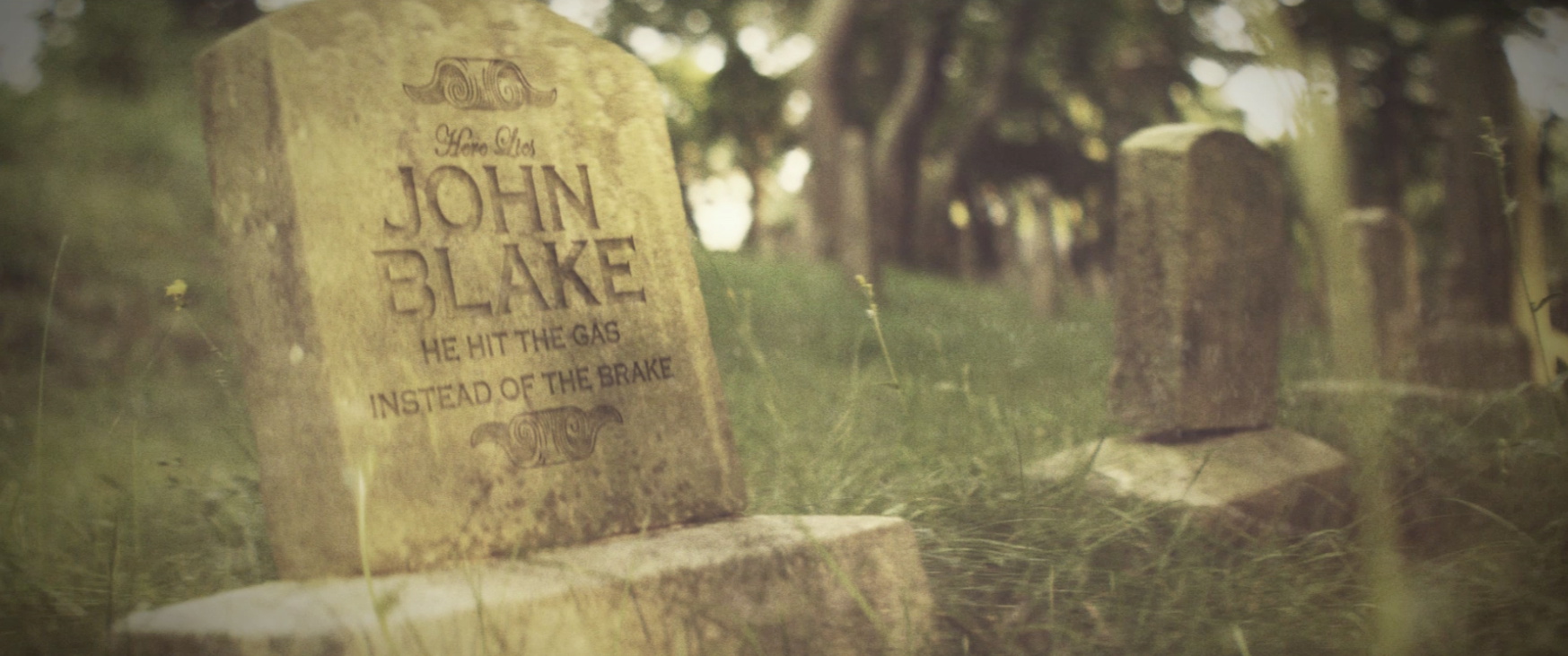
You can replace your text on grave stones used in the original Night of The Living Dead movie (1968 Romero classic). Everything is 3D Tracked.
Here is a grave stone snapshot: http://phantazmapictures.com/VideoHive/gravencounters/samples/grave.sample.pngAnd maybe some other horror elements you can drag, drop and move around in the environment.
Thanks again my friend!!!! Please feel free to contact me if you any questions!
Perfect work
I love it so much
good luck
Thank you so much zakzak! I appreciate that my friend!
Hi There!
Firstly, fantastic file – this has just saved me a LOT of time on a new Halloween project!
Only question is regarding render time. I have similar specs to ‘purerollers’ who commented above, with the exception of having 12gb of RAM . I noticed you said this should take a couple of hours render time, but we’re currently at 26hrs on 720p and still not finished.
Not made any changes other than text – is there any specific settings I should be using to reduce render time?
Many Thanks
Hey there,
I just sent you a PM on the project file, settings…etc. Let me know if you get it. Thanks my friend!
Message received and replied to.
Absolutely exceptional support – really has made this project even more special. Just waiting for a few more GraphicRiver purchases and I’ll be buying the Super35 bundle too!
I really can’t recommend this project and author enough, absolutely fantastic!
Thanks a ton! Always happy yo help! And as fast I as the moment I get the message!
PHANTAZMA , your response time is incredible.
Thanks a million, I really appreciate it.
You-Da-Man
Thank you my friend. Anytime! I
One final silly question please if you don’t mind? (Sorry for the hassle)
Is it possible to export the project to 1280×720 without stretching it out of proportion?
I’m trying to keep it full-screen like the rest of my project.
No real problem if not, just thought I’d check with the pros.
Thanks again.
Hey purerollers, No problem with the questions. Anytime. You can certainly export it at that Sizemore now it was shot with anamorphic lenses so it’s wider than the norm. 2:35 CinemaScope. However, because of the size you certainly have great flexibility. With that size export there will be black letterbox a little. However, you can scale it to fit the frame size you need. There just may be a slight cropping of the image. Let me know if this helps or if you have any other questions. I always want artists to know and be more than happy with every package. So please always feel free to ask whatever and as much as you need my friend. Thanks again

This item was featured on VideoHive

Power Elite Author
Contact the Envato Market Help Team