977 comments found.

I’m having a generic error. I had it before and i fixed it on my mac…. but now I’m working of windows and guess what… same issue. I can’t do anything… even manually find files. Please help I have a school dead line
Hi. Already replied on your email.
Thank you
Hi  I’m a little confused by the license on this product. Can the editor use it on multiple product videos for the single price of 55$ or 240$ ? Thank you for answer !
Already replied on your email.
hello I just bought it, I have the Adobe premiere pro 2018, I can see the previews to the program and hear the souns effect but it seems like I can not use the transitions, could u explain me how can I do? I’m not sure to have the 12.1 cauz I never made any update… is it possible for u to send me the basic 2018 cc version or the only way is to buy he update version?
Hi. If you managed to open project file in your version, than version is fine. Have you re-saved project file before importing it into your project, like I show in my tutorial video https://youtu.be/CnJEirVOlUk?t=32?
hello thank u it finally worked but not the text transitions, i tried many ways but not, could u explain me how to deal with it?
Well, PDF-manual is right there ”\Premiere\Help and additional tutorials”. It’s included with the project
Hi! it looks nice but I thought it will be kind of presets to be imported not a project to be opened & complicated way to apply!
Hi! Please email me via my profile page to continue this discussion.
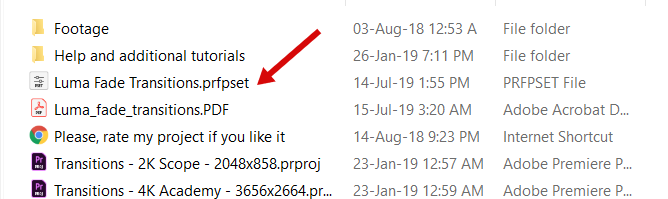
I can’t find the Luma transitions, also where do I place the PRFPSET
Hi! Luma presets are located in the source “Premiere” folder https://c2n.me/42B73IN.png. Regarding how-to-use manual: you can find it in this folder ”\Premiere\Help and additional tutorials”.
Hi, I have a problem with some transition effects, most of them work fine, but i.e. Pixelization or Perspective out show black screen while previewed. Do you have any idea why could that be? (Premiere Pro CC 2019)
Hi. What project you’re talking about? System shows that you haven’t purchased my project.
I can’t seem to find the new Luma Fade transitions, are they located in a sub category ?
Hi. Luma fade is in the source “Premiere” folder https://c2n.me/42B73IN.png.
Ok did not catch that thanks AND I actually did not have the very last version, that’s why I could not find it even in my folders.
You’re welcome)
Hi, I just purchased this and I’ve been trying to figure out how to use the Text Transitions. In the folder titled “text transitions” there are five folders and in each of the folders the transition file looks like more transitions. By any chance do you have a tutorial how to use the Text Transitions? Thank you!
Hi! I do have tutorial about text transition. You’ll find it here ”\Premiere\Help and additional tutorials”, it’s included with the project.
Hello, Thanks for the quick reply and I was get the text transition to work and they work very nicely. It’s going to be very helpful tool for some of those quick on-screen text only graphics and so much quicker than before. The transitions are working great as well and very well organized. thanks for you great work!
You’re welcome! Please leave your review in that section https://videohive.net/downloads, so everyone could see it 
Hi, I would like to ask how well would a GTX 1060 3GB graphics card would run using you’re pack for video editing.
Hi! GTX 1060 is totally ok.
Hey man i managed to get it all online after watching your video tutorial but sometimes certain transitions dont sync up with the clips and looks a bit weird any ideas?
Please make screen capture of that issue and email me via my profile page for further discussion.
Good morning, I do not understand well. Is the license for life?
How many teams can have the license?
Hi. One licence can be used only for you on 2 computers. You can’t share it with anyone else.
How long is the license?
Licence is not time limited. For more details please email me via my profile page.
hello i am currently having problems in using your product i am using mac do you have information which can help thank you
Hi. Please email me via my profile page to continue this discussion.
hey i cant seem to get any of the media online when i import the transitions any advice?
Hi. Have you followed my tutorial video step-by-step regarding re-saving etc. https://youtu.be/CnJEirVOlUk?t=31? If yes and you still having this issue, please email me via my profile page.
May I know Premier Pro CC 2019 13.1 supported?
Hi! Yes, CC 2019 13.1 is fully supported.
Does it work well with adobe premiere pro 2019?
Yes, it does.
Hello, when most of the transitions end, I notice there’s a small difference in color, almost like some sort of filter ends, thus changing whatever new scene begins, just slightly. Is there any away to adjust this from happening? As an example I’m transitioning from a video to an image and when the transition ends, there’s a change to the color of the image that is noticeable. Please advise, thank you!
Hi. Please email me via my profile page to continue this discussion.
There is a black stripe on the right side of my video doing a transition. I have the same frame size (3840×2160) but I don’t know what I’m doing wrong.
Hi! Do you see that black stripe in preview window in Premiere or in the rendered video?
you really need to make the payment easier for the rest of the world. I spent days to figure out how to pay in China, but all failed.
Hi. Please email me via my profile page and describe in details what issue you’re having.
i love this pack but i need you to include a tutorial on how to adjust speed of transitions…. please help.
Hi! Please email me via my profile page and I’ll provide you with a short video manual regarding adjusting speed.
Hi, how do import transitions and all pack to a Project who already exists on CC ? thanks . Mike
Hi. Please follow my tutorial video step-by-step https://youtu.be/CnJEirVOlUk?t=31