979 comments found.

Hi, do you have a tutorial on how to adjust the anchor point on the anchor zoom transition?
Hi! Sure, video tutorial is included with the project. You can find it here: ”\Premiere\Help and additional tutorials”
Thanks! I should have looked harder!
You’re welcome. I’m always happy to help)
Hi, Transitions don’t work for new version Premiere Pro 13.1, Help me please.
Hi! Already replied on your email.
I am running Premiere 12.1 (kentos) and osx 10.11.6. When i try to open the 1920×1080 project, it’s gets as far as the small window that says “Locating Media”. The progress bar goes about 75% and then stops. After nothing happens for a few hours, i click on the “Cancel” button right below the progress bar and i immediately get the spinning beach ball and Premiere is now locked and unresponsive. The only thing i can do at this point is to force quit. Is there any fix for this?
Thanks for any help.
Hi Bob! I’ve replied on your message a month ago but email came back with an error (I’ve used your second email). I guess your both emails have some issues. Please tell me your Gmail so we can communicate.
Also please tell me your hardware specs.
So sorry for the email issue. My personal email is BLUTJEN@CITYOFPSL.COM
I’m using an Mac Pro running El Capitan
2×2.66 GHz 6-Core Intel Xeon 16 GB 1333 MHz DDR3 ECC NVIDIA Quadro FX 5600 1536 MB
Thanks for your help.
Ok, thx. Have you received my yesterday’s email?
Bob, my email get back with an error once again. Please tell me your Gmail so we can use it. Comments section isn’t great for such discussions.
so sorry,,, not sure why that’s happening. Please try BOBLUTJEN@gmail.com
Thanks for your help.
Gmail should work ok. Just have send you email.
Whenever I try importing the files my premiere stops responding and I’m forced to shut it down. I am using CC2019. How can I overcome this problem?
Hi! Please email me via my profile page to continue this discussion.
Hey, some of the transitions simply don’t don’t work, what’s up?
and now as im trying to work with your tools my Pr is shutting down
alright my bad, i had a bad day…i finessed some of the code and made it work. good work tho!
Hi! Good to know everything is ok)
yetttttt some of the transitions still don’t work
Hm, this is odd. Please email me via my profile page to continue this discussion.
How do I use these all I keep seeing is the sample footage and I have no idea how to apply these transitions to my own clips. Do you have a video of how to do this because your screenshot is not working for me.
Hi. Please watch my video tutorial and follow it step-by-step https://youtu.be/CnJEirVOlUk?t=31
Regarding sample footage. You need to watch this part https://youtu.be/CnJEirVOlUk?t=83
Just purchased and I have a few questions 1. Do you always have to save and replace them in order to use them? 2. Do you always have to set the sequence to match the the sequence?
Hi! 1) save and replace is one time operation 2) yes, you must always check that your sequence match transitions resolution
Hi,
When I open your project file, it says that its missing 700+ mp4/WAV/etc and I need to relocate it… a lot of work as you can imagine.
I just resaved the file but when importing into my project its still missing.
Working with 12.1.1
Is there another way?
Hi!
Locating media is fully automatic process, no need to do it manually. Please email me via my profile page to continue this discussion.
Thank you for the fast reply! I will e-mail you 
What is the 4K Flat file for? I record everything in flat. Should I use that?
Hi. Project file resolution must match your footage resolution perfectly. Hence before applying transitions make sure that everything is correct like I’ve showed in the tutorial video.
this may be a dumb question, but how do i open the transitions like you did where you can see all the thumbnails and preview the transition. When i open them up in the media browser and open the folders all I see are the transition icons.
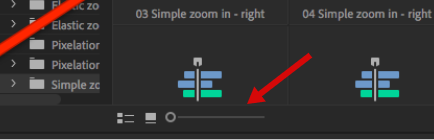
https://www.screencast.com/t/DlSPF09XiHi. This is super odd issue, never seen it before actually. Please try that slider https://c2n.me/418aWaV.png, maybe it would help.
all the slider did was make those thumbnails larger. what is the difference from the transitions effect that are the green bars compared to the pink bars that go on the timeline when you drag over the transition. I notice that the green ones make the transition jump a little and is not as smooth but if I delete the green bars and keep the pink ones the animation is smoother. Why is that?
Hm. Please email me via my profile page to continue this discussion.
How do we get to use those cool text title effects? Is that included or we have to make our own?
Hi! Please follow this manual “How_to_apply_text_presets.PDF”, you’ll find it in the “Help and additional tutorials” folder.
thx
Hi, when I do a transition I just keep seeing the sample files (eg forest bridges when using spin). It is not using the footage I have on my time line. I first opened your project file and resaved it. Any idea what I’m missing?
Hi! Please follow this solution https://videohive.net/item/200-pack-cinematic-action-transitions-sound-fx/21797912/faqs/32242
Did that. But I got it now. Sometimes when dragging a transition on the timeline v1 (of the left row) activates. Thx!
Yes, sometimes V1 may get active again (this is Premiere Pro bug). So I guess it’s the cause of that issue.
One last question, where to change the framerate. I see you have an adjustment layer. Do I need to set that one on 25p? Must be possible to set a master framerate, otherwise I have to change each effect for each project I use.
No need to change FPS, ever When you drop transition on the timeline it automatically uses your sequence FPS.
Ah supèrbe!, thx
Hello, very nice pack! :) Is possible to contact you via email with small question? Need little help, about 1080×1920 Transitions Vertical, doesnt work :( I can send you a video what it does.
I cannot find contact form in Support Page. Thank you!
Hi! Please email me via my profile page and I’ll reply you back on your email.
Thank you
Hey This is work on premier 2017?
Hi. It’s not. Please update your Premiere Pro to CC 2018 12.1.1 if you want to use my transitions.
Hey, Replayer my premiere zip file doesn’t pop up. I just bought the pack and it doesn’t show the zip file. please help
Hi Michael! Please email me via my profile page with this issue.
sent the email
sent the picture
I’ve received your emails and already replied on them. No need to use comments anymore)
Hey, I just bought this, but i can’t use it because i have 2018 version. what do i do!?
Hi! My project works with CC 2018 12.1.1 and higher. Simply update your CC 2018 version to 12.1.1 or higher.
p.s.: for some reason Adobe made versions 12.0.1 and 12.1.1 totally incompatible (both CC 2018), so the only way is to update
Hello Eugene, I just bought your pack and am trying to get my head around the tutorial. There it says I need to open and then resave the transition project file first before I can use it. I don’t get it. Why do I have to resave it first and what happens if I don’t? Can you explain? Thank you
Hi. Re-saving means that you need to save project with it’s original name (for example “Transitions – FullHD – 1920×1080”). Hence original project file will be replaced with the new one.
In my tutorial video I’ve mentioned exact reason why you should do it. Without re-saving Premiere won’t be able to locate media and you’ll get missing media error. And re-saving is one time operation, don’t worry)
That’s confusing. Because in my case, it works just fine without re-saving it. When I open your transition project files straight out of the unzipped folder, everything shows up and works fine. That’s why I asked about the reason behind the need for re-saving it first. Didn’t make any sense for me.
Hm, I guess you’re using CC 2018. So when you import my project file into yours without re-saving you don’t get missing media error?
Ok, now I see what you mean. My mistake. I only opened your project files before and dragged the transitions from there to my own project. That worked.
Properly importing all transitions into my project though only works when re-saving the files before.
Thanks for the quick replies. From what I can see so far the pack is quite awesome. I’ll definitely leave a good rating for you.
You’re welcome) I was glad to help. Feel free to contact me if you’ll have any other questions.
Thank you for the rating! Appreciate it
Can you tell me about how much resource hungry are these transitions? What is proposed configuration for the system?
Hi! Here you can see recommended system requirements for Premiere CC 2019 https://docs.google.com/document/d/14QRkX65A2p70XgqE_Q_PpIiwGrVloWzU30zXEhs3ceY/edit
Hi!, Im trying to change resolution to 1440 *500 but in the last step, “Replace footage” is greyed out. How do I resolve this?
Hi! Please email me via my profile page to resolve this issue.
I bought this pack when it was released first time. It was the best thing i did. Really good job.
Hi! Thank you for the kind words) Please don’t forget to rate my project if you haven’t done it before https://videohive.net/downloads