981 comments found.

Hey there, Will you be making a 4:5 ratio for Instagram video ads? This is pretty key IMO.
Hi! I guess you mean 1080×1350 resolution. Yes, I’ll add it. I suppose tomorrow)
THIS right here, is a testament to how dedicated the author is! Talk about service.
1080×1350 has been added 
Hi! Can I use these assets for multiple YouTube videos (both monetized and unmonetized)? I know the Envato licenses are very vague for these types of things with their “single end product” sentence (they even said so when I asked for a clarification)
Thank you!
Hi! Please email me via my profile page with this question.
I’m pretty new to this kind of preset buying. But when I buy the Regular license. Does this allow me to use all the presets. I don’t get it quite. I will mainly use it for personal purposes. I’m not an professional videomaker who’s going to sell products to another. From what I understand is that I have to buy the extended license only if I am going to sell my projects to customers? Is this correct? Reason why I am asking this is to make sure that I buy the right license. Thank you in advance ( PS sorry for my bad English )
Hi Rifat. Yes, you can use all of the presets with regular licence and you don’t need to buy extended licence for that.
At the onset please accept my heartily congratulations for the amazing work. I am getting an error “This effect requires GPU Acceleration”. Please help me with how to fix this.
Hi Ojas. I’ve already replied on your email.
Thanks for your reply. In my Premier Pro CC 2019 the Video Rendering and Playback selection is disabled. Can you guide me how to enable it. I really want to get solution of “GPU Acceleration” error and want to use your effects to its fullest.
Please send me screenshot of your project settings (http://c2n.me/3Zc0MTT.png) on my email + tell me what’s your graphics card. And let’s continue this discussion via email.
1) Graphic Card available on my PC is: NVIDIA GeForce GT 630 Screen snap of “Error while applying transition effect” & “Project Setting Screen Window -Video rendering option is disabled” is shared on your mail. Thanks
wow! this is great and big time saver
Whenever I put the transitions over my footage, it always scales down the image. before transition comes: https://imgur.com/a/Ju0k2Rb during transition: https://imgur.com/a/7NFAlEb
I am using the 1920×1080 project on a 1920×1080 timeline. I do not know why this keeps happening with all your transitions
Hi John. I don’t really understand what issue you’re talking about. I’ve emailed you regarding this problem, please check your inbox.
hello i purchase this product the other day. i downloaded uploaded it and it seem not to be working i have try all the 1080p and none of them are working. i just get a glimpse of the video no video transitions happen as an effect.
Hi. Please email me via my profile page https://videohive.net/user/replayer to continue this discussion.
I’m having a problem with setting up on my computer. its downloaded. when i try and upload only the default pop up. nothing works. need help need answer.
Hello,
i want to ask about the license term. If i buy 1 copy of this, and install it on my pc, can i install it again on another pc? let’s say i have pc for work at office, and laptop for mobility purpose. Is there any limit for how many units it can be installed?
Thanks!
Hi! You can use my project on 2 machines.
All the Full HD Transitions are at 30fps right? Do i have to change the sequence settings of each transition sequence I use, or is there a way to import 24fps transitions?
Also, is there a way to stop a new bin menu popping up every time I browse the transitions? It’s a nice pack but I feel like my workspace is cluttered now
Hi. When you drop transitions on the timeline it automatically uses your sequence FPS.
Regarding second question. Please email me about it via my profile page https://videohive.net/user/replayer
Hi i Just bought your product. This is the probably best transition pack (from what I saw) and I’m decided to buy your product. I tried to open basic preset and they don’t work because I’m using Adobe Premier Pro CC 2018. I already have set the whole environment in 2018 version of the premier and I dont want to update in 2019 version.
I’m read and follow the instructions from “Error: This project was saved in a newer version of Adobe Premiere Pro… Try updating your version of Premiere Pro to the latest, using Adobe Creative Clouds. Please read more here.”
But, I do not want to update on 2019 version as I said, I want to leave the older version of the premier. Can you please help me and send me the pack of your product with the version of the Adobe Premier Pro CC 2018. Much appreciated, thanks in advance
Hi. System shows that you haven’t bought my project.
Hi Replayer, here are the licence purchase code and date:
Item Purchase Code: 70a154d1-cf57-400d-a402-9842d9a32fb2
Purchase Date: 2019-02-08 17:51:29 UTC
I send you on your e-mail full licence credentials. One more time, thank you in advance
Well, when you purchase project you get “purchased” icon near your nickname (you can see it above). Maybe this is some Videohive error or smth. Please email me via my profile page.
Any plans to create a text animation preset at all? (text bouncing, pushing etc) rather than just applying these to the entire scene?
Hi! I already have it Text presets have been added in September. Please take a look at my project page.
I can’t see the preview picture. This is version cc2019.
Hi. Already have replied on your email.
nice~~!!!
Why does the color change every time I add the effect above the clip? I try to match it to the original but it just doesn’t work.
Hi. Please email me via my profile page https://videohive.net/user/replayer to continue this discussion.
Hi, I’m interested in the extended license. I would like to know how many machines I can use So once I buy this package, I can use it forever And I can use it on various projects thank you.
Hi! Please email me via my profile page https://videohive.net/user/replayer to continue this discussion.
Mine will not work at all I re-saved it… But for some reason the transitions are displaying whatever pic/footage you had attached to it… Please Please help me Gene!
Already have replied on your email.
Please make 2.7k (2720×1530) resolution
Hi. There is PDF-manual included with instructions how you can change transitions resolution. Please email me if you need any assistance with that, I’m always happy to help.
Replayer, just want to give you a major tip. Currently, almost all of the transitions have their audio with a hard cut. see here:https://imgur.com/a/JQyH2uE
This leads to transitions starting and ending abruptly from an audio standpoint. I had to alt, select each audio file on every sequence and expand it so that it doesnt abruptly end/begging. See my edits here: https://imgur.com/a/RnTtCxt
try it out for yourselves and youll see it sounds much smoother when you expand the audio clip
Thx for the tip. But that was made on purpose. All of my transitions are pretty fast, and long audio will not fit transition length. I guess I’ll replace current woosh / swoosh sounds with new ones in some of the next updates and will make those endings smoother.
Hello, Do you have Text and font presets in this pack?
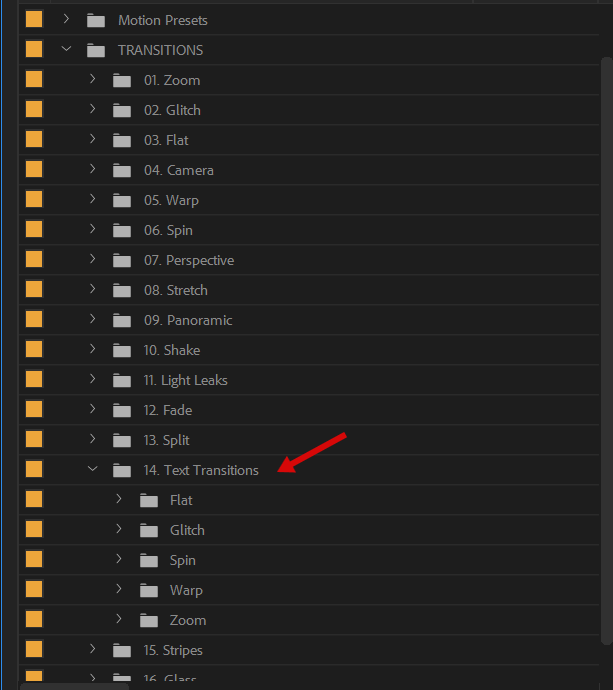
Hi! Sure, it’s right here https://c2n.me/3Zw9ZiA.png
One word for this download… Awesome!
Hi! Thank you Please don’t forget to rate my project here https://videohive.net/downloads 



)