981 comments found.

hi i have just purchased this pack but my premiere pro keeps crashing, please can you let me know why its doing this?
Hi! Already replied you on email.
Hi can you send me an email on insigniaalbums@hotmail.co.uk
my other email is not working. Also there are some effects which are not working and comes up with gpu acceleration required. Was not aware of this happening when i purchased the transitions.
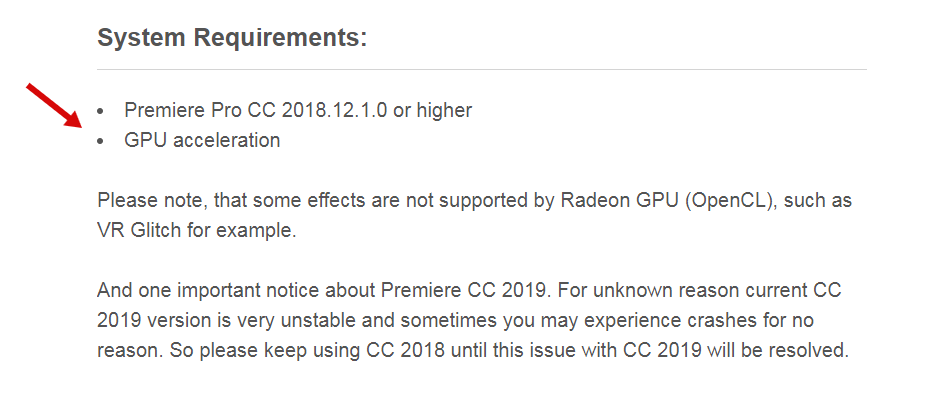
Hi. I’ve emailed you yesterday on that email, please check your inbox. Regarding GPU acceleration. It’s mentioned in the system requirements on my project page https://c2n.me/3XYEAzT.png, GPU is required and most of transitions won’t work without it.
You can enable it in the project settings. Please reply on my email and I’ll provide you with instructions how you can do that.
hi, so if I were to purchase your product I would be able to use the transtitions an unlimited amount of times is that correct? Like if I used it for one video could I use it on multiple other ones as well?
Hi. Please email me with this question via my profile page https://videohive.net/user/replayer
I cannot resolve “Missing Media Files” when opening any of your projects. All the File Paths seem to be to your own computer and are not included in the ZIP file.
F:Work 2018\Templates\500 transitions pack\500 CLEAN\ ... etc etc etc … Every time I try to apply them to a project like you show in your Video Tutorial, it always gives me the same error. I already opened the Full HD by itself, Saved it as you explain in your Support page, and nothing. This is really annoying. Need some quick help.
Hi. Sorry for the inconveniences. Please email me via my profile page https://videohive.net/user/replayer and I’ll provide you with the solution.
Hi, I have followed the directions for un-clicking Video Layer #1 and also the 1st icon for inserting and overwriting sequences, but I still seem to keep getting the stock footage on the transition clip.
Nevermind, I figured it out by deleting your footage and replacing it with mine. Thanks!
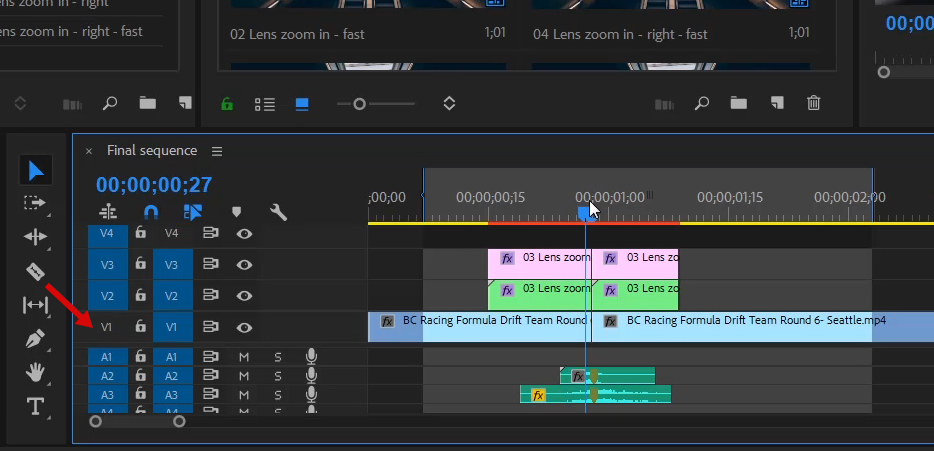
Hi. Ok, but is everything ok when you apply new transitions? Sample footage is not visible anymore? Please note, that in my tutorial video I show that first column of layer #1 must be disabled http://c2n.me/3XTOti4.png. If you disable right column preview still be visible.
I just purchased this product and have already had great success with it in the production of my videos. The graphics are easy to use in any project and offer a very professional look. Very satisfied with the quality and the incredible price!
Thank you for the review 
Hello !!! how do i use the text transitions? im really confused !! thank you !
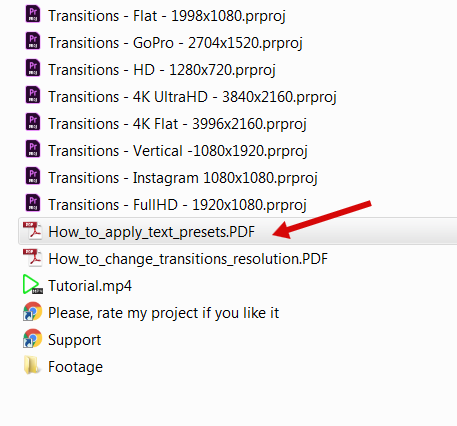
Hi! Please follow this manual: http://c2n.me/3XURBbD.png It’s included in the project folder.
When I extract Your transitions to my project, preview stops, when I change on timeline to another frame, than on preview is still previous frame. Can’t work with it. Premiere Pro 12.1.2. 32 GB RAM, i7 6700, GeForce 960M
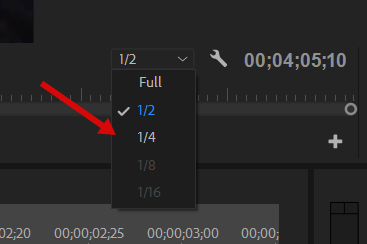
Hi. What’s the resolution of the project you’re working in? For better performance I suggest using 1/2 or 1/4 playback resolution https://c2n.me/3XVjawg.png, for 4K it’s 1/8 or 1/16.
It’s not that. Your project is fine. I got newer drivers with a legacy NVIDIA GPU. I had to return to old one. Thanks for support
You’re welcome. Thx for letting me know about solution.
Having trouble making the transition work correct, when I drag a transition into my timeline all I’m getting is a box in the middle like the transition is trying to run but won’t, please help.
Hi. Please make sure that transitions resolution match your sequence resolution.
Got it, thanks
Hi, I have been trying to import the transition into premiere pro 2018 (the latest version), I even tried importing it into 2019 but it keeps on saying that the files are missing. I tried everything, including downloading the latest update of the transitions and unzipping the whole file. However, for some reason all of the files are missing and I could not locate them anywhere. I have also been waiting for your reply on my email for days. Please help me, thank you.
Hi! I’m very sorry for the delay with my reply, I’ve missed your email  Usually it never happens and I reply in a few hours or even minutes, like now.
Please check your email, already have replied to you.
Usually it never happens and I reply in a few hours or even minutes, like now.
Please check your email, already have replied to you.
Hello I have a probleme to configurate at launch the transitions. Could you help ? It’s a very disappointing experience for me
Hi. Please email me via my profile page https://videohive.net/user/replayer and I’ll provide you with the solution.
Hi I have got most of the transitions working, but the many appear in the timeline with diagonal lines on them. These ones fail to do anything. Where am I going wrong? Thanks
Hi. Please make video of that issue and send it on my email support@replayer.net. Feel free to use your smartphone if you don’t have any screen capture software. Would appreciate video in FullHD. Thank you.
Hello! I’m using CC12.1.1 and a iMac (Retina 4K, 21.5-inch, Late 2015) i7 3.3ghz. Would my computer be able to support? Is there a trial pack that I can try it out?
Hi! What about RAM? I guess your hardware is totally ok, don’t worry. I don’t have trial version, but you can look into awesome reviews https://videohive.net/item/200-pack-cinematic-action-transitions-sound-fx/reviews/21797912
And if you’ll need any help or tips how to improve workflow, feel free to email me via my profile page https://videohive.net/user/replayer
Hi I am running Premiere Pro 2018 and I can’t update it to 2019. I didn’t realize this was incompatible with the 2018 version. Is there any way you could post a version that works with adobe 2018. Please and thank you!
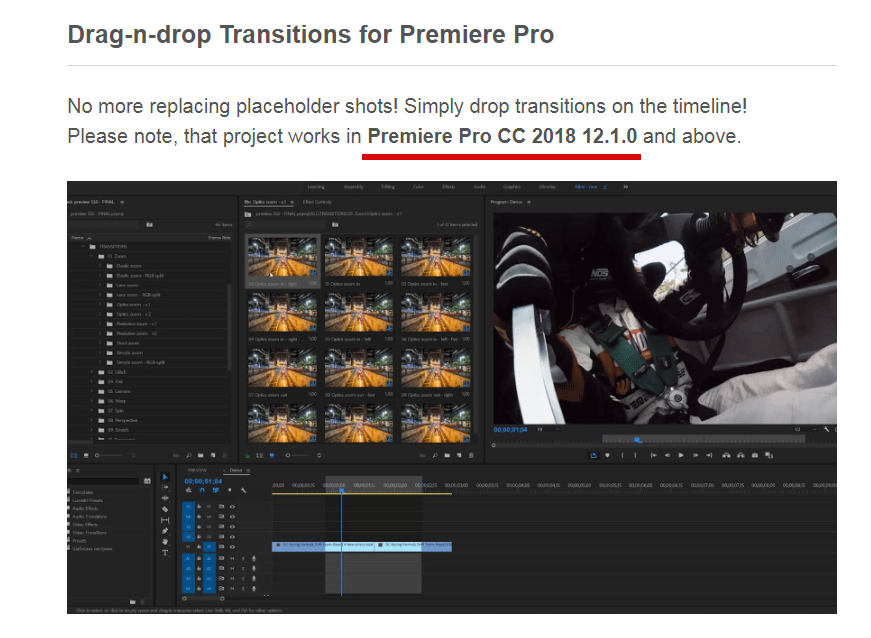
Hi. Version requirements are mentioned at the very top of my project page https://c2n.me/3XPmnlf.png. My transitions works perfectly in CC 2018 12.1.0 and above, so no need to update to CC 2019.
Hola. Mi expectativa al comprar este producto era que yo podía usar esas transiciones con mis videos, pero según lo voy probando solo es con el material que trae incluido. Hay forma de cambiar eso?
Hi. Please talk to me in English, I don’t speak Spanish. To continue this discussion please email me via my profile page https://videohive.net/user/replayer
how do i remove the black part between each transition?
Hi. Please send me screenshot of how it looks like on my email support@replayer.net
the transitions are working for me please help me out
Missing media from these clips (780 clips).I have Premiere pro 13.0!
Hi. Please email me via my profile page https://videohive.net/user/replayer and I’ll provide you with the solution.
So I fixed the problem, but now when I import the project, premiere crashed and froze.I have tried multiple times…Help?
You still didn’t send me message. Please email me via my profile page so we will be able to continue this discussion. There are several ways how to fix this.
i have the premier pro cc2017 and 2018 and its not working at all and couldnt import it and its telling me i have the old version
Hi. Version requirements are mentioned at the very top of my project page https://c2n.me/3XPmnlf.png. I guess you have CC 2018 12.0.0 and it’s not compatible with versions 12.1.0 or 12.1.1. Please update your Premiere Pro to one of those versions.
Hey, is music from demo movie included as well?
Hi. Music is never included in the project, it’s forbidden by Videohive rules. You can find links on the project page and purchase music separately if you want to.
Hi. Have you tried this solution: https://videohive.net/item/200-pack-cinematic-action-transitions-sound-fx/21797912/faqs/31986 ?
The transition effect is not applied naturally. The Premier version is 12.1. I followed the tutorial, but I can’t.
Hi. Please email me via my profile page https://videohive.net/user/replayer to continue this discussion. I would appreciate if you’ll make video of the issue you’re having. Feel free to use your smartphone if you don’t have any screen capture software (please make video in FullHD). Thank you.