981 comments found.

Is there a possibility to use the pack on 2:1 aspect ratios like for example 1920×960 ?
Hi. Sure thing, you can use any aspect ratio and resolution.
i always had problems with zoom preset packs within Premiere Pro with 1920×960 timelines. So you say the zoom transitions will work with that aspect ratio?
My project doesn’t have any issues with that. All transitions works great with any aspect ratio: horizontal, vertical, square etc. So you don’t need to worry about it 
Thanks a lot buddy, that sounds pretty nice 
You’re welcome) Feel free to email me via my profile page https://videohive.net/user/replayer if you’ll need any assistance with changing resolution.
Hi are these works on Premiere CC 2019?
Hi. Yes, it works in CC 2019.
Thank you. Ill explore and test all of it.
You’re welcome) Feel free to email me if you’ll have any questions.
Rated 5 stars.
Hi! Please rate my project here https://videohive.net/downloads 
Hello Having the same issues as the people above….. “I have Adobe Premiere Pro CC 2019 and when trying to open the transitions it says “the project was saved from a previous version…and must be converted” how do I fix this issue?”
Hi. When have you purchased my project? System shows that you haven’t purchased it. If this is system error, please send me PDF-licence on my email: support@replayer.net to verify your purchase (you can find licence in download section).
Has to be a system error and it is putting me in a bad situation. I have all the downloads and files. Pleaseeeeeeeee Help It is in my downloads cue
Already replied on your email. You purchased another project.
Crying here hahahahaha I mean to purchase this one. Thank You Very Much. and Sorry
Thank you for choosing my project) You won’t be dissapointed.
Whoaaaaaaaaa This package was straight “DOPE” Love it. Question: Do you make overlays? Or is that a Davinci Resolve Department?
Thx for kind words) Please, don’t forget to rate my project if you like it https://videohive.net/downloads
Regarding overlays. Please give me reference of what you mean by overlays.
Some crahing problems in CC 2019. It’s just stop working. i think it’s about transition previews 
Hi. Please email me via my profile page https://videohive.net/user/replayer to continue this discussion.
So I have 16gb of RAM, an i7-8700k and a gtx 1060 6gb. Everytime i press enter to render the preview files so the line above turns from red to green my cpu maxes out and it takes forever. What is going on?
Hi. Please email me via my profile page https://videohive.net/user/replayer to continue this discussion.
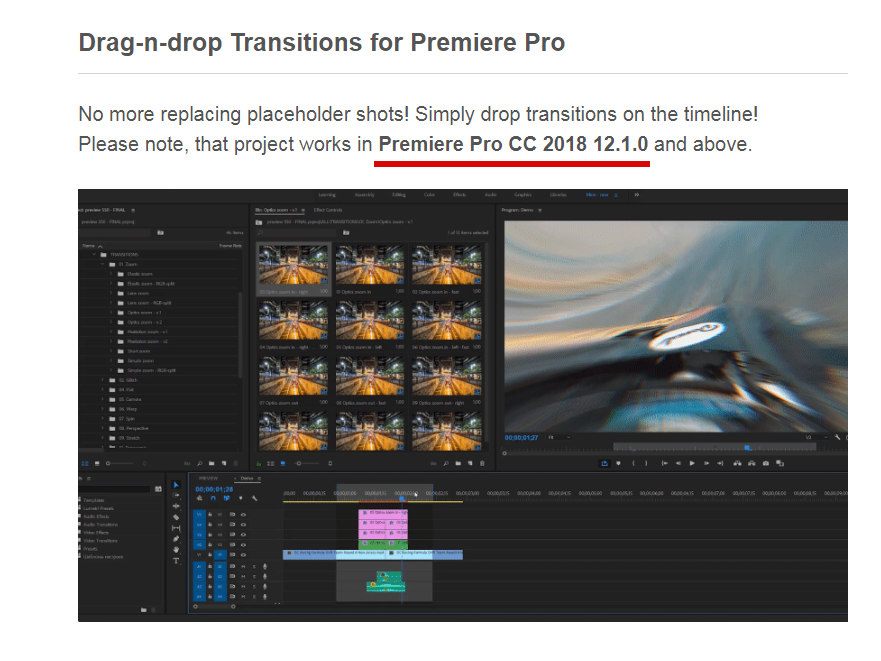
Hi, I’m using Premiere Pro CC 2018. The application prompts a message to use newer version. How do I settle this case?
Hi. I guess you’re using 12.0.0. Unfortunately, Adobe made totally incompatible versions. So 12.0.0 isn’t compatible with 12.1.0. Also there is no way to re-save project for the older version. Please update your Premiere Pro to 12.1.1 or 12.1.2 (but don’t install CC 2019, current release is far from best and CC 2018 is way better).
When I apply the transitions to my footage und then play it, it only shows the test footage. I have already clicked the button for the sequences to be grey and followed all instructions in the video. Please help me!
Hi. Please follow this solution: https://videohive.net/item/200-pack-cinematic-action-transitions-sound-fx/21797912/faqs/32242. If it doesn’t help, please send me screenshot of your timeline on my email support@replayer.net
Software Version -> Premiere Pro CC this is not correct. Sofrware Version cc2019. right? this is not good. i want cc2017. cc2018.
My project was created in CC 2018 12.1.0 and it works perfectly in CC 2018. Version requirements are mentioned at the very top of the project page https://c2n.me/3XHZlfR.png
i want back my money… or cc2017 cc2018 file!! ok?
Already replied you below. My project was created in CC 2018 12.1.0.
Hi, I’m having trouble with cc 2019. When I follow the short tutorial I drag the transitions I only get the stock clips during playback, not mine. What am I doing wrong?
Hi. Please follow this solution: https://videohive.net/item/200-pack-cinematic-action-transitions-sound-fx/21797912/faqs/32242
I am having issues with some transitions. Some of them work but there are a lot that do not. For example. I drag the transition and it does not allow me to place it on my sequence.
Hi. Please make video of that issue and send it on my email support@replayer.net. Feel free to use your smartphone to make the video if you don’t have any screen capture software (please make video in FullHD).
Hi, yesterday I bought this pack, I’ve been trying to import to files to my project but when I do, it appears a box saying media files missing, I dont understand why, I already unzip the folder
Hi. Please email me via my profile page https://videohive.net/user/replayer and I’ll provide you with the solution.
Hello Dear,
How can I get updates if I already got your Transitions from Envato?
Hi. System shows you haven’t purchased my project yet. When new update is being be released all customers receive automatic notification on email.
Just bought this pack and they will not work with the newest Premiere Pro. Tried to get a refund and the seller has not responded.
Hi. Firstly, I didn’t receive any emails from you. Please email me via my profile page https://videohive.net/user/replayer if you need any support. Secondly, my project works in CC 2019. If you’re getting missing media error – it can be easily fixed, just email me and I’ll provide you with the solution.
I have Adobe Premiere Pro CC 2019 and when trying to open the transitions it says “the project was saved from a previous version…and must be converted” how do I fix this issue?
Already have replied on your email.
Hello , How I can i fix missed files when I import the FULL HD Project ?
Hi. Please email me via my profile page https://videohive.net/user/replayer and I’ll provide you with the solution.
Haven’t received email from you yet. Please try this basic solution https://videohive.net/item/200-pack-cinematic-action-transitions-sound-fx/21797912/faqs/31986.
Funny to think I had spent hours and hours recreating the exact transitions! Now I have a database of amazing transitions! Thank you so much for providing these. I cannot wait to use them in my projects!
Hi! You’re welcome) Please don’t forget to rate my project if you like it https://videohive.net/downloads
Thank you for the review, appreciate it)
Also! just because I am new to buying others work, with my work I post to Social Media and Youtube is it okay to use these in those projects?
Sure)
Thank you for your quick response! Just wanted to know because the wording on the licensing is a little bit chaotic!
Again amazing work and love the simplicity of it. Looking forward to updates!
P.S People need to read the tutorials more
Hi! I’m having the same problem as I used to have. I downloaded the new update 720 seamless transition pack, and then I opened the 1080 by 1080 project file. Premiere pro auto saved it and then I renamed it putting random letters in the middle of the file name. I renamed it because premiere said it couldn’t find the media footage. After I renamed it, I put. it into my project but every time I drag the transition onto the cut in my clip, it shows the mp4 footage, not the transitions. It has the “green” box for the audio and footage, but is missing the top “pink” box as it is shown in your tutorial video.
Plz help!!!
Hi Kevin! Please follow this solution: https://videohive.net/item/200-pack-cinematic-action-transitions-sound-fx/21797912/faqs/32242
Is there any way to import the transitions into the PP Video Transitions folder? https://digicompdiy.wordpress.com/2013/11/17/applying-a-transition-between-clips/
Hi. My transitions are much more complex rather than standard Premiere Pro transition presets, so they can’t be imported like regular presets.