87 comments found.
Nice
Thank you.

Do you how to add it to Youtube for all the old videos?
You can`t add the template to old videos (Youtube don`t allow add extra video to old videos. Only CUT allowed.). You can only delete old videos and re-upload to Youtube.
Also you can add Subscribe elements, like in this video – https://www.youtube.com/watch?v=z9ekPUdzJ8E
Where is the video tutorial?
Hello, Gjules! For this item only PDF tutorials (Templates are very similar among themselves, therefore, there is not in each folder). But if you still need video tutorial, I will record for you
No it’s good I was having issues with my computer – do you have a template so people know to leave on comment in the comment section on Youtube? I am interested in buying that one too
Unfortunately not, but an interesting idea to implement. How do you see such a template?
It would be similar to the ones you have done – a shot of the comment section (maybe moving at an angle) with the type writer sound effect of someone leaving a comment perhaps for an outtro video. Most youtube creators leave a question at the end of the video like “So what did you like the most about the video – leave your answer in the comment section” this section would help a lot (videos that get a lot of comments get promoted more frequently on youtube)
How do you think this reminder should be on the whole screen (as a mini-video tutorial, but minimalist) or how should it occupy a small part of the screen? Thank you for your answers.
Yes always a mini video taking the whole screen because people dont pay attentino to small screens once they start watching the video – maybe a 5 second video with typer writer effect like someone is leaving a comment and then end up with the a shot of the whole youtube screen.
Thank yor for information. I think we will do something about it.
Comments Reminder Added.
Hi, I couldn’t open the files in AfterEffects CS6. It says ‘The file that you are attempting to open was created with After Effects Version 12.0 (Windows 64) and cannot be opened with this version’. FYI, I have Mac OSX 10.10.5 Yosemite, After Effects Version 11.0.4.2. You have mentioned CS6,CS5 in the description. Please explain. Thanks.
Hello! I will check. One moment
msathesh, do you open MainCS6.aep file version of the template? I just check, all templates and they opened via CS6. Try open MainCS5.5.aep or MainCS5.aep files via your AfterEffects CS6
Thanks for that. I have a transparency issue in After Effects. Please have a look at the link. https://imgur.com/a/o48xi . How do I make the button transparent? Thanks.
I will check and back soon.
Are you have problem with both cursors?
Yes, both of them. Is there a setting to make it transparent?
I just updated all PNG with 8bit to 24bit and it`s should work for you. You will need to Download the archive and replace all images in your project with ALL REPLACE. Let me know the results.
Looking very nice, but I don´t have AE 6.0. Does the template also work with AE 5?
Tnx you. Do you have CS5.0 or CS5.5? I checking how it`s work on CS5.0 now. I will write the result here.
I just added CS5.0 versions of all files in this item and they are available. So this template also works with AE CS5.0 now.
This is great … as I have only 5.0. Just to know: Is there any effect missing in the cs5-template?
And one more q uestion: Can I just exchange the screenshots (on the smartphone and on the other lower thirds) with a recent screenshot of my own channel or is this more work to do?
It´s to change it to german language as well as to make it more personal.
Just one little thing with this template – https://www.dropbox.com/s/e1084lbs6wb4al4/template2.png?dl=0 . It`s work correct but the angle only moves upwards. does not move sideways
And one more q uestion: Can I just exchange the screenshots (on the smartphone and on the other lower thirds) with a recent screenshot of my own channel or is this more work to do?It´s to change it to german language as well as to make it more personal.
In smartphone template, you can easily edit text and main footages. Such as: Footage, Title of video, Views, Likes, Dislikes, Channel name, Subscribers and Avatar. on other lower thirds too.
Just have 30% discount by Envato Social Media Days.
How do i use this on filmora video editor software?
Hello! I tried to use overlay in Filmora but get the bad result. Is not enough quality for production. I recommend using After Effects or Adobe Premiere (if it just overlay – https://videohive.net/item/youtube-subscribe-reminder-overlay-v-13/20740633).
—2 hands added to template 5 and template 7 – which second in demo to check ?
Just in the description. The demo has not been changed.
https://templatesbravo.com/wp-content/uploads/2017/12/hands.pngHey there love the design! I’m using mobile no.5 template. Is there a way to have it so I can incorporate it into a premier pro edit.
Hi, jamesgore! Thank you for purchasing! I appreciate it. I will try to research this question and back soon.
I created Tutorial for you – https://www.dropbox.com/s/qb4a8d1uzbznget/Premire%20Tuts.mp4?dl=0
feel free with questions.
Wow thank you so much this is a game changer!
Have a nice day!
And alpha of this too – http://prntscr.com/hfvn3d
Full HD?
4K
please email me once done. And export to 4K
Done
Also need the alpha file of this version with my details please – http://prntscr.com/hfvnph
Send your details to me
46 likes, 3 dislikes, 775 subscribers – side thumbnails – https://nofile.io/f/SAMP5Gr7jsZ/IMAGES-thumbs.zip
please email me once done. And export to 4K
Done
OH I FORGOT TO GIVE TEXT, SORRY. Here are they, please replace from this : http://prntscr.com/hgbs0i
HERE ARE THE TEXT :
VIDEO TITLE : Apple iPhone X – The Detailed Review!
VIEWS – 4,700
CHANNEL TITLE : Soumendra Jena Channel Thumbnail : https://www.mediafire.com/file/fl3u0rs8g0u84tq/SJ-LOGO1.jpg
Published on Nov 11, 2017
Teaser text – Here is a honest and detailed review about the all new Apple iPhone X. We can definitely call this as the best ever iPhone and its al together a different animal this time.
Done
Done.
whats added today ? Changelog shows 1 added, I dont see it.
Check preview :3
Checked, which second ?
The one sliding from left with 2 person speaking ?
Yes
I wish you make a FCPX edition in Apple Motion 
Maybe in the future. 
Interesting!! stylish, fashionable and high quality !!! I liked it, I wish lots of sales !!
tnx
I absolutely love the update for this template. I am using the template 5 (mobile). I have a couple of questions.
The video slightly hangs over the left and right edges of the phone. It is very slight but noticeable. How can I fix this? When I resize the video in after effects, then the video is not the proper size just before it morphs into the phone as well as just after?
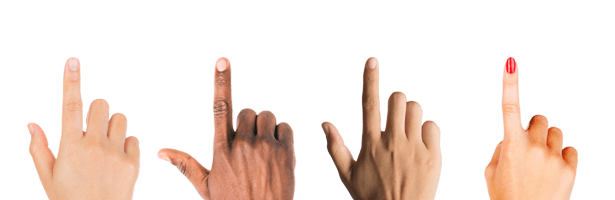
Also, is it possible to get an update that is multicultural where the finger on the phone clicking the buttons is African-American?
Hi, Adrie99! Thank you :3
Can you give me a screenshot of your problem? and What size(width, height) has your video?
I will add other fingers soon(about week).
Size is 1920×1080 (standard HD)
After Effects version?
You need to place background or create solid layer in 02. Background composition like on video(in other words you must have image, solid layer or video in 02. Background composition).
I’m using After Effects CC 2017 Thanks so much for the video demonstration!
Adrie99, Have a nice day! Hope this helps :3
Just followed the instructions step by step, but there is no change in the result.
Can you send me your project? I will check. (via contact form https://videohive.net/user/templatesbravo)
Here is the answer
https://www.dropbox.com/s/hkdaafi4b9bd632/bg2%281%29.mp4?dl=0Thank so much it just worked for me!
Bless you!
Were you able to add the African-American finger?
Hello, adrie99. Very sorry for delay. we will add finger in the next update. It’s will be very soon
Hands added. Thanks for your patience. :3
Thanks so much! You are by far the best seller on this platform!
Quick question, is there an easy way for me to also add fingers that move in the same location as yours? I liked that you added a female finger, and I’d like to add an African-American female finger if I am able to.
Recorded tutorial for you https://youtu.be/6fhw2cY3mPw
Would be extremely grateful if the buyers did not forget rate the item in the https://videohive.net/downloads :3
Lovely man! You rock! Can we add background image of footage to the phone version which you added today ?
Also, can I edit my name and numbers ?
Yep, it`s possible)
16 sec footage
I dont have Apple Motion. I use FCPX only. Let me see what I can do, then will ask question here.
Oops I forgot last time you had given me the alpha channel files. as I dont have after effects
Can you give me the PSD for mock111.png, so I can make the edits and then send you the file to export as alpha channel mov file and send me ?
This template you can’t use in Final Cut like others. Because video footage is change his size. If you want this template with Alpha channel – you will need to manually change size of video for each frame of this template. So best way – it`s install AE. In AE you need drop video only, it`s all steps.
Ways: 1) Send the channel data with footage for me and I will do the export once 2) Or you put the video in AE when you need http://www.adobe.com/products/aftereffects/free-trial-download.html
i guess it can be used if once its done. I just need the mov in 3840×2160 with my footage and I will use it always directly placing the mov
Dont have to be alpha channel. It will be just as regular file intro
Ok, send your data with footage to my email.
Ok what all to send ? BG image/video, PSD of the phone image ?
1. Video title. 2. Likes. 3. Dislikes. 4. Channel Avatar. 5. Name of Channel. 6. Number of subscribers. 7. Background if you want change 3840×2160 8. Video footage 3840×2160
OK will send, but if you can send me the source so I can change myself, its better.
If you need make changes You will need download After Effects.
Is there a way to make the effect transparent, that way I can just export the effect to put on a over layer in Final Cut instead of having to import a small clip everytime into AF?
Hi, zashertilly! Tnx for purchased!
1. Setup all numbers (Likes, Subscribers) and text. 2. Render Reminder on QuickTime format with RGB + Alpha channels. 3. Then you can use this footage in any video editor quick and too easy with transparent.
or
Purchase or Rendered Version of YouTube Reminder (with Alpha) – https://videohive.net/item/youtube-subscribe-reminder-overlay-v-13/20740633
Awesome work!
Tnx, Fox-Rock
Do you have a version compatible with the AE 5.5 ?
Hi, nyagera! I will try to test item for this version. Need couple hours. I will inform you results.
Ok, thank you
nyagera, I cheked all templates. All works fine but little different with this one https://youtu.be/Qc3cw3hp-8k .You can compare those in the preview of this item. I will upload the update today with version for AE 5.5.
Thank you very much. I look forward to it.
Uploaded. After the Reviewer will check this item – the version will be available.
If I download now, I can get the updated files later on , right ?
Yes. and If you purchased now, I can send updated files to your email after that if you want.
new update shows again, whats that ?
New mini-template for the end of the video on YouTube. You can check in the preview video of this item.
Ok the end arrow, got ya. Thanks. I have one more suggestion, if you can do too.
Ofcorse, I can!) I suppose…
I will do it, but I can`t say the exact ready time.
I got email of update, whats the update you did ?
Version 1.2 —sounds included now.
Version 1.1 —2 new templates added
One excellent.
Also, can you add a arrow pointing downwards, so users know there they have to look while this is spoken.
What kind of arrow do you need? any examples?
Let me buy it and send in the request. Also, can I change the numbers figures in that like, subscribe, etc ?
Ok bought it. So, well, adding an arrow will let know the dumb users know that they have to look below, http://prntscr.com/gf4rr2
So some nice red arrows pointing flashing downwards would be great.
I can setup numbers before render. Just email me your information.
email sent on message to you.
Got it. What about the numbers that I will write? The number of likes and subscribers.
Waiting for another email with info.
46 likes, 3 dislikes, 200 subscribers.