8 comments found.

How to adjust the width of the textbox? How to adjust the character spacing? How to insert my own logo? I`m very disappointed!
Hey there, thanks for reaching out.
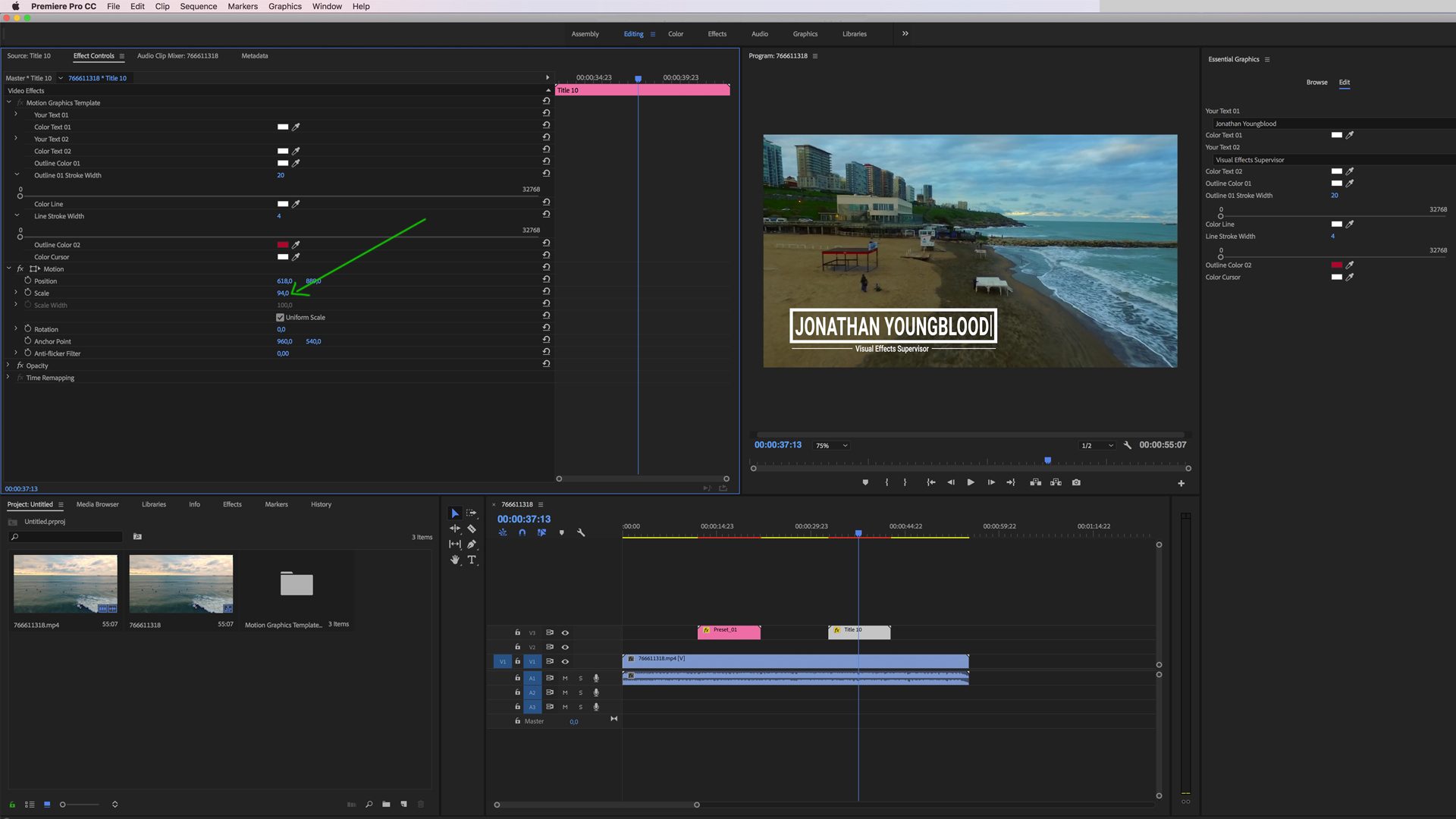
Because you are working with „mogrt” files, there are some limits when it comes to customization. You can change the font and it’s size but not the character spacing.
Again, since you are working with ‘mogrt’ files you have to put in your own logo and animate it by yourself. These kind of animations are basic and super easy to do, most of them are consisting of rotations or simply movements (left to right, right to left or just a fade in).
We are sorry if you are frustrated, but at the moment that is the „general limitation“ when it comes working with „mogrt“ files. As soon as Adobe is improving and bringing new features and more options to the essential graphic files we will add them to the template.
Many thanks. Kind regards, snowcake team
I have downloaded this pack, but when I try to import the files into premier it’s telling me the mogrt files aren’t compatible? Any insight?
Hey there, thanks for reaching out.
Please have a look at the PDF „Help File For Premiere Pro“, in there you will find all the information you need. „MOGRT“ Files are presets that can´t be opened like the general Premiere Pro file. Anyhow it is all well explained with the help of links that you will find in the PDF.
Many thanks and kind regards, snowcake team.
Just purchased Premier Pro version by mistake. I meant to purchase After Effects version. It’s too much work to edit the logo parameters by switching to After Effects and then back to Premier. I’d rather just render and export. Can you provide a download for the After Effects version, please?
Please write us an email to support@snowcakestudios.com and we will find a solution. Many thanks and kind regards, snowcake team
Thank you!
hey, I just bought this package and I can’t change the duration. Why? Thank you
Hi there, thanks for reaching out. Can you please write us an Email to support@snowcakestudios.com so that we can help you.
Many thanks, snowcake team.
Hi, I added one of your lower thirds to my project, it took me a moment to figure out how to reposition & resize, but I finally got it. Right now I am stuck trying to figure out why the character count seems limited. Is there a way to fix this? No matter how large or small I make the lower third, a portion of text seems to be masked out.
Hi there, thanks for contacting us. Can you do a screenshot? Please send it to support@snowcakestudios.com.
Kind regards, snowcake team

How do I add my own logo into one of the animations?
Hey, thanks for contacting us. Since you are working with Premiere Pro, you just simply do the following:
Select File > Import, find the file you want to import, and then click Import. The graphic file now appears in the Project panel (choose Window > Project to reveal it).
Drag the imported graphic from the Project panel to the Timeline panel and place it in a blank video track that’s above the existing title/lower thirds track. The lower thirds where you can add/place your logos have a blank space. Simply position your logo in there.
https://helpx.adobe.com/uk/premiere-pro/how-to/add-titles-graphics-video-project.htmlHope that helps.
Kind regards the snowcake team
will the motion that you built into the demos be applied to my logo?
Hey again, since you are working with ‘mogrt’ files you have to put in your own logo and animate it by yourself. These animations are super easy to do, most of them are consisting of rotations or simply movements (left to right, right to left or just a fade in).
It seems you are new to Premiere Pro, if you have difficulties in doing them please send us your logo, name the title(s) where you want to place your logo and we will do them for you.
Kind regards, the snowcake team
Hello, I bought this package of titles but I do not see the text size settings. How can I solve that!? Thank you
i work with Premiere Pro (last version)
Hope that helps.
Kind regards, snowcake team
Thanks for answering. I bought this package because it is compatible with Premiere … but it is not 100% compatible. I have bought other similar packs and I can adjust the font size in Premiere. Money to the trash!
I can understand your frustration here, but to make things clear. Take a look at the product page. The template comes with “Motion Graphic Files” for Premiere Pro. After Effects and Premiere Pro must be installed on your computer in order to work with the files.
So with both programs installed on your computer you can always change the font and also the size of the font if really needed. Other than that, you can simply drag and drop the titles to your scene and just work with the premade settings.
If you have bought similar packs in the past, I assume they had been built in Adobe Premiere Pro and most likely weren´t “Motion Graphic Files”.
So please for future purchases, please always convince yourself in what category the Adobe Premiere file is.
• Premiere Pro files that has been created 100% with the Premiere software are marked with “Premiere Pro Files Included”.
• If you are using Premiere Pro with After Effects, then you are good to go with the “Motion Graphic Files”.
Hope we could clear things up for you.
Kind regards snowcake team.
thanks for the information