148 comments found.
The music Track is included ?
Hi Shirani and thanks for your question. The music track is not included with the project.

hey there:)
I just bought the Character Promo Kit, and having trouble downloading it since the website told me Item reached download limit. So i was wondering if you have delete the file or not, OR other reasons :’(
I just started download stuff on this website recently, and i don’t know what to do when trouble happen. So i was hoping if you can help me with it. THANKS  BTW,great work.
Hi and thank you for your purchase. I have no idea to why this is happening. Please contact Envato support as this is a website related problem. Meanwhile I will ask around on the forums and see what we can do about this. Don’t worry we’ll figure it out. Just hang in there! Sorry for the inconvenience!
Hello, i have to own After Effects or your files include some customization software for this vid?... Thx
Hi there and thanks for your question!
For every item here on VideoHive in the “After Effects Project Files” section you will need Adobe After Effects to edit them.
In this case you will need at least Adobe After Effects CS5 to edit the Character Promo Kit. I do advise to at least learn the basics of the program before you start editing template from VideoHive, otherwise things might become confusing. There are detailed video tutorials included, however the basics of After Effects are not explained.
Ok im working with photoshop for 7 years as dev.. earlier i had basic skills with adobe flash and i customized some flash websites – but i did it before 3 years…))
If you want to only do basic customization, editing this template with After Effects and with video tutorials wouldn’t be too hard. Changing text and colors is pretty easy. But as soon as you want more customization, I would advise you to learn the basics of After Effects first. Although the video tutorials explain for example how to create your own animations, it is hard to understand what is happening if you ‘ve never worked in After Effects.
Photoshop and Flash are entirely different programs but the Adobe learning curve is quite the same in After Effects.
Yes thanks – i saw some tutorials with AE – looks more easyer than adobe flash… more intuitive)
Great template! After I installed the Character Creator and Color Customizer effects, it still shows me an error of “The projects contains 14 reference to missing effects. Please install the following effects to restore these references. (“Character Creator”,”Color Customizer”). What should I do to resolve this? Please advise. Thank you.
That happens in some versions of AE. No real problem here. Please read here for clarification: http://videohive.net/item/character-promo-kit/6613057/support
Can i use this without knowledge in After Effects? I’m an IT though.
Hard to say.
The template is made with the beginner in mind. So without any knowledge it is still possible to watch the video tutorials closely and do exactly what is shown in there. This way you will be able to create your characters (just by clicking some buttons and change some sliders), change your text and colors (like photoshop), shuffle up the scenes on the timeline and get a pretty unique video.
That is all beginners stuff and pretty easy, especially for an IT guy/gal. But of course it takes a while to get used to the After Effects user interface, the shortcuts and how the program works in general. So once you do something wrong by accident it would be hard to understand what is going on at first.
If you want to go more in depth and require more customization then the aforementioned you will probably need some more experience in AE.
Hope this helps.
Hi there, great template, I love it.
One thing I do need to know, is there a way of using the same scene more than once in the composition? I have duplicated the scene so I have a copy, but on changing the text in the duplicate it also changes the text on the version I used first.
The main reason is that I need to create a video thats around 8-10 minutes long so will need to use some scenes more than once.
How can I do this and use different text in each scene?
Hi there and thank you for your purchase!
Yes there is a way. All you have to do is duplicate the scene from the Project Window and not from the timeline. So duplicate it (CMD + D or CTRL + D) and drag the newly duplicated scene into the timeline from the project window. All text and shape layers within the comp will become unique now, except for compositions. So text layers will be different across each duplicated comp now.
Hope this helps and happy customizing!
Hi, I have tried that, selecting Scene 5 from Project Window, pressing CTRL + D created a new Scene 24. When I edit the text in Scene 24 ir also changes it in Scene 5…. 
What am i missing?
That’s because the texts in scene 5 are pre-comped. So to quote myself from my first reply :
“All text and shape layers within the comp will become unique now, except for compositions.”
So these 3 texts are embedded in compositions and you’ll need to duplicate these comps as well from the project window. You will need to search for those comps in the Project Window and duplicate them there and import them from the project window in your Scene 24.
Just use the search option in the Project Window and search for these comps: “Spends on the web..” “Is the average..” “31 Hours”.
Hi there, sorry I’m a little new to AAF and I may be getting a little confused!.
I started off the animation from the blank template and not from one that had already being created so I dont know if that makes a difference or not…
I have duplicated the scene (Scene 5) and created Scene 24, I have used the search bar in the top of the Project window but it doesnt find “31 Hours”...
Sorry if I am asking too many questions!
No problem! You can also right click these text compositions and > Reveal Layer in Source Project. They are actually named differently so that is my mistake, sorry about that. The comps are named Text 3, Text 4 and Text 5.
Great kit! Very slick animation and I like the sound effects a lot
I’ve got a slight problem though, when I try to click the box to add textures, nothing happens. Could this be because I changed the names of the scenes?
Hi jafar and thanks for your purchase!
If you have renamed your compositions in the project window this could be the case! The expressions might not update when you do this but I’m not sure. If you rename them from the timeline window you should be okay.
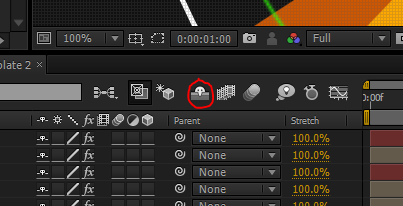
It could also be you’ve accidently shifted the layer order in your Main Comp. Try to ‘unshy’ all the layer by clicking the shy button and see if the texture layer is still on top!
Awesome! Thanks, it was that the texture layer wasn’t on top. Working perfectly now
Glad to hear that 
Hi there, since this week I am working with this wonderful animation and have a question:
Can I customize the scenes or change it ??
Thanks you for your comment
Yes of course, that is what the entire template is meant to be for: customization Please watch the video tutorials on how to do this.
You could easily change the looks of scenes by just changing some colors through the Color Customizer. Also you can edit the texts to your preference and even change the fonts and sizes and the position on screen.
If you are even more familiar with after effects, you could “unshy” the layers with the shy button and delve right into the works. This way you can change the way things animate in/out and such.
You could also animate your own character movements(although this will require some experience in character animation) which I briefly explain in a video tutorial.
Let me know if you want to know anything more specific I could also answer in Dutch if you’d like.
Hi.. Amazing project. I have a question. Hope you can help me. I need 8
elements in my portfolio.. do you have any tips? My idea is to render the first 4 and then add them as a video in the main composition. But I don’t know how will it looks with the transitions.. What do you think? Will that work? Or there’s an easier way?
Thanks a lot and congratulations
Hey there and thank you for your purchase! What kind of elements do you need in your portfolio? Do you mean you have separate elements created in After Effects as well? You could easily import those .aep files in After Effects if you want to.
If you want to use separate pre-rendered video files just make sure they are placed underneath the transition shape layers. This way you make sure all the transitions remain working and look nice. To reveal those shape layer be sure to click the “shy” button and reveal all layers. You can even duplicate them and change them to get a more unique transition look. Hope this helps!
Hi! I have a question that you may or may not have answered yet. It could just be something simple but I can’t seem to figure it out.
You’ve got a lot of pre-created scenes that are fantastic, I love it! But what I need to do is swap out the characters in the pre-built scenes with new characters. How can I change them? For instance, bonus scene 12 where two characters come in and shake hands. Instead of duplicating my main character into a different file, how can I change the characters in that scene to other characters, say moving from Character 5 to Character 2.
I want to do this throughout the video with different slides (I have two main characters, but most of the video is defaulted to character 1).
Thanks!
What you are trying to achieve is described in the video tutorials but I will once more explain it here.
All you need to do in your Bonus Scene 12 for example, is to unshy all the layers and search for the composition with the character in it. Mostly these compositions go by names of “Walking + Waving”, “Walking + Standing” and so on. I’m not sure what the name is for this comp in the Bonus Scene 12 since I’m doing this all from the top of my head.
Now delete the one inside the Bonus Scene 12 and go to your Project Window. In your Project Window go to your Character Creator 5 folder and browse through the animations folder to get to your “Walking + Waving” composition for Character 5. Now drag that composition in to Bonus Scene 12 and you have your new Character Animation from Character 5 imported into the scene. You might want to animated it in from outside of the screen with the position property. Perhaps you can even copy the position keyframes of the old “Walking + Waving” scene for this. Now you can repeat this step for all 12 other characters if you’d like and have them all onto screen simultaneously.
No matter what I do I can’t get my characters to blink their eyes at different times. It looks weird with their eyes all blinking at the same time, but moving the keyframes in the blinker, turning off the expression – nothing works to allow me to control when each character blinks. What am I doing wrong?
Thanks for your purchase and your question. Here is the solution:
Go to the first “Character Creator” composition and un-shy all the layers. Now find the “Head” composition and go inside. Now find the “Male Eyes” Shape Layer, unlock it and hit “U” on your keyboard to reveal all expressions. Scroll down to the scale property and edit the expression.
Now in the expression replace the “Walking + Waving” part with “Character Creator”.
Now go back to your “Character Creator” composition and with still the layers un-shy-ed, you would be able to find the “Blinker” layer, you can move the entire layer left and right or the keyframes to alter the blinking movement. You can even delete the loop expressions to change the blinking manually. Or you could add in a random() or randomSeed() expression.
Hope this helps.
Hi, How do I apply the texture effect on the hole video?
It feels like there is a fabric on top of the video. How do I do it?
Hi there! It’s all there explained in the tutorials. I advice you to watch some of them to understand how the template works.
Just select your “Color Customizer” layer and then go to the “Effect Controls” window. Now you can check the “Textures Enabled” checkbox and you will have your textures enabled .
Hi, just purchased your template and I guess I didn’t realize how very locked down you had your character structure. The video preview and information made it seem like I could customize the characters quite a bit.
I’m creating a promo of Myself for the homepage of my graphic design page. I have long red hair, and you only have one hair option for females. Also, this is EXTREMELY male centered with very few female options. ie. I almost always wear skirts and the pants look quite silly.
Is there any way I can update these so I can still use this? Or am I simply out 40 bucks because you weren’t quite clear on the limited customization?
Hi and thank your for your purchase. The way I advertise this template is exactly as I show in the previews. You can customize the characters with the character controllers for fast and easy customization. It is meant for those who don’t have a lot of time on their hands and want to make unique characters by simply pressing some buttons, hence you may have the feeling I have ‘locked down’ the character structure.
In my opinion you can still make a lot of different variations with these customization controllers that are shown in the preview. I agree that there are more options for male customization then for female characters, but that doesn’t have to stop you creating your own female looks. It’s not that hard to dive in the character compositions and change the hairstyles or add your own ones. They are all shape layers so you could adjust them within the compositions by hand. There are actually 3 female hair options, but 2 of them are short and may look a bit male-ish.
I don’t like how you imply I’m falsely advertising this template in your last sentence. $40 is a bargain for a template that took me 3 months to complete. If you want me to help you, you could be a bit nicer in your approach.
If you want to know more about adding a hairstyle or changing the shape of an existing one, you can send me an email through my profile page.
Hi, you are right – my note came off very snarky and I apologize. I didn’t intend to imply your template wasn’t good and wasn’t worth $40 – I rushed my note and I am sorry I offended you.
The template is fantastic, the best character offering on video hive. Thank you for your time creating it.
Thank you for your recommendation, I was able to easily update hairstyle 2 and create a female ponytail. I also added little stud earrings to further distinguish as a girl character.
Is there anything that can be done about the pants? No worries if not, I just wanted to check in case I can further push this to obvious girl status.
Again, I am sorry—I find the template to be extremely useful and hope you continue creating awesome stuff!
Apology excepted and thank your for all your kind words. Not sure wether it’s the best character offering here on VH since this was one of the first and many have come since, but still thank your very much for saying so.
Great to hear you’ve succeeded in making your character more female.
Well in the beginning stages of creating this template I was determined to add in a skirt but somehow I never succeeded. Then later on with the template getting bigger and bigger, it would take a lot of effort to add a skirt option with having 13 different character creators, meaning I had to do any changes to the template 12 times over.
Somehow when working with the puppet tool, the skirt would never follow the legs perfectly and end up with strange folds and digital artifacts. So it would mean that I had to restrict the leg movement in order for it to work and that was not something that was beneficial for the rest of the template. Or I could start from scratch with the torso and legs and redo all the puppet tools and relink them to all the bone nulls (something that would take a lot of time for just one added feature and that for all 13 characters). So I guess I’ve just been to busy and maybe to reluctant on that part, which is entirely my fault.
Now with that being said you could still increase the Mesh Expansion of the compositions such as: Torso, Left Leg and Right Leg. This allows you to further extend or change the shape of the pants (inside these compositions) , giving you the possibility to change its appearance. Hope this helps.
URGENT !
Hi,
I have downloaded the file and have already started working on it, but I need to know if I can change some facial expressions (sad, confused etc) of the characters. If yes, then how ?
Please help.
Thanks.
Hi and thanks for your purchase.
While this is not necessarily a feature within this template, you still can go inside the “Head” composition of each Character Creator comp and change the mouth shapes manually when editing the shape layers.
Send me an email if you need a more detailed description on how to do this and I’ll reply as soon as possible.
Cool, will check that out…
Another thing, I know the character is a 2D character, but I want to show that he is looking up at the sky, can I do that too ? Please tell me how…
Thanks for your help !
Well you could tilt the head with the rotation value of the HEAD null and make it so that he looks up.
Now the only thing you have to do is custom edit the shape layer of the eyes, mouth and ears again to make it seem as if he looks up.
Hi
I bought this pack the other day, great experience so far really it’s easy to use and customise the characters and the scenes. If there are any further updates then it would be great to see more variations for female characters (hair, skirts, shoes, dresses etc.). I find it quite difficult to make multiple female characters look unique with the current options. Same goes for ethnic diversity. Would be nice to have some afro’s or dreads to choose from. Other than that excellent work this is one of the best things I’ve bought on here and a huge time saver!
Thanks Steve
Hello Motionvids,
I just purchased this file. I need your help regarding the Scene #6 of this file. What I need to do is to change the blank pages into different icons like report, sales, chart, etc. I am having a hard time doing it because I am a newbie at adobe after effects. Looking forward to hearing from you.
Nice work by the way.
Thank you.
Hi there! Please check your email.
very nice work!
Thanks!
If I need to animate TORSO between 1 and 2. I make 2 keyframes. First keyframe at 1 and second at 2. As a result I have jumped animation. How can I make it smoothly?
for example. I want a shirt sleeves do not appear immediately. I need they have turned out t-shirts.
I’m sorry but I do not entirely understand your question nor your situation. Your last sentence leaves me a bit clueless.
If you want to animate the arms(sleeves?) you must make sure you also animate the checkbox control for the IK effect on that layer. This way the arm will fold the other way around and will not suddenly jump into another position.
Could you send me an email through my profile page with some more detailed information? This way I would be in a better position to help you out.
in few minuets I will send you an e-mail
I have sent you email through your profile page
Replied with a solution. Let me know if it works!
Hello Motionvids,
Great thanks for yours comps, that’s a very good job! I just have a problem to fix quickly.
I start working on your files on Windows 7 and recently moved on Windows 8. Everything is working except I’m not able to install the two scripts (character creator and color cuztomization). In fact, everything is working fine but I still have the error box at the opening ( with the 14 missing effects). When i’m trying to remove it, it say that nothing can be removed so i’m guessing nothing was installed at first.
Do you have any idea to fix that?
Thanks in advance for your reply and thanks again for your job.
Meand
I just found this on the FAQ:
“Why do I get a “Missing Effects” error? Some users seem unable to install the scripts. While this is not mandatory because the template will still work a full 100%, it will give you an error message on booting up the .aep and that can get annoying. This has happened to only a small amount of users and it usually means that you’re not running AE as an ”Administrator”. On both Windows and Mac OS, you have to be sure that you are running After Effects with all permissions open, meaning that you are running the program as an ”Administrator”. This is a client-side issue and has nothing to do with the project not working, it has to do with the settings of your personal Windows or Mac OS.”
I guess I just need to ignore the error box, i’m certainly am runnig AE in administrator but as I’m new on W8, i may have ignored something. Anyway, the templates is actually working fine so I guess it won’t be a problem.
Well you have answered your own question already The template will work fine without installing the scripts. Only thing is the one error message you get when you start the .aep but that is really nothing to worry about.
I’m not sure though anymore whether it has to do with restrictions on an OS. Initially this was my first conclusion and some people confirmed it to me but others are getting the error even if they have all permissions open. Not that it really matters, but it’s still a bit strange.
Hi guys, great template… Only thing that frustrates me is the way you’ve structured the assets. Extremely unintuitive and takes a good while to find comps if like myself, am using them to create my own timeline. Hope that makes sense.
Would be great to have all the elements in a separate folder, to the comps they are used in.
Thanks, Naim
Hey Naim thanks for your purchase! I’m sorry you feel that way about the assets and I want to apologize for the inconvenience.
The thing is, is that this template was created in mind with dragging and dropping the scenes into the timeline and not with using each unique asset to create entirely new scenes. Although it is possible, it was not the first focus of this template so that is why you may find the assets a bit cluttered.
Again sorry if I gave off the wrong idea.
Hi, no you didn’t give off the wrong idea. It’s a great template. I just have OCD I guess ( everything needs to be tidy lol )

Elite Author
Contact the Envato Market Help Team