7 comments found.

if you go into “Comp 5” and look at timecode “0:00:04:03” where its transitioning upwards from the word “Champion”, you’ll see some purple at the bottom. I cannot figure out for the life of me how to put something there. I Even precomped a new logo. and put it on the timeline and turned the layer off and then went to “E3d 2” layer and found the settings that say “custom texture maps” and for layer 3 instead of “none” I chose the precomp that I laid down on the timeline. I even hit scene setup and made sure that this precomp was listed as one of layers and I still cant map an image to that purple area. I’m on a mac.
I think i figured out the answer. You have to take the precomps that start with “MEDIA_07” (or media_06 whatever precomp it is) and slide it left to the start on the Comp 5 timeline
If you need custom settings, please contact me, I will help.fiverr.com/s/XLZlNxD
Just leaving a review here for Blackout Motion who went over and beyond to help me with this template! I really appreciate it.
Thanks Bro!
I’ve purchased the plugin, copied the files as per the instructions but I do not see the loover/bar objects when transitioning to the next scene.
hi, I couldn’t get to the computer because of the war. I ask you to carefully follow the instructions in the help file, if you have any questions, write, I will be glad to help you.
Be safe man! I did follow the instructions. Here is a screen recording to show you what’s going on https://youtu.be/TfE8UorszVU
I really need to finish this project, I spent $200 to buy the plugin only to use this template. I followed the instructions but the 3D loover effects as you can see in this video do not show up. https://youtu.be/TfE8UorszVU I believe there are missing files here. I purchased this through my Envato account.
I just purchased this again through Videohive thinking maybe there are some missing files in the Envato version and it’s the same result. How can I get a refund for my video hive purchase? I really need to get this finished.
Hello, sorry Element 3D plugin has interpretation problem, watch video and do the same https://drive.google.com/file/d/1QytZoBbB91jzs5VEYVe3dhleJTcX0o6t/view
unfortunately I can’t record a video on how to fix this
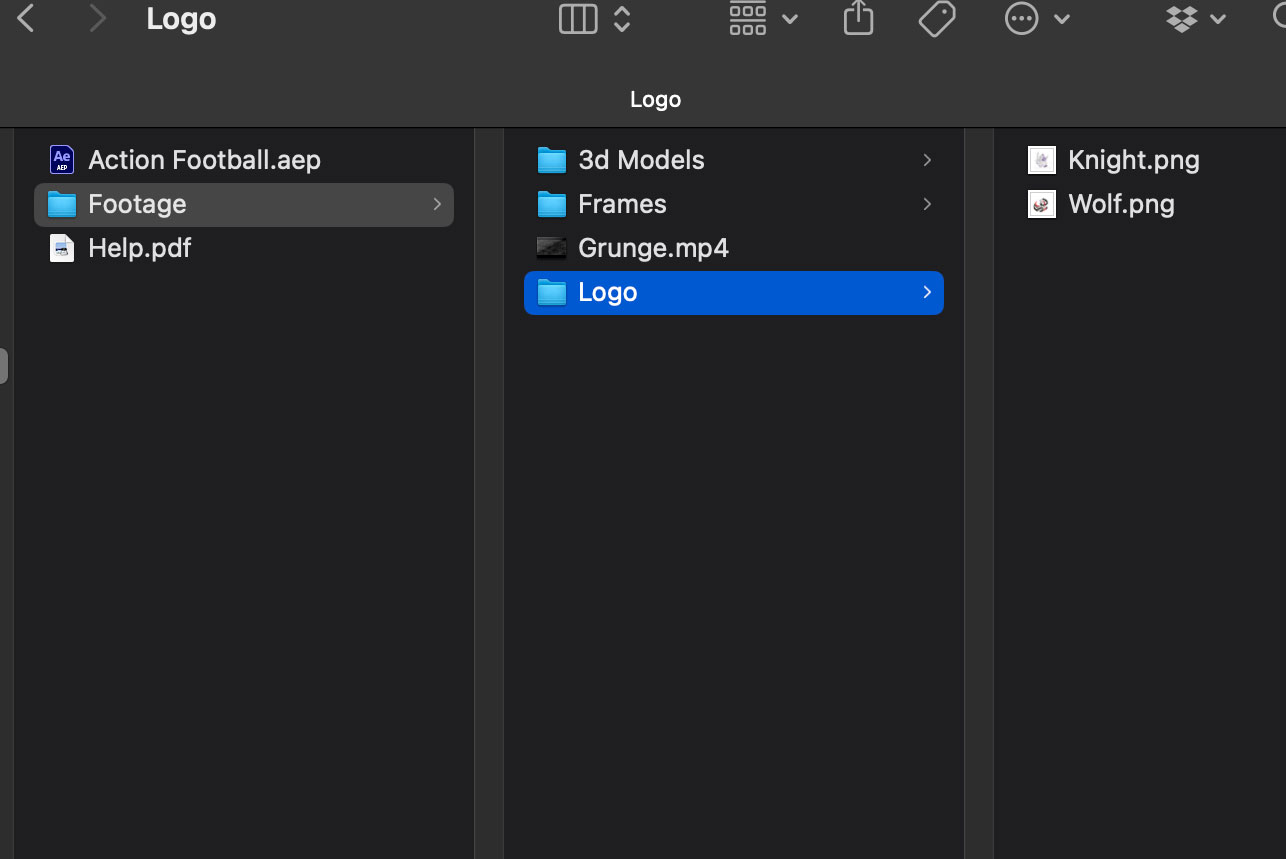
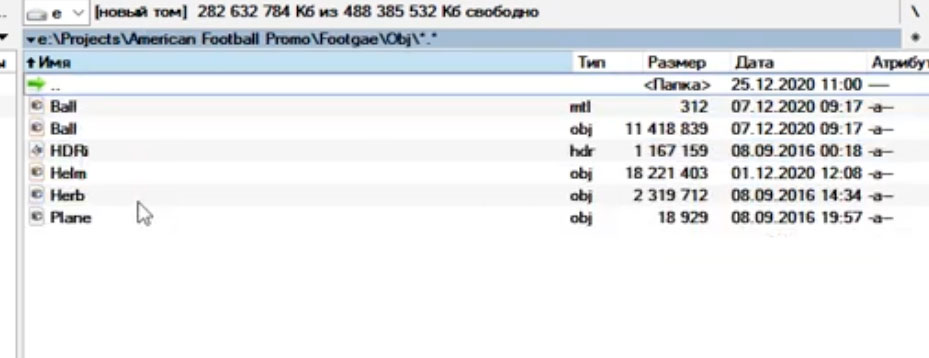
I watched this and there are missing elements in my project I downloaded. I have 3d Models > Cube 2.obj and Cube.obj (these were copied to the folders as per your instructions: Frames > jpegs 1 through 11 Grunge.mp4 Logo > Knight.png and Wolf.png
Element 3D cannot find Cube 2.obj and Cube.obj. Help him out by telling each layer named e3d where they are.
please let me know how you are doing
can you make this shareable?
of course, sorry
The files you are showing in your video do not exist in this download. Here is a screen shot https://www.a7fl.tv/wp-content/uploads/2024/03/Screenshot-2024-03-18-at-3.44.35 PM.jpg
Folder 3d models
you wrote to me earlier…I watched this and there are missing elements in my project I downloaded. I have 3d Models > Cube 2.obj and Cube.obj
that is correct, I have both of those models but I do not have these that are in your tutorial. And what you are showing in AE is not the template I purchased https://www.a7fl.tv/wp-content/uploads/2024/03/Screenshot-2024-03-18-at-3.54.06 PM.jpg
Please watch this help video
I hope you understand?
I think this might be what I need. Do you mind emailing me? I’d like to get a quote on maybe having you finish this for me with some customization. info@rdplex.com Thanks!
No Plugins Required Full HD ( 1920×1080 ) Easy to Edit Element 3D v2 Plugins are required
Cannot get it to work, without plugin. Can this project be refunded?
Hi. Yes, sorry for the inaccuracy, he’s using a third-party plugin. You can return it.
hi , i cant relnink E3D . do you have any toturial of this project?
Not seeing the 3D effects and I copied the 2 3D models to the VideoCopilot models folder. I’m on a mac – any idea what might be wrong?
You need to go to E3D properties and do the following. Relink Scene Files. E3D doesn’t want to define 3d object by default, help him
Good work
thanks)!