981 comments found.

Will there be any discount on Christmas?
Won’t work on Premiere Pro 2022 anymore. Seems the transparency is the problem. Any Ideas on how to fix the issue?
Hi. Comments section is designed for pre-sale questions only. For customer support, please send your message via my profile page https://videohive.net/user/replayer
when new discounts?
There was a huge 50% discount for a week. I don’t have any plans for discounts in the next 4 months.
hello, I don’t use Premiere, is it working with After Effects alone ??? thanks
Hi. There is a seperate version for After Effects, you can purchase it here https://videohive.net/item/tnt-top-notch-transitions/26580339
Thank you !
can i will be able to drag and drop because in my videos i use many times transition so if there is drag n drop feature it will be convenient for me??
Hi. Applying process is shown at the very top of the project page. One click to add transition on the timeline.
hi which version works with premiere pro 2022 ?
Hi. Transitions work perfectly fine starting from CC 2020.
does latest version works in premiere pro 2022 ? bcoz my friends says that it doesnot …. and i want to buy your plugin please answer this in yes or no. thank you
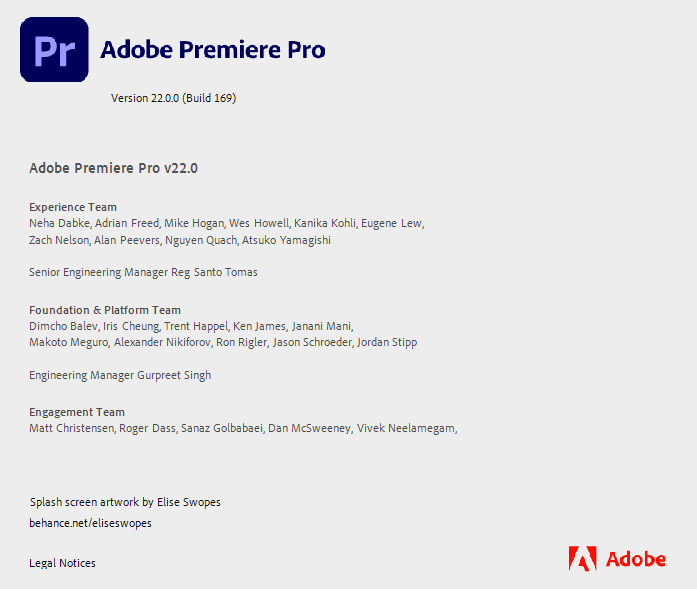
Yes, it works. I have CC 2022 and there are no issues https://c2n.me/4e7IXrs.png
Hi I purchased this a while ago and just trying to re-install it. I tried following the manual and try to install it via ZXPInstaller but it comes back with the message Installation failed because the extension is not compatible with the installed applications.
I am using the latest versions of Adobe premier and aftereffects on PC. Could you please advise?
Hi. Comments section is designed for pre-sale questions only. For customer support, please send your message via my profile page https://videohive.net/user/replayer
Hi, I am a YouTuber. Can I use this pack in my videos – one payment/license? There is “Use in a single end product” in your license. Does it mean that I need to buy it again for every video?
Hi. Please send your message via my profile page https://videohive.net/user/replayer
Are you ever going to respond to my emails? I am very unimpressed with your response time. Great product with below average service so far. Please respond to my emails in a timely fashion. It has been over 72 hours and 5 days!
I’ve already replied on your email 2 days ago https://c2n.me/4e6b6Fd.png
I have not received any of those emails and I am still unable to use my purchased product on my new laptop. Please advise.
Please check spam folder. Also please note, free support period – one month after the purchase. And your purchase was made 3 years ago, so it out of any support windows.
Hello. Do I need to buy a new license after 52 episodes or videos uploaded to YouTube and my social networks? I ask this question because according to the “Regular license”, it only allows me to reuse your product(transitions) in series of maximum 52 episodes.
Hello. It’s up to you how to use the license (nobody tracks how many videos you actually make).
Can I install this plugin on my 2 computers with the same license?
i lost some effects when i add transition, For example i have Vignette on the clip when i add transition i lost this Vignette so now for this problem i add my lumetri color on adjustment layer only and move it above the transitions layer i hope you can fix this in the next update .. and make it faster because it takes so mush time to render on ( RTX 2070 – I7 9th – 32 Ram – Win 10 – Premiere 2022 )
Hi. Comments section is designed for pre-sale questions only. For customer support, please send your message via my profile page https://videohive.net/user/replayer
It was installed normally in the zxp installer, but it is not visible in the Adobe extension window.
Hello. Comments section is designed for pre-sale questions only. For customer support, please send your message via my profile page https://videohive.net/user/replayer
Looks kind of soft and fresh.
hello , when I buy this can I use them un many videos on my YouTube channel or this just for one video ?!!
Hello. You don’t need a new license for each new YouTube video. For more information please contact me here https://videohive.net/user/replayer
Always get the Error
Please wait for the previous import completion
??
Hi. Please send your message via my profile page https://videohive.net/user/replayer
I can’t drag and drop I use premier pro 2021 any suggestion?
Hi. You don’t need to drag anything on the timeline, applying process is much easier. Simply follow the manual, it’s included with the project.
Where can I download 5.1 to work with Premiere Pro 2019? I lost it by switch to a new Laptop. The latest plugin version is not working with Premiere Pro 2019.
СС 2019 is no longer supported, only CC 2020 and higher. And there are no older versions on Videohive, only the current one.
에러났다 23번코드 이메일이 안맞다고하는데 돈주고 사고도 못쓴다..
구입하고도 못쓰네요 에러코드23번이 뜨네요 이메일 라이센스 인증기간이 어쩌고저쩌고 제이메일은 blslife@naver.com 입니다..
What is new in the (15 September 21) update?
This update is for MacOS users only (for M1 processor). If you’re not on Mac with M1 – no need to update.