981 comments found.

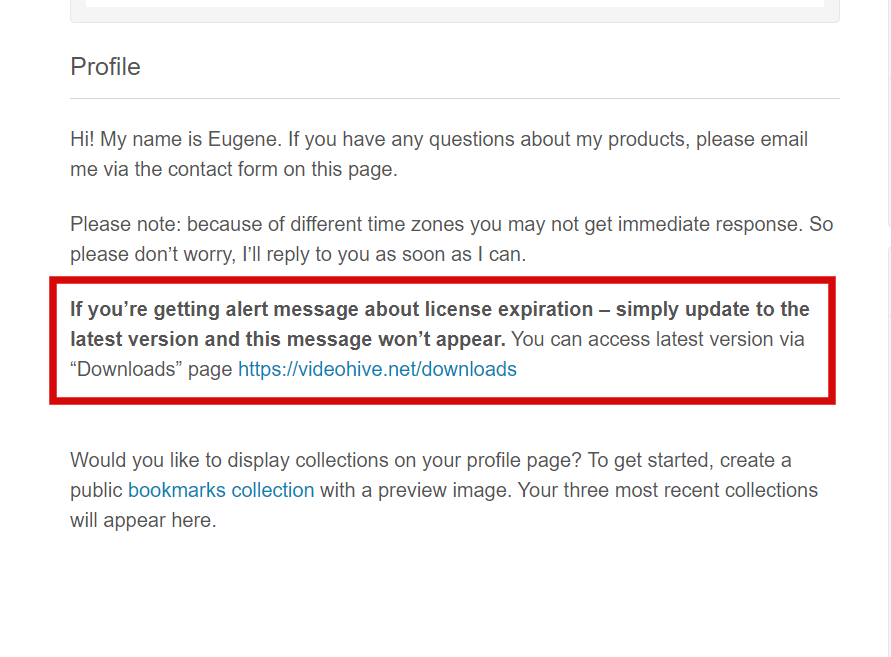
what does it mean…..that license will expire in few days? I can’t use it anymore?
Simply update to the latest version and this message won’t appear http://c2n.me/48aVHPj.png
thanks
Hello. When I use the ZXP Installer, I get a message that, “No application compatible with Seamless Transitions was found on your computer. Do you still want to try to install this extension?”. If i hit yes, it fails because ‘VulcanControl.dll was not found. Is this pack compatible with Premiere Pro 2020?
Already replied on your email.
Hello, Can work in language Arabic ( RTL )?
Hi. Yes, transitions work with any language of your Premiere Pro.
It’s nice .. Is there a trial version that we can try it out like the rest of the distinctive transitions ?
There is no trial version. My project has 400+ five-star reviews and also it’s Premiere Pro best seller for 2 years with 20K+ sales. There is nothing to proof actually. Also it’s the only PPro transitions pack bundled with the plugin.
Are there effects for displaying large texts such as quotes and explanations for specific content and not just titles?
And Is your discount over ?!
Transitions work best with short texts, like I showed on the promo page. But you can apply to a bigger texts also (with quotes etc). Discount is over, yes. It was mentioned it was limited time offer.
Are texts written in Arabic RTL without problems?
Regarding the discount for your product, unfortunately, I saw it only yesterday and were surprised by the end !
Best Regards
Hi,
Also these effects are working with photos and video or only with video?
Regarding the support of the Arabic language and the direction of the text RTL .. I mean such these transition :https://previews.customer.envatousercontent.com/h264-video-previews/08786474-02d2-4a9f-bf4b-ceef938b7c0a/25557046.mp4
Thank you in advance
I don’t have titles in my pack, only transitions. In your example you show titles, it has nothing to do with transitions. As for transitions: they do work with any footage (photo, video or even text).
I mean ( 80+ Text Transition Presets ) which you mentioned as short texts
Text transitions work with any language (Arabic or not doesn’t matter). And it has nothing to do with your example, where you showed some text animations etc.
hey guys, suddenly I lost access to the product. a warning appears saying that my email is not in the database. can you help me?
Hi. Please email me via my profile page https://videohive.net/user/replayer with this question.
Hi have problem with the transitions and the premiere. The size some time adjust incorrectly and the premiere close
Hi. Please email me via my profile page https://videohive.net/user/replayer with this question.
hi, Im using pp2020 and the ZXP installer can’t install the plugin, saying I need to install a compatible CC app and try again?! I have the latest version of PP
Hi. Maybe you also have CC 2019 installed? Sometimes it might happen if you have both versions. But if not and you have only CC 2020, email me with this question via my profile page https://videohive.net/user/replayer
Hi, every time I restart Premiere pro I have to put the purchase code, its give me Error 901 (your license has expired.) I don’t understand how my license expired I thought its a lifetime!!!
I’ve already replied on your review.
Have you installed the latest version (6.5.4)?
Yes
I will try to reinstall it
hi i really like this theme , when it come the discount again? thanks 
Have no plans for discounts actually, at the end of the year maybe (on Cyber Monday).
hi, let me know if this template have a title transition ? i mean can i see the demo for it ?
There are no titles included, but there are text transitions (since it’s transitions pack). And I don’t like this recent trend of making “2000+ elements of garbage”. It’s much better not to inflate the project, and keep at a very high quality.
As for the demo: I don’t have it. 20K+ sales and 400+ five-star reviews should be more than convincing Also there is no other Premiere Pro transitions pack bundled with the plugin, only my project. But if you still have any doubts, simply watch Premiere Gal overview https://youtu.be/GUl_KNJErPA?t=23
no no i mean yeah text transition, not titles  which means i can make the text and give it transition effect, and the text transition included sound FX ? thanks for your reply
and if you can give the preview of text transition more than in the homepage, i apreciate it
Sure, text transitions are included + each transition goes with sound FX. Plus there is an option to disable sound FX (if you don’t need it).
Unfortunately I don’t have additional preview, only on the project page.
Work this Transitions on Premiere CC 2015 ?
Hi. Minimum version is CC 2020, so please update your PPro in order to use my project.
This package is really cool and helpful, however, if I apply a transition to a video layer that has any opacity change, the transition layers seem to alter the brightness of the video. Sometimes darkening it, sometimes brightening it, right at the beginning of the transition clips. Why does it alter the brightness!? I can’t figure it out
Hi. Please email me via my profile page https://videohive.net/user/replayer with this question.
Failed to deactivate license and deleted windows. I’m not using it right now. Is it possible to initialize an active PC?
my mail adress is axis9958@naver.com
Hi. I don’t have an option for deactivating license on a specific machine, so unfortunately it’s not possible.
Hi, My PP version is 2019 built 13.0.1. When attempting to install with ZXP Installer, it says “Seamless Transitions (6.5.4) is compatible with: Premiere Pro 2020, no application compatible with Seamless Transitions was found on your computer”. When I tried installing it anyway, an error message says: “The extension cannot be installed at the moment. Please install a compatible CC application and try again”. Please help ASAP, or issue a refund. Else I’ll get my bank to revert the payment. Thanks.
Hi. CC 2019 is not supported, it’s stated on the project page. Also you can’t issue a refund if you’re using old version of PPro (the only reason for a refund – proven project malfunction). So simply update to CC 2020.
I bought it upon reading in this comment page that CC 2019 and above is supported. Since you are offering no help, I’m getting my bank to do a manual reversal on the charge.
There is nothing about CC 2019 on the project page, minimum version is CC 2020. And it’s seems you just want a refund. Note, your account will be immediately blocked if you revoke the payment + you won’t be able to use or download the item in that case. But if that’s what you want – feel free to do it.
Sure, I will.
A lot of sales you’ve got there
Hi friend, I have a question. I want to use your work well, but when my computer’s hardware is out of date and I put the effect on it, the program freezes. If I want to solve this phenomenon, what hardware parts should I buy? For reference, the RAM installed in my computer is 32gb.
Hi. Please email me via my profile page https://videohive.net/user/replayer with this question.
I bought this miracle that does not want to be installed. Guys fix or return the money.
Hi. Please give me more details of the issue. What error do you get?
not one of Anastasiy Extension Manager ZXP Installer ZXP Installer from Aescripts PVII Extension Manager CC cannot open the file
So you’re following installation manual and “Seamless Transitions.zxp” cannot be opened via ZXP Installer? That’s not possible actually. Please email me via my profile page https://videohive.net/user/replayer to continue this discussion.
Hello, unfortunately whenever I register the plugin in Premiere it crashes every time. Is it possible to get a refund on this?
Hi. Please email me via my profile page https://videohive.net/user/replayer with this question.
I was thinking about purchasing but pretty leery do yo have a installation video link I can review
Hi. There is nothing to show in the tutorial video actually. Unlike any other transitions pack on Videohive, which require re-saving project files and manual import, installation of my product takes less than a minute via ZXP Installer.
Please look into the installation manual https://replayer.net/promo/ST%20How%20to%20install.pdf
Edited comment. Thank you for the clarification.
Limit is set only for support period, but not for the usage of the project.
I’ve just purchased, but the download consistently fails 380mb in. Is there another way I can download the file? Thanks.
Hi. Please email Envato support with this issue, they will assist you further (since this issue is related to Videohive).
I downloaded the files and Import the presets and nothing is coming up . I need a refund
Hi. You need to install the plugin via ZXP Installer in order to use transitions, there is no importing. Please email me via my profile page https://videohive.net/user/replayer so I’ll be able to assist you with an installation process.