981 comments found.

Hi does it work for CC2019?
Hi! Yes, it does.
hum CC cannot find the medias ?what the problem?
Please email me via my profile page https://videohive.net/user/replayer and I’ll provide you with the solution.
Hi! I finished a project in 1920 1080 with your wonderful transitions. But now my client asks for a short instagram version in 1080 1080. Is there a easy way to copy and paste the video in a square sequence without breaking your transitions? Tried several things already but I really don’t understand it!
Hi! Yes, there is a way. Please email me via my profile page https://videohive.net/user/replayer and I’ll provide you with the solution.
Regarding the regular license if im right and I buy 1 license I would only be able to use these transition in 1 video ( end product ). I would need to buy a new license ( 45$ ) for each video that I make and that feature these transition ? Im doing work in a company so having the right license and right to the work is really important.
Hi! Thx for reaching me out with this question. Please email me via my profile page https://videohive.net/user/replayer to continue this discussion.
Just purchased these today, and was really excited to use them in my editing. However, not only would they not drag and drop into my project like your video portrays, but I also have an issue with locating the media…please help. Running Premiere 13, on PC. Frustrated, and wanting to get use out of the money I just dropped.
Hi! Sorry for the inconveniences. Please email me via my profile page https://videohive.net/user/replayer and I’ll provide you with the solution.
Missing media for these clips. Processed 11 of 780 . This is the message after updating and overwriting the latest update. can you provide an update for this matter? otherwise was working properly but because unusable since the purchase.
Hi! Please email me via my profile page https://videohive.net/user/replayer and I’ll provide you with the solution.
Running Premiere Pro 2019 v3. If you close the project and re-open in all the transitions on the timeline disappear. Gotta start from scratch every time. Very frustrating!
Hi. System indicates that you haven’t purchased my project.
how to make it load faster when i open it always take more than hour to locate the files
Hi. This is very odd and it definitely shouldn’t be happening. What are you hardware specs?
yeah it shouldn’t be happening.i using i7 4720 16gb with 500gb ssd
Got it. Please email me via my profile page https://videohive.net/user/replayer and I’ll provide you with the solution.
Done
Hi, I have a problem with premiere pro CC 2019, wich crash sometime since I use those transition (realy great btw). Is there a way to solve that ? Thanks.
Hi! Please email me via my profile page https://videohive.net/user/replayer to continue this discussion.
혹시 2018년 이전 버전은 지원하지 않나요. 파일이 있다면 메일로 받을 수 있을까요.
Hi! Please talk to me in English, I can’t understand what you say.
Isn’t it possible to support pre-2018 versions? If I have a file, I can get it by mail.
I’m sorry, but it’s not possible. Premiere Pro doesn’t have option to downgrade for previous versions. Please update your version to CC 2018 12.1.0 or higher.
Hi, I just bought your work and test it. Some of the Glitch transition says: “This effect requires GPU acceleration” and it don’t work?
What does that mean ?
Thank you, plus
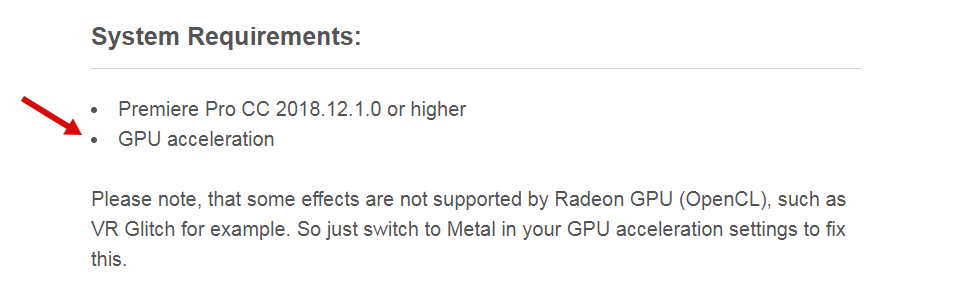
Hi! It’s mentioned in system requirements that GPU acceleration must be on https://c2n.me/3YWPHNG.png. Are you on Mac?
Hi, yes I am using MAC. There some more transitions that don’t work and give the same massage.
Could not find where to switch to “Metal” ????
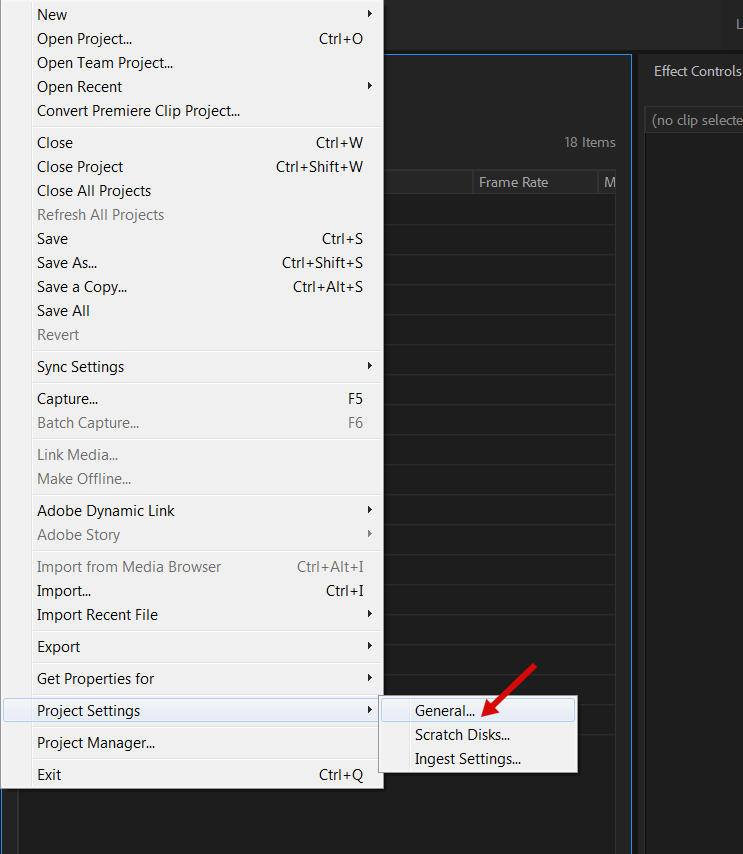
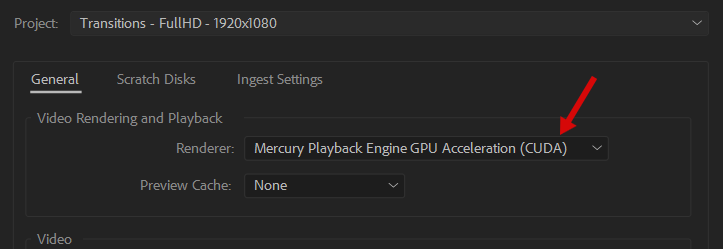
You need to click here https://c2n.me/3YWZtyc.png and choose “Metal” from this list https://c2n.me/3YWZvU7.png. Also please mind updating your video card drivers after choosing “Metal”.
Hi, I set to “Metal” but still get the same error ! I don’t understand how to update video card drivers??
One more problem: When importing an project file it says always: “Missing media…” I always have to locate the folder to find the files.
So I like your work, but I cannot use all transitions and thats not good for me.
Best Regards, plus
Hi Plus. I’m sorry for the inconveniences. Please email me via my profile page https://videohive.net/user/replayer and I’ll provide you with the solution.
the transition doesnt look the same as the preview when applied to the project. what could be the reason ?? plz help
Hi. Please email me via my profile page https://videohive.net/user/replayer to continue this discussion.
I have bought 1 month subscription but i am unable to download this, can anyone help?
Hi. Subscription works only for Envato Elements, it doesn’t work for Envato Market.
im wondering if this will work with premier pro c6?
Hi. Unfortunately, it’s not, Please update your Premiere Pro to CC 2018 12.1.0 or higher.
I’m unable to import the file, please help me by proving the shortcut for the window where I can drag and then use?
Give me your email ID so that I could explain the things
Hi! Have you watched my video tutorial? In my tutorial video I show how you can import transitions into your project. You may contact me via my profile page https://videohive.net/user/replayer to continue this discussion.
I’ve seen the video conversation and still nothing is working, Before 4 days I’ve purchased this file and couldn’t unable to get it through. I’m using 2019 cc, please make a detailed note or send me tip to lover0r@gmail.com. I just want to import,copy or whatever name it into premiere pro.Happy New year!
Hi! I’ve just sent you reply on your email. Happy New Year 
I didn’t get any email yet, please help me to import the files or I need a refund. I cannot wait more for this,
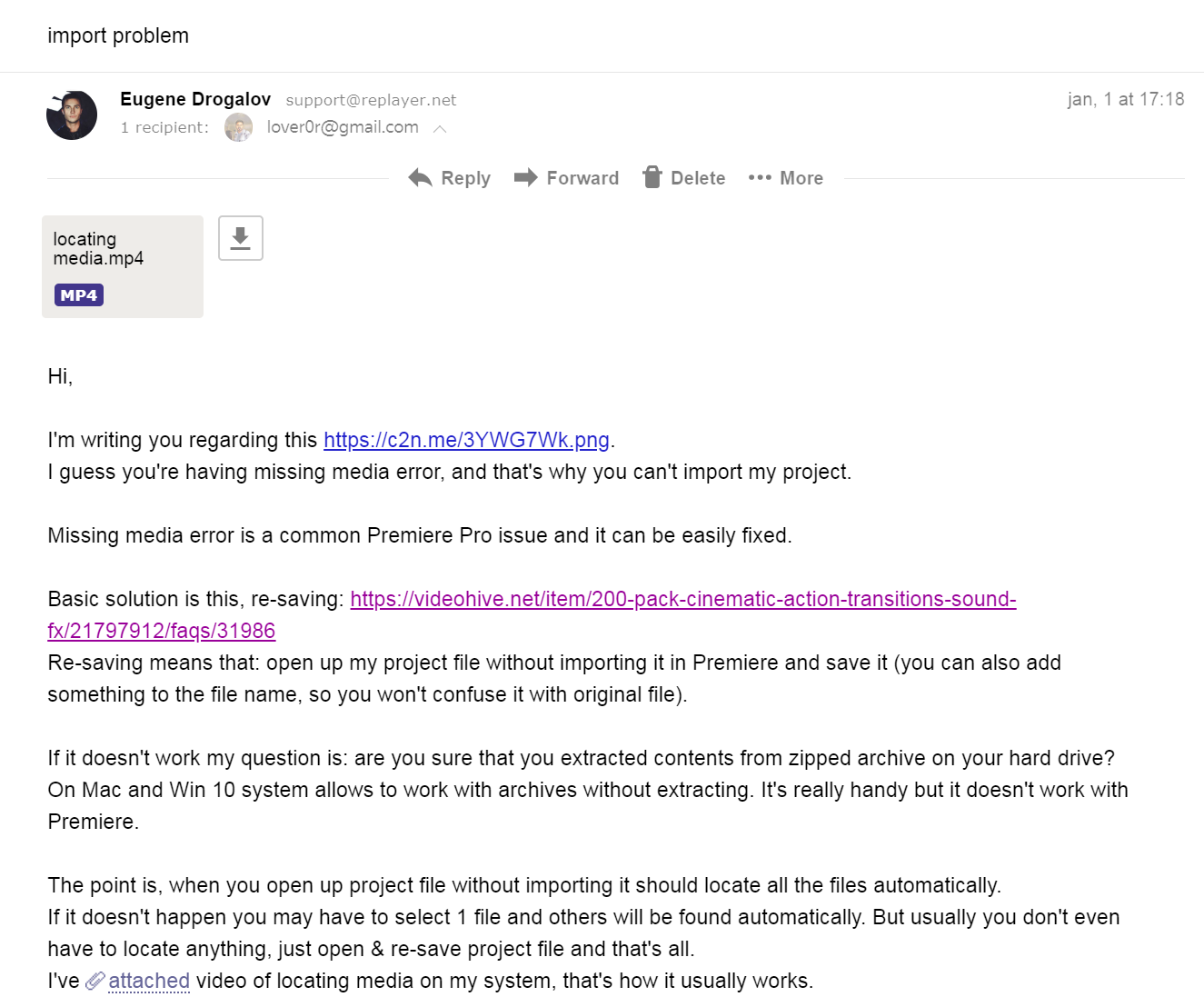
Hi. Why you didn’t tell me that you haven’t received my email? I’ve sent it 7 days ago https://c2n.me/3Z1ZAel.png. Please check spam folder. Don’t really understand how this happened.
Do you happen to have this package for the Premiere 12.0.0 version? Apparently these wont work on previous versions of 12.0.1 but I am getting a lot of issues to upgrade to the latest version of premiere and I have some projects that can’t wait!
Thank you, those transitions look awesome btw.
Hi! You can always upgrade to the 12.1.0 or 12.1.1 (no need to update to the CC 2019). 12.0.0 is totally similar to 12.1.0, don’t really know why Adobe made it this way, so it’s not compatible with each other.
Hi just want to ask a quick question, because when I’m trying to open my project using the resolution that I’ve chosen it crashes and it takes time to fully open. Do i need to do anything? Thanks
also when I’m trying to start a project it says that there are some files missing. can you help me with this? thanks
Hi! Please email me via my profile page https://videohive.net/user/replayer and I’ll provide you with the solution.
Having ‘offline media’ issues. I haven’t been able to find a way to connect the media to the transitions in the project. What’s the solution?
System shows you haven’t bought my project. Where did you get it?
I’m dying to know. What song is that?
You can find link to the song at the end of the project description.
hello, How can i adjust the speed of the transitions. How can i make the adjustments to a particular transition? i would like to make some of my transition to move a little quicker.
Hi. Please email me via my profile page https://videohive.net/user/replayer and I’ll provide you with the solution.