46 comments found.

I bought it and I’m glad I did. It works beautifully! Is it possible to change the opacity of the particles? It looks like snow.
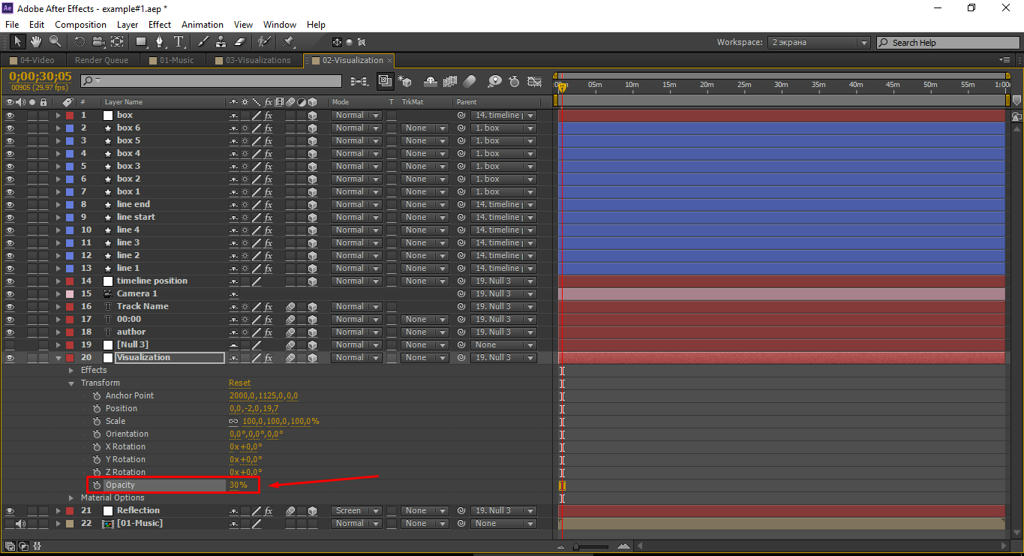
I tried changing the opacity to 2% but it’s still very prominent on the screen.
Sorry, wrong thread.
Hi! Thanks for your question. Yes, it is possible to change transparency of thread visualization. For this purpose go to composition ”##-Visualization” which you use. At a layer “Visualization” change opacity as on a screenshot: https://www.mediafire.com/convkey/21d1/ij9uftg9cx8l9n96g.jpg If you need more detailed comments write me personal message.
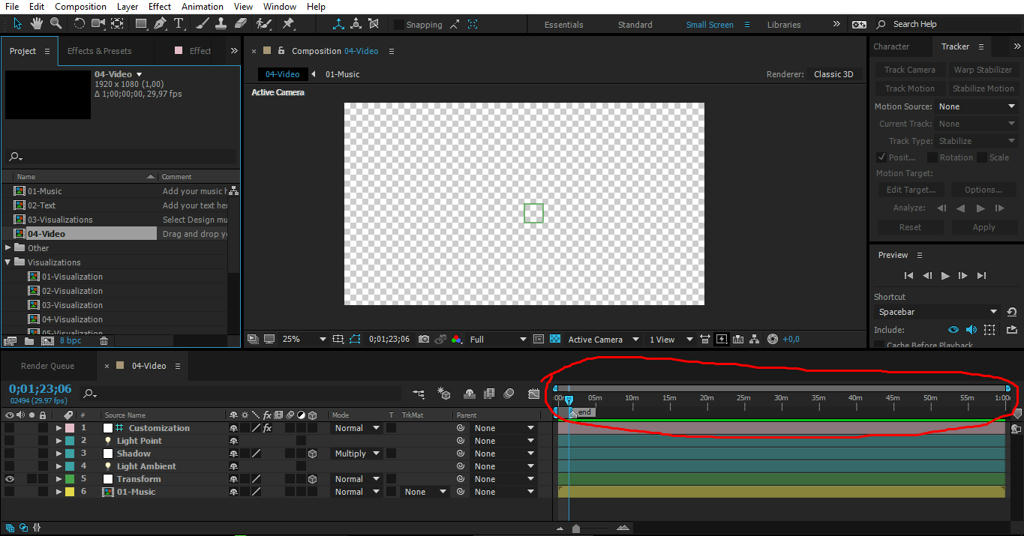
Hi, I absolutely LOVE this and would like to purchase asap. I would just like to know if this works for music that is longer than the average. I am a DJ and most of my mixes are about 45 mins long.
I replied to the previous comment.
Thanks. It works beautifully!
Hi, I absolutely LOVE this and would like to purchase asap. I would just like to know if this works for music that is longer than the average. I am a DJ and most of my mixes are about 45 mins long.
Hi! Thanks for your question! Yes, you can use the project for duration of music of 1 hour. You can be convinced of it on a screenshot: https://www.mediafire.com/convkey/59f7/qm8sh4kogbchncl6g.jpg But, this project will require 3D tracking of the camera on video, it can take a lot of time and the RAM with a length of video more than 5 minutes. One of decisions – to shoot several video for example 5 minutes, to render, then the next 5 minutes, etc. So you will create unique video on the present. Good luck! P.S. Sorry for my bad English.
Really nice  Wish you many sales my friend!
Great, thank you!
When I try to open the main project file, it gives me a bunch of error messages like “could not convert unicode character”, “can not find source item for layer ID=16295; will replace with a placeholder.”, “your project file is apparently damaged (skipped section: 1). Please save using a different name.” is this normal? I’m not sure if every functions will work without problems. it loads though. I’m using 2013 Mac Pro with 64GB of ram, After Effects CC 2015.
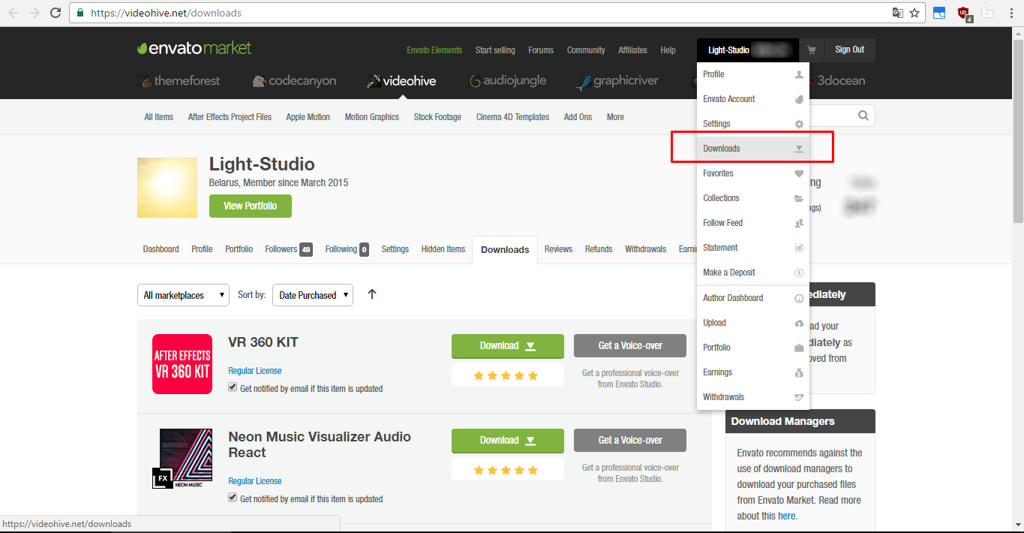
Hi! Thank you for your message! Errors should not occur. What language version of the after Effects of you using? The project has a universal expression, perhaps something went failure. Please try to download and open the project again https://videohive.net/downloads You can write me a private message here: https://videohive.net/user/light-studio Thank you! Timothy.
I would love something like this but to display corporate graphics. Would this template work for that? or is there any other template?
Oh, it is the good idea! I have no such template, yet. On videohive there are templates of such design: https://videohive.net/item/callout-titles/11111538?ref=Light-Studio Likely it is possible to make the necessary template of 3d infographics: https://videohive.net/item/3d-charts/1125187?ref=Light-Studio
great! I like it)
Thank you!
Amazing Work!
Thanks!
hello there i buy already your project but i can’t download can u help me pls ??
iknow thats bro but if i download its vary slow … my connection its viper and fast but u have problem to your link download thx a lot bro
I responded you to e-mail. Repacked the project – 2MB
ok i check my email and i get your project thx to send good link ..
GOOD WORK!
Thanks for the feedback!
Excellent Work!!! Good luck with Sales!!!
THANK YOU!
Great work  GL
GL
Thanks!
Great idea!! Good luck with sales!
Thank you!
Perfect!
Thanks!
nice work
Thank you!
Unique idea and perfect execution
Thank you!
Looks awesome!
Thank you!
Very good project!
Thanks!
very interesting!
Thank you!
Wow this is amazing audio visual work 
Thank you!