68 comments found.

Hi there, I download this template from Elements and I noticed that in your demo you can make the hand long http://take.ms/HgqCG but in the template it’s short. How did you do that? Thanks
Hi, thanks for purchasing. Click th rasterise button on the hand comp.
Which button http://take.ms/Phzvs
Please send me an email to thepremiumilk@gmail.com
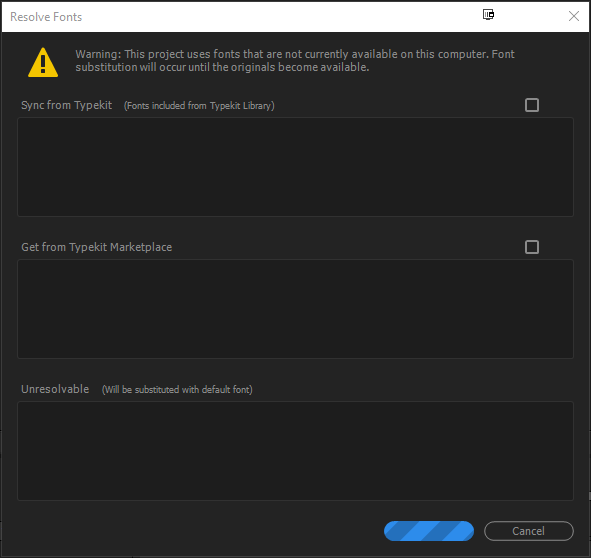
I a getting a font error.
https://i.gyazo.com/32515848d1f355b320fdc1911c1f93b3.pngI have installed all the fonts listed in the “Font_links.txt” file and I have restarted my PC to clear Adobe font cache.
Hi, thanks for purchasing. It looks like you don’t have a missing font. The template use only the Bebas font.
Hi Premiumilk! Great product! I really love it. Could you please explain to me how to import elements with their own animations of course, from the Flat Design Library (1.5k) to the Flat Design project? Best regards! Angel.
Hi, thanks for purchasing. You just import Flat Animated Icons Template into the Flat Design from File-Import-Project. Then you control colours from the controllers of each template. Thanks.
It is interesting to watch and admire! I wish you good luck and many sales !!
Hi, I purchased the template it’s great but i have a problem with missing dependencies of ‘Pacifico’ font … But the font is installed … Why after effect can’t find it ??? How do i fix it ?
This link solved my problem, the font cache of adobe was guilty
Thanks for purchasing.
Hello Again, i just finished my advertisement  This template was so nice that i was hable to learn after effect thanks to it. I have a question : Who made the voice over of your exemple ? I would like to hire that person if it’s not too expensive of course. Would you mind to provide me a link ? or a mail address ?
Yes please send me an email to tolistolan@hotmail.com to send you the link.
Is there any way of changing colors individually? I’d like to have for ex. a set of transitions red and purple, another green and blue in the same composition.
How can I achieve this?
Thanks.
Hi, Thanks for purchasing.You have to get inside the transition comp and delete fill effect. Then add a new one of your choice.
are this bundle available to Mac (yosimate) ?
Yes of course!
Hi there..I am planning to purchase this template for my business..Does it work on adobe flash (or) Photoshop..?
No, it works only with Adobe After Effects. You are able to download the free version of AE CC. Also you can make gif file from AE if you want. Thanks
Hello,
I use this wonderfull template on AE CC 2015 (latest).
I have an issue with Flat_Design_V3.aep / got lof of errors and everything appear on screen RED, it seems missing some COLOR CLASS.
http://imghost.lesscro.com/images/2015/07/24/1PODM.png
Anyway Flat_Design_V3_Universalizer.aep work like a charm, everything is like demo, right color.
Do you have any tips about this issue ?
Regards
Hi, thanks for purchasing the template. You have a French language of AE that’s why you have to open only the universaliser version.
what do mean by “voice over included”? Is that the prerecorded voice over from the video or will you do a custom voice over?
Yes the voice over is included as is. Ready to use it. Music not included.
Just purchased your template and noticed that the voice recording says “We specialized on”, instead of “We specialize in”. Is this something that could be corrected?
Hi, thanks for purchasing. Yes i know it already. These days i will updated it with he correct on. Both Voice over and text. You will be informe for the update . Thanks
Thanks Premiumilk, and awesome work that you do. Keep up the great work!
The template has already updated. Re- Download to have the correct voice over. Thanks
Hi, I just want to know ; how we receive the purchase, so I want mean under what format?
Thanks
In zip file that includes the aef (After Effects File) and the tutorial.
Is it possible to change local colors of the individual elements without having to affect the colors of every other element/icon using that color?
Yes, you have to delete the fill color and put a new one.
hello there,
I have purchased this long time ago. I remembered it was part of the bundle. Do I have to repurchase this again to avail the new version and the added icons I saw on the trailer?
Please help
Yes, if you want the last updated version you have to purchase it standalone. Thanks
hi
i purchased envato birthday bundle including your file, but i haven’t downloaded videos yet. can i ask which version is in bundle? was it before updates or after it?
and great work, tnx
Hi, it was on V.2 not V.3.
Great Thanks. Also I cannot find the elements column to change the colors. Can you please tell me how can I find it? I am following the tutorial but no help. Also can I change the text in the ribbons and badges?
Hi, tutorial time 2:50 shows how to change colours. Also you get inside a ribbon or badge to change the text layer. Thanks
Thanks. I found it. Also is it possible to add elements from some different template to your scenes. If yes, how can I do that can you please suggest.
Click File-Import-File and then select your .aep file and import it.
Hello, Pre-sale question: – Will these work with windows7 also I have AE CS5 trial version…... so will I will be able to edit these?
Yes of course you can. It is a CS5 template and works fine with trial version too. Windows 7 doesn’t affect.
Really nice template man!
Thanks man!
Hi bought the apps via Envato Bundle and I really like it and I am thinking of using the template.
So after opening the .aep project in Adobe After Affect, I was able to play around with it and render it to flv and mp3 and avi format.
In the Adobe after affect, I got the voice that dictate the story but no music, could you please let me know whether the temple come with any music in the background as you have in your demo on the Envato market? In addition, I notice there is a tiny voice keep repeating ‘audio jungle’... If I was to get the voice in the template will it exclude the tiny voice annoucing audio jungle?
Lastly, how do i go about modifying the story voice teller, do you know anyone contractor or can I do it myself using some software?
thanks,
M.
Hi, at the end of the description page you will find the link for the music. Also you can make a voice over with voicebunny.com Thanks
Hi! thanks for your reply. is the music already embbed in the purchased template for everyone or the buyer have to add the music by themselve? Also, If the template does not have already have the music, do you have a tutorial how to add music and voice to your template.
Moreover, I render your template using Adobe After Affect for FLV, MP4 and .AVI format, after rendered, it play the entire story but it does not have any sounds or voice as I heard from the demo and when I open the template using Adobe After Affect.
Please advise and thank you.
Hi, i do not have such a tutorial, but it is easy just import your music and voice over on your project then drag and drop your file to your composition. When you add your composition to render queue remember to enable the audio on the output module. Thanks
Can you help me create the video or can you recommend someone I can hire / freelancer to create a video for me. I am happy to purchase this pack. Thanks.
Hi, you will find my customization rates on my website through my profile. Thanks

Power Elite Author
Contact the Envato Market Help Team