

54 comments found.
Hello! I recently purchased this item from another account and I am having trouble with something… When the book first opens there are several pages that are turned before it stops on a page. Is there any way to open the book with just the cover turn instead of multiple pages? I would really appreciate it if you could get back to me! I loved this item and want to make sure I do it right.
Hello, unfortunately this is 3d pre-rendered, so you can’t open only one page at the start of the video.

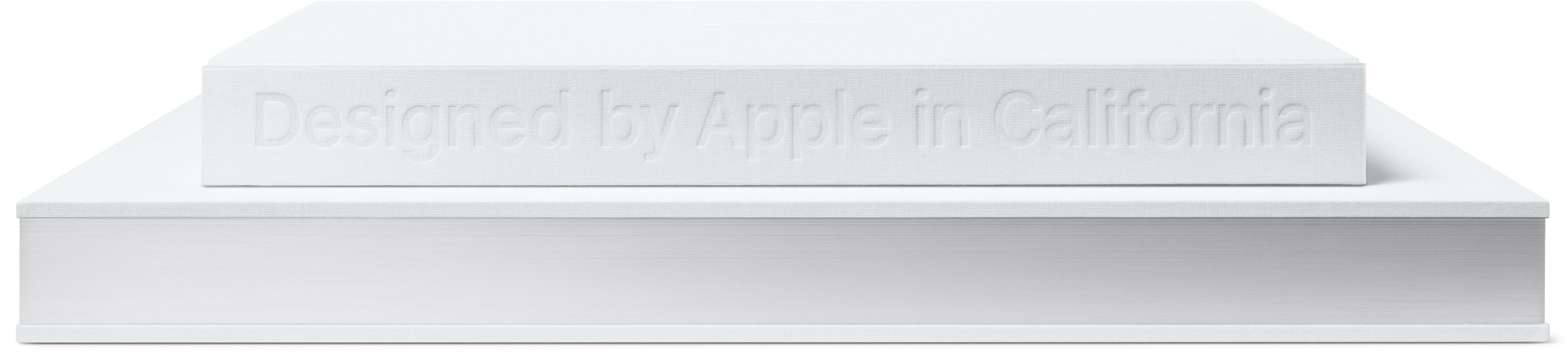
Hello, can I use it to create a book in a white house? A pure book looks like Apple designed it.
Hello, you can put on background photo with white house, if i understand you correctly. And make cover of your book with white color.
Aha, thank you for your help! What in a white house is the book, not me.  And if I want another view of this book, can I? for example: http://images.apple.com/v/designed-by-apple/a/images/overview/hero_flat_books_large_2x.jpg
You can use only design which you can see in preview.
Hi Alex, We are trying to create a very clean and sharp white look to the book. The pages however look like they have a very light green / grey overlay. Can you help us get rid of this in the settings. Cheers
Also Alex, how do you get rid of the paint brush effect?
Hi Alex! sorry for my bad English, i speak spanish. You can change the peel-off cover and pages are blank when they are turn? I urgent please!! Велике спасибі!
in the open end only
Hello, go to the composition Final_Render/Close/click on icon “hide all layers…” and click on icon with eyes, which is at the left of layer “Additional_Text_End_1_[00328-00381].png”
hi Alex,
I just bought your 3d book constructor and i’m a little disapointed…
First, i dont know why but the close comp cover is not sync with the front page so it makes a weird close book animation (http://i.imgur.com/zvO1LL3.png)
Second, i tried to combine the open composition with another comp that i made but the book makes some shitty shakes movements when i put it in a my new comp. (http://i.imgur.com/btRfDpy.png)
please help
thanks
Hello, Looks like you moved one composition, try to move your composition with cover on forward one frame. About your second question, can you show me video with this problem moment and explain what exactly you did.
I dont know why but it doesn’t work when i move with the comp. I tried to redownload the folder from evento but nothing change. The cover page image is always one frame late and it doesn’t follow the cover page movement.
I wrote to you on email
Hi Alex! I tried to chance the cover for my own cover bellow cover_text but just appeared a white box. Did you can explain what I’m doing wrong?
PROPER TUTORIAL NEEDED WITH AUDIO Can you make a proper tutorial with audio like this guy did in https://www.youtube.com/watch?v=Cbz6OAEXNcg for https://videohive.net/item/my-book-promotion-version-3-/6906790
Hello, unfortunotly my English is poor, so i can’t do it.
Okay, I got yah
Alex I watched ur video tutorial and there is no explanation of what ur doing. Its so small that even on my 42inch TV I cannot tell what ur clicking on.
Can you please explain what ur doing and make it larger, by zooming in on what ur clicking on and explain what.
Your product is good but how to use it is not well explained.
You can email me at chuose@gmail.com
Hello, this template has Help PDF file instead of video tutorial, so i don’t know what you saw.
It’s hard to see what ur doing . May need to zoom in.
But don’t worry, gone else where
It’s hard to see what ur doing . May need to zoom in.
But don’t worry, gone else where
Is it possible to customize Page content, when the pages are turned? I can only see your page turning animation is prerendered and cant be changed
See previews, when the book is opened, there is information inside it. Before the page is flipped information disappears. This project works only with this scheme.
maybe I didnt get that. But for our purposes a book animation without visualizing the pages being turned is nonsense.
I’m sorry that my template didn’t propose what you want. Maybe you should write to envato support for refund your money. Sorry again.
THX for your fast Reply. I will request refund. good job anyway, just not what we thought it would be. no offense!
No problem. Thanks
Hello there! First of all I have to say: I am from Germany and unfortunately my English is not that good as it probably has to be. I’m absolutely fascinated of this application. I am looking for something exactly like this! I am a nerdy roleplay gamer and like to publish the diary of my online character. So, how does it work? Just buy and download this application here and I can start and publish my book online to share with others? Or do I also need a another program? Thanks for your time!
Hello, you will need have program Adobe After Effects. Also you need some basics skills in this program. If you don’t have it, i think you should find someone who can customise this project for you.
So good job!
Thanks
Can you send me tutorial how can i scale the book? I need a5 landscape format, thank you!
Hello, you need change size of your book in “control” layer and if this size will be too different, you will need to do some more changes. I made to you video where i showed how to change project, if sizes of your book unusual.
https://www.dropbox.com/s/no5npt3aihqi9zt/3d_book_tutor_02.mp4It is a bit dirty variant and you can see some problems with transitions, but i hope you will understand how to work with my project.
i need a a5 book landscape, is it possible on this proportions?
I think yes, but size will need to choose manually, a5 is not provided in the settings. so you will need adjust to this size.
can you join me 5 minute on teamv?
Unfortunately i can’t do it, if you have more questions, please write it here or on my e-mail.
if i send you a background can you change for me for animation book_all 0-400 ?
you can put your background yourself. It is easy,you should just read help file, but if you can’t do it, please send me on e-mail your customized project, i will change background for you.
can you send me your email?
i have sent to you on wetransfer.com verify email in 15 mins, many thanks!
Done. I send on your email, which you use on videohive.
Any chance you can explain changing the cover to my own cover better. I tried following your explanation but all is see is a white spot instead of the my own cover. I added an image of my cover under the original text in Cover_Text then went to Cover_Text_End and deleted the Effect for each of the Cover_Text from within comps. Attached is an image of what I’m getting for a cover. https://www.dropbox.com/s/dv27vkx25cr78qw/example-cover.jpg PLEASE HELP!!
After leaving my message I went for a walk in the neighborhood only to get back and find your reply with instructions. WOW!!! I was expecting days to go by. I watched the video, it’s exactly what I needed. Thank YOU so much!!!
No problem
I figured out how to remove the masked effect and guess there is no way to get my page image to be part of the actual page that turns. I suppose my page/ image/text just pops on the page after the page turn is finished. Can you tell me how to change the color of the book pages so I can match it with my white page? Not sure if you made that possible. Thank you.
You can remove one effect in “Final_Render” composition. Go there and click “Hides all layers…” then unlock layer “CC” (Just click on icon with lock which you can see at the left on your layer). And remove this layer. It will make your pages whiter.
Hello Alex, thanks for the details. I tried the part about fitting my own page over the book page and yes I can sort of get it to fit but not very pro looking. My page is white and your book page is no where near it and even if I deleted CC layer my page stands out and just looks like I placed an image of my page on top of the book page. So before I spend any more time trying to get what I want, and perhaps I should of asked about this beforehand, can I use your product to make a page look like it is part of the book such as this other book video? https://www.youtube.com/watch?v=3z13Nsw3Hmg I was attracted by your product for the fact that you can add how ever many pages you want and turn pages but was not happy with the way my pages are incorporated in the book itself. Thank you for your time.
Great job! Is there a way to keep the content of a page during the turning? 
Hello, unfortunately no, i can do it for you in 3D program, but it is individual, write me on e-mail if you want.
Excellent graphics and cool project, friend!
Thanks
Nice work. Is there a way to use custom cover art?
Hello, you can’t change cover on your, but you can try to put your image into placeholder with name. It should go over my cover. (Open placeholder which you use to change name of the book and put there photo of your cover below than text)
Then go to the composition COVER_Text and COVER_Text_end and delete in all compositions Cover_Text effect fill. (see pictures) https://www.dropbox.com/s/xdpok0k4anzzjma/Screenshot_1.png
Thanks. I’ll give it a try.
Can you make it ( book opening ) from right to left like Arabic book thank you
Hello, i can do it, but it not easy. Please write me on e-mail alex.tantsura@gmail.com
Perfect job!
Thanks
Wow dude! Awesome work!
Thanks
Nicely done AlexTantsura.
Thanks

Elite Author
Contact the Envato Market Help Team





)
)

